How is a product planned, stored, reserved, and made available in iDempiere
To ensure uninterrupted operations and accurate material planning, iDempiere provides detailed controls and visibility over how products are replenished, stored, reserved, and expected to be available.
These capabilities are managed through dedicated tabs within the Product window, enabling users to plan procurement, monitor physical storage, track reservations, and understand incoming quantities.
Planning Product Availability Using Replenishment
The Replenish tab is used to define how and when a product should be replenished to maintain required stock levels.
How replenishment works
- Minimum and maximum stock levels are defined per warehouse
- Replenishment rules determine when purchase or transfer suggestions are generated
- Planning is based on current stock, reserved quantities, and expected receipts
Key configuration includes
- Selecting the Warehouse
- Defining Minimum and Maximum Inventory Levels
- Setting Replenishment Type
- Custom
- Maintain Maximum Level
- Manual
- Reorder below Minimum Level
- Maintaining Safety Stock if required
This ensures that products are planned proactively and stock shortages are avoided.

Understanding Where the Product Is Stored (Located At)
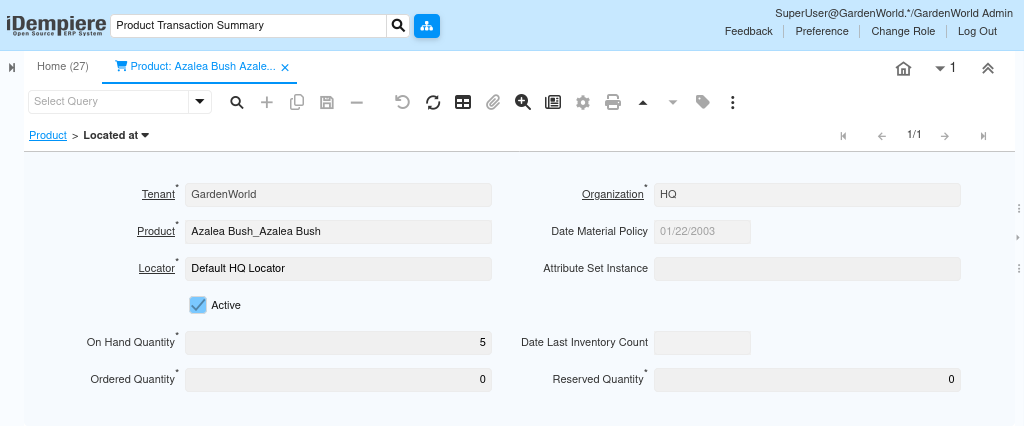
The Located At tab provides visibility into the physical storage location of the product within warehouses.
How location tracking works
- Shows the warehouse and locator (bin/rack) where the product is stored
- Displays on-hand quantity by storage location
- Supports multi-location storage within the same warehouse
This helps warehouse and site users quickly identify where materials are physically available for picking or issuing.
Tracking Reserved Quantities
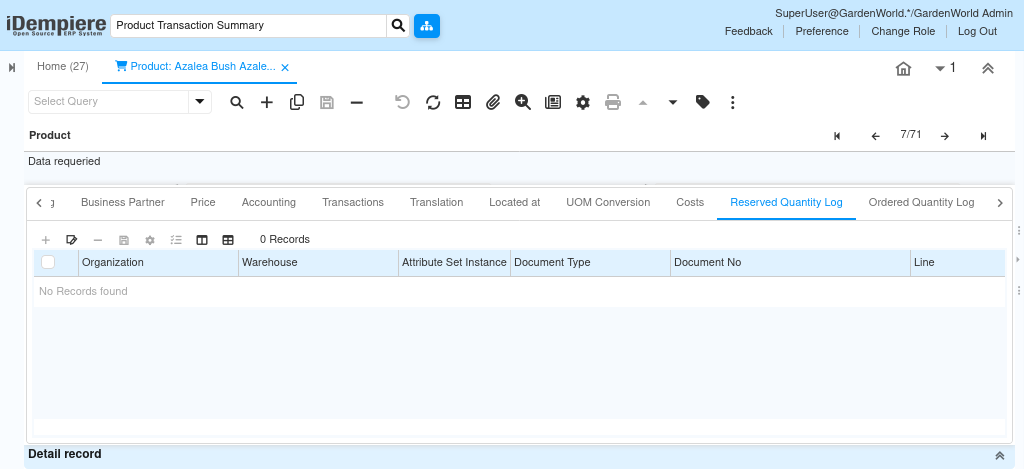
The Reserved Quantity Log tracks quantities that are committed to future transactions but not yet issued.
How reservation works
- Quantities are reserved when linked to confirmed sales orders, project demands, or internal requirements
- Reserved stock reduces available-to-promise quantities
- Reservation history is logged with reference details
This ensures that stock committed to projects or orders is protected from being consumed by other transactions.
Monitoring Incoming and Ordered Quantities
The Ordered Quantity Log provides visibility into quantities that are expected to be received but are not yet in stock.
How ordered quantity works
- Quantities are created from Purchase Orders or transfer orders
- These quantities increase expected availability but do not affect on-hand stock
- Logs provide traceability to the originating purchase documents
This allows users to anticipate future stock availability and plan project activities accordingly.
Combined Availability View
By combining information from
- Replenish (planning rules)
- Located At (physical storage)
- Reserved Quantity Log (committed stock)
- Ordered Quantity Log (incoming stock)
Users gain a complete view of
- Current stock on hand
- Stock already committed
- Stock expected to arrive
- When and where the product will be available