How does Storage Per Product works in iDempiere
The Storage Per Product report provides a consolidated and real-time view of a product’s inventory across all warehouses and locators.
It does not list individual transactions; instead, it summarizes the final inventory position that results from all processed movements. Each row of the report represents a storage record for that product, and multiple rows appear when the product exists in different warehouses, locators, or attribute sets. This allows users to understand not just total stock, but where exactly the stock is stored and how it is allocated.
Product Details Displayed
At the beginning of each row, the report shows descriptive information taken from the Product master:
- Product Name, Description, Classification
- Product Category and Search Key
- SKU and UOM
- Additional identifiers Version No, Volume, and Weight
These fields help the user confirm the exact item being viewed, but they do not influence inventory calculations. They purely provide identification and context.
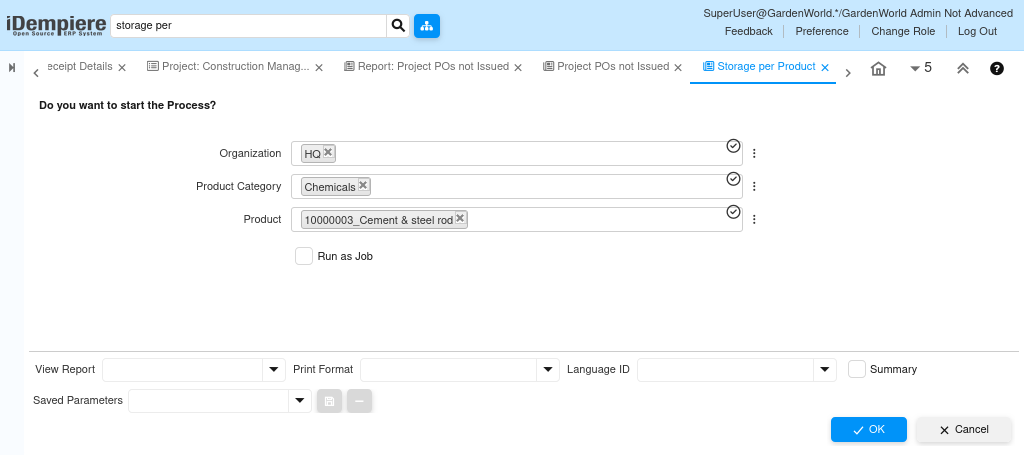
How Inventory Quantities Are Calculated
The heart of the report lies in its quantity fields, which summarize the product’s current inventory status.
Sum Qty On Hand represents the physical quantity present in the warehouse at that moment. It is updated automatically when documents such as Material Receipts, Customer Shipments, Physical Inventory adjustments, Production Receipts, and Internal Use Inventory transactions are completed. This value always reflects real stock quantities according to system records.
Sum Qty Reserved indicates stock already committed to open Sales Orders or Production Orders. This quantity cannot be used for new allocations. When shipments or production issues are completed, the system reduces both the reserved quantity and the on-hand quantity automatically.
Sum Qty Ordered shows incoming stock expected from open Purchase Orders. When a PO is created, the ordered quantity increases; when the PO is received, the ordered quantity decreases and the on-hand quantity increases by the same amount. This gives users instant visibility into future stock availability.
Sum Qty Available is calculated directly by subtracting reserved quantity from on-hand quantity. It reflects the stock that is truly free for sale or internal use.
For example
- If on hand = 505 and reserved = 0 → available = 505
- If on hand = 79 and reserved = 20 → available = 59
This ensures users do not allocate stock that has already been promised.
Why a Product Appears in Multiple Rows
A single product may appear multiple times in the report because storage is tracked at
- Warehouse level
- Locator level
- Attribute set level (batch, serial, expiry, etc.)
So a product stored in two different warehouses or two locators will generate two separate rows.
