How Shipper Works in iDempiere
A shipper represents the actual delivery provider used in outbound logistics. It determines which carrier and shipping rules apply during real transactions and becomes selectable in sales orders, shipments, and customer deliveries to execute shipping correctly.
Process Flow
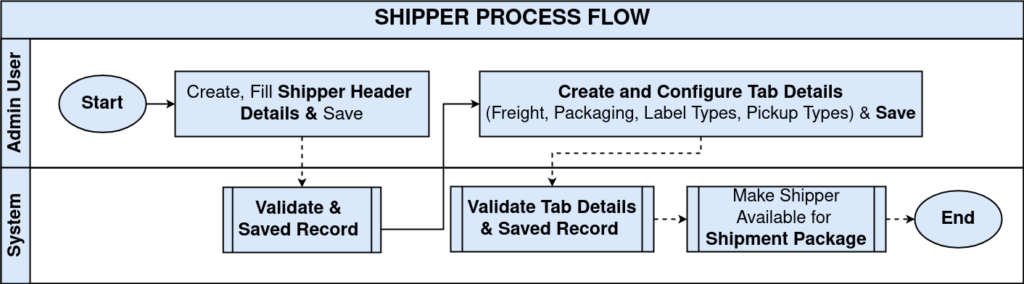
Core Shipper Definition
The main shipper record establishes the carrier identity and connects it to the shipping logic already defined in the system.
This is what the shipper is bound to:
- Business Partner (optional, when the carrier is also a vendor)
- Shipping Processor (how freight is calculated or requested)
- Shipper Configuration (the rule engine behind pricing and options)
These links ensure that the shipper is not just a name but a functional shipping engine.
Important behaviors:
- The shipping processor determines whether rates are table-based or external.
- Flags like international and residential influence availability during shipment creation.
- The shipper becomes active only when all dependent rules exist.

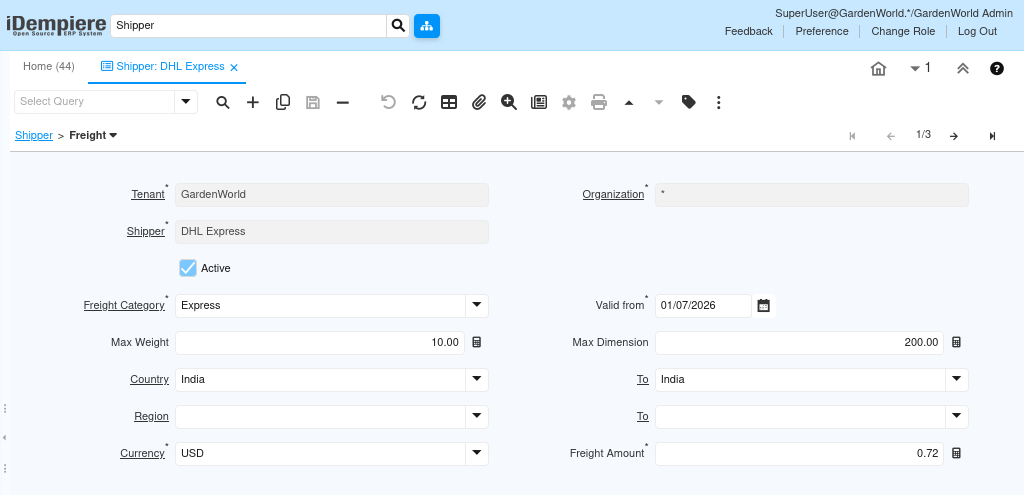
Freight Integration (Pricing Execution)
The freight tab under shipper defines which freight rules apply when this shipper is used. These are not generic rates — they are the final executable shipping prices.
When a shipment is created, the system evaluates:
- Selected shipper
- Shipment weight and dimensions
- Destination country and region
- Applicable freight category
Based on this, the most appropriate freight line is applied automatically.
Key execution logic:
- Multiple freight lines can exist for the same shipper.
- The system selects the best matching rule, not the cheapest or first.
- If no freight rule matches, the shipment cannot calculate shipping cost.
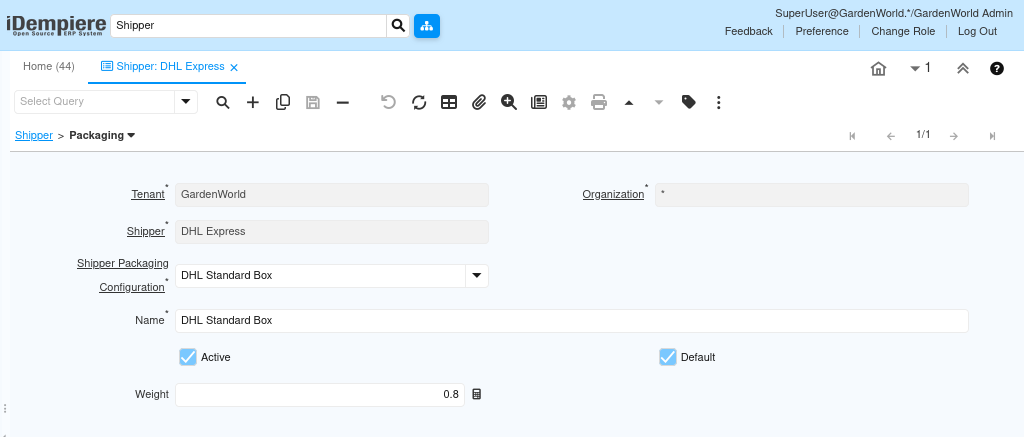
Packaging Integration (Physical Handling)
The packaging tab defines how goods are physically packed when shipped using this shipper. This ensures that freight calculations receive consistent and realistic data.
Packaging is not cosmetic — it directly affects:
- Shipment weight
- Freight rule eligibility
- Carrier acceptance
Each packaging record represents a carrier-supported package type and can be marked as default for automatic selection.
Operational effect:
- Default packaging is applied automatically during shipment.
- Users can override packaging only if allowed.
- Weight from packaging is included in freight calculation.
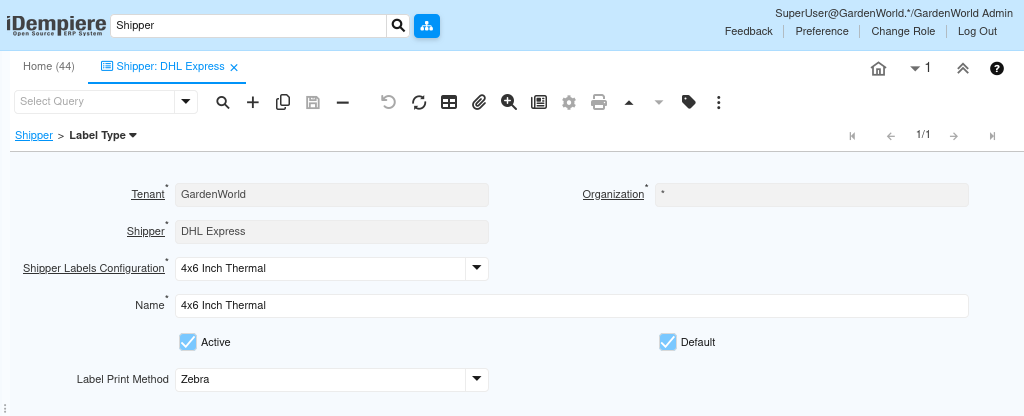
Label Type Integration (Compliance and Printing)
The label type tab controls how shipping labels are generated and printed for this shipper. This ensures compatibility with carrier standards and warehouse printers.
Label configuration defines:
- Label dimensions (width and height)
- Print method (for example, Zebra)
- Default label used during shipment confirmation
Once configured, users do not need to choose label formats manually.
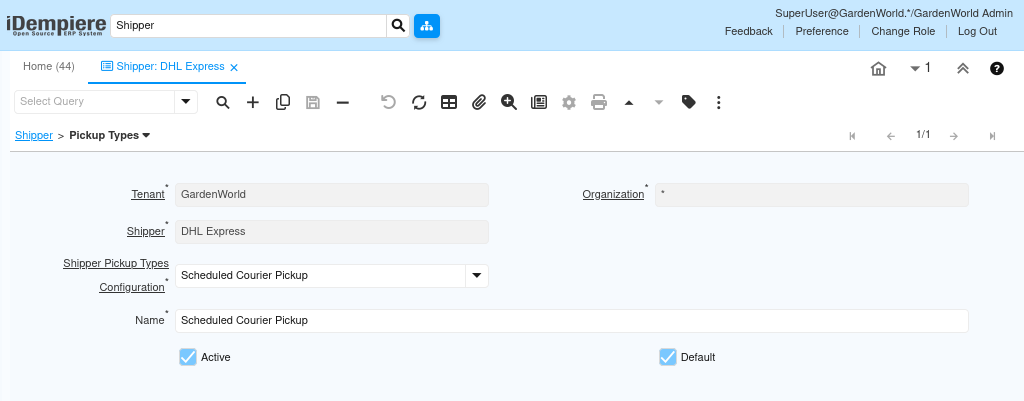
Pickup Type Integration (Logistics Execution)
The pickup type tab defines how parcels are collected after shipment is prepared. This impacts operational workflow rather than pricing.
Pickup types define whether the carrier:
- Collects shipments on a schedule
- Is requested on demand
- Requires drop-off by the business
Only one pickup type is typically set as default, ensuring predictable shipment confirmation.
How Everything Comes Together in Transactions
Once the shipper is fully configured, users experience a fully automated shipping flow.
During a real transaction:
- Sales Order selects the Shipper
- Shipment automatically applies:
- Freight rules
- Packaging defaults
- Label format
- Pickup method
- Freight cost is calculated without manual input
- Shipment is completed with compliant labels and logistics data
Users only focus on shipping the product, not on logistics complexity.
Purpose and Use Cases
The shipper setup is essential for organizations that ship goods regularly and need predictable logistics behavior.
Common use cases:
- E-commerce order fulfillment
- Distributor outbound shipments
- International deliveries with tiered pricing
- Warehouse dispatch with standardized packaging
Business benefits include:
- Accurate and consistent shipping costs
- Reduced operational errors
- Faster shipment processing
- Carrier-compliant execution
- Scalable logistics operations
Outcome
With Shipper fully configured and linked to freight, packaging, label, and pickup rules:
- Shipping becomes system-driven, not manual
- Users can complete shipments without logistics expertise
- Freight is calculated correctly every time
- Operations scale without increasing complexity
The shipper turns shipping from a risky manual activity into a controlled, reliable business process.