How Performance Goal Works in iDempiere
The Performance Goal feature defines and tracks business targets in iDempiere using real transactional data. It links invoices, orders, or KPIs to management goals, providing real-time visibility into progress and helping teams monitor results against defined targets over time.
Process Flow
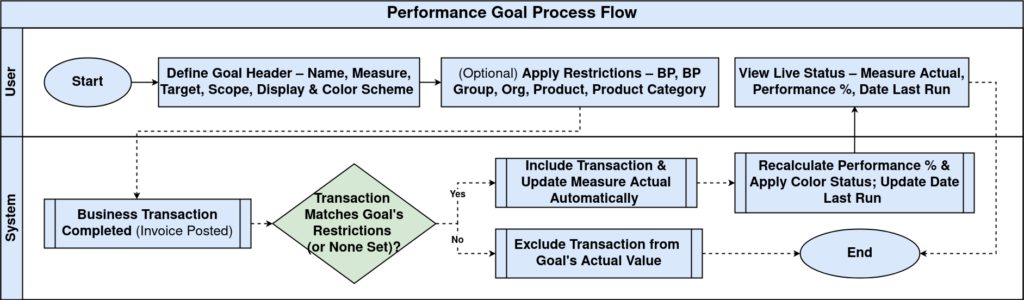
Goal Definition (Header Setup)
The Performance Goal header defines what you want to measure and how success is evaluated. This configuration is done once and reused continuously as transactions flow into the system.
You start by naming the goal clearly (for example, Invoice Revenue), enabling it, and selecting how it should be displayed and evaluated. The goal is always tied to a measure, which determines the source of actual data (such as Invoices Gross Revenue).
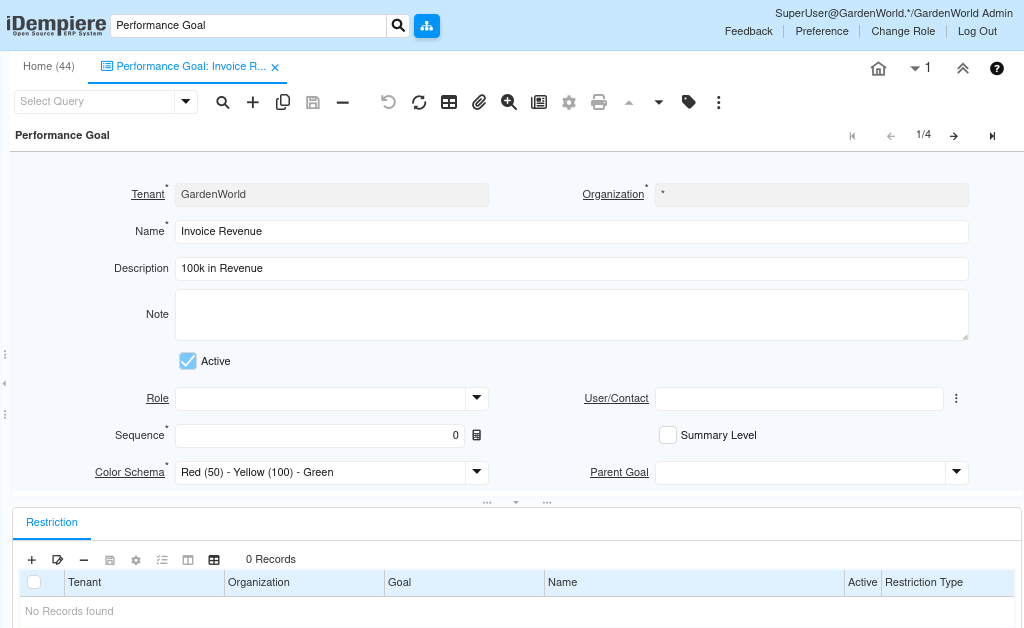
The measure target represents the expected outcome (e.g., 100,000 revenue). The measure scope defines the time window (Year, Quarter, Month), while measure display controls how results are visualized (Monthly, Quarterly). These settings ensure the goal updates automatically as transactions are posted.
Color schemes provide visual health indicators (Red / Yellow / Green), making it easy to understand performance status at a glance without reading numbers.
Measurement and Time Configuration
This section controls how and when the goal is calculated. Once configured, no manual updates are required. The system continuously calculates the actual measure based on completed transactions that match the selected measure. The date from / date to fields restrict the evaluation period, while the charttype defines how results appear in dashboards and reports.
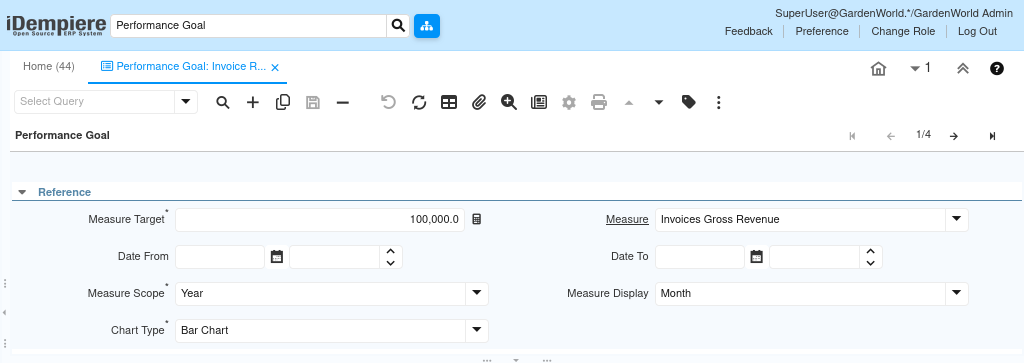
As invoices are completed, the Actual value updates automatically, allowing teams to track progress in real time.
Restrictions (Filtering What Counts)
Restrictions define which transactions are included in the goal calculation. Without restrictions, the goal applies globally.
You can restrict performance tracking by:
- Business Partner
- Business Partner Group
- Organization
- Product
- Product Category
This allows highly focused goals, such as:
- Revenue from a specific customer group
- Sales of a particular product category
- Performance of one sales organization
Only transactions matching these rules contribute to the goal’s actual value.
Status and Evaluation
The Status section displays live results generated by the system.
The Measure Actual shows current performance, while the Performance Goal field reflects progress relative to the target. The Date Last Run confirms when the calculation was last refreshed, ensuring data reliability. No manual recalculation is required—performance updates automatically as business transactions are completed.

Purpose and Outcomes
Performance goals bridge the gap between operational activity and strategic targets. Instead of relying on external spreadsheets or delayed reports, teams see performance directly inside the ERP.
This setup enables:
- Real-time KPI tracking
- Clear accountability by role, product, or customer
- Faster management decisions based on live data
- Visual performance monitoring without manual reporting
Key Configuration Checklist
- Define a clear goal name and description
- Select the correct measure (data source)
- Set a realistic measure target
- Choose proper time scope and display
- Apply restrictions only when needed
- Verify actual values update after transactions
Performance goals are configured once, linked to transactional measures, filtered using restrictions, and automatically updated as business activity occurs. This creates a self-updating performance tracking system that aligns daily operations with long-term business objectives—without additional effort after setup.
This makes performance goals a core management control tool inside iDempiere rather than just a reporting feature.