How can I create a new product and define its usage in iDempiere
To support purchasing, inventory management, sales, and project operations, iDempiere requires all items whether materials, services, or expenses to be defined as Products.
The Product master acts as a central configuration point that determines how an item behaves across procurement, warehousing, accounting, and projects.Creating a product correctly ensures accurate stock tracking, proper accounting postings, and smooth integration with purchase orders, material receipts, invoices, and project task lines.
Creating a Product
The first step is to create a new Product record. This record defines the basic identity of the item and controls how it is used throughout the system
How to create a product
- Navigate to the Product window
- Create a new Product record
At this stage, the product is only a shell. Its behavior is determined by the attributes and flags configured in the following steps.
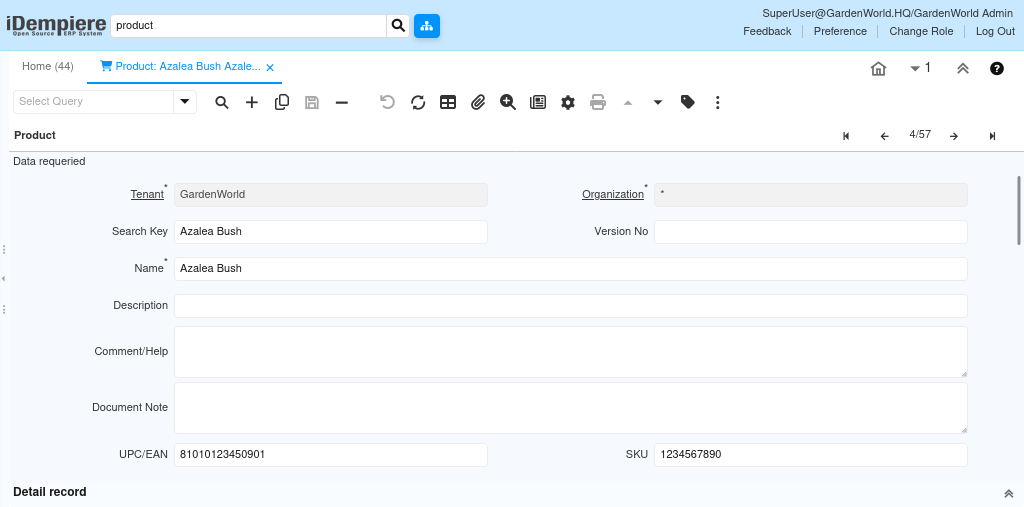
Defining Basic Product Information
Basic product details help users identify and select the correct item during transactions.
Configuration includes
- Entering a meaningful Product Name
- Assigning a Search Key for quick lookup
- Selecting the applicable Organization
- Providing Description and Comments if required
These details improve usability and reduce errors during purchasing, inventory movements, and project planning.
Selecting the Product Type
The Product Type determines whether the product represents a physical item or a non-stock service.
Available options include
- Item – Used for physical materials that may be stocked, issued, or consumed
- Service – Used for labor, subcontracting, rentals, or charges that do not affect inventory
- Asset – A product intended to become a fixed asset.
- Expense type – A product used purely for expense posting, not stock or asset.
- Resource – A capacity-based product representing time or effort.

Defining Purchase, Inventory, and Service Behavior
Product behavior is controlled using functional flags. These flags determine where and how the product can be used.
Key configuration options include
- Purchased – Enables the product for Purchase Orders and Vendor Invoices
- Sold – Enables the product for Sales Orders and Customer Invoices
- Manufactured – Used for Bill of Material products.
Behavior examples
- A raw material is typically Purchased and Stocked
- A subcontract service is Purchased but not Stocked
- A project charge or labor cost is a Service with Expense Type enabled
This setup ensures the product behaves correctly in procurement, inventory, and accounting flows.
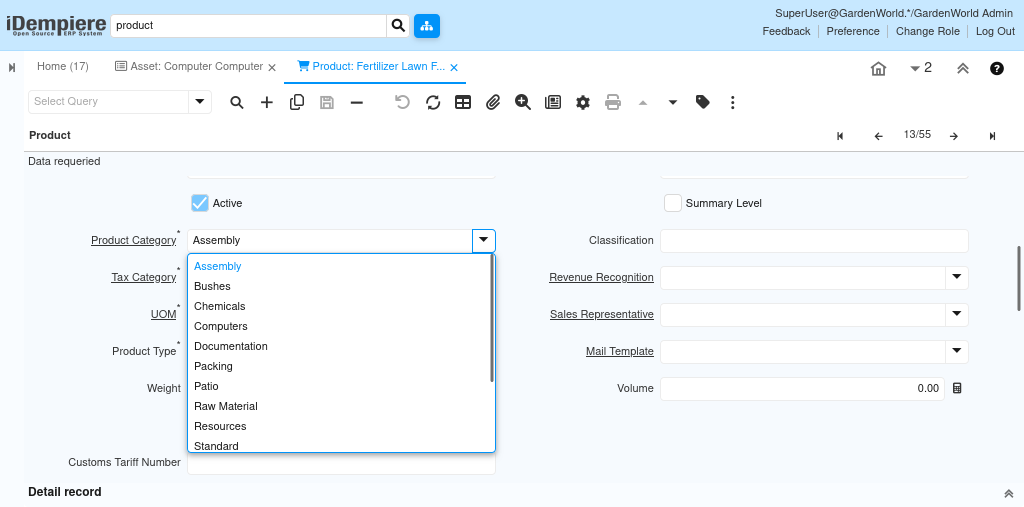
Assigning Product Category
The Product Category controls accounting rules, default accounts, and reporting behavior.
When assigning a product category
- Ensure it matches the nature of the product (Material, Service, Expense, Asset)
- Confirm that accounting is correctly configured at the category level
This allows iDempiere to automatically derive accounting entries during transactions such as receipts, issues, and invoices.
Defining Unit of Measure (UOM)
The Unit of Measure defines how quantities are handled for the product.
Configuration includes:
- Selecting the primary UOM (e.g., Each, Kg, Meter, Hour)
- Ensuring consistency with purchasing, inventory, and project usage
Accurate UOM setup prevents quantity mismatches during receiving, issuing, and invoicing.
Defining Service Products (Non-Stock)
For Service or Expense-type products
- No inventory transactions are created
- Costs are directly posted to accounting
- Products can be used in Purchase Invoices, Project Task Lines, and Expense flows
This is commonly used for labor charges, subcontracting, rentals, and professional services.
By correctly configuring a product
- Users can purchase materials or services without manual adjustments
- Inventory is accurately tracked for physical items
- Accounting entries are generated automatically
- Products can be reused consistently across purchasing, inventory, projects, and finance
A well-defined Product master ensures reliable transaction processing and forms the foundation for effective operational and financial control in iDempiere.