How Material Receipt Line works in iDempiere
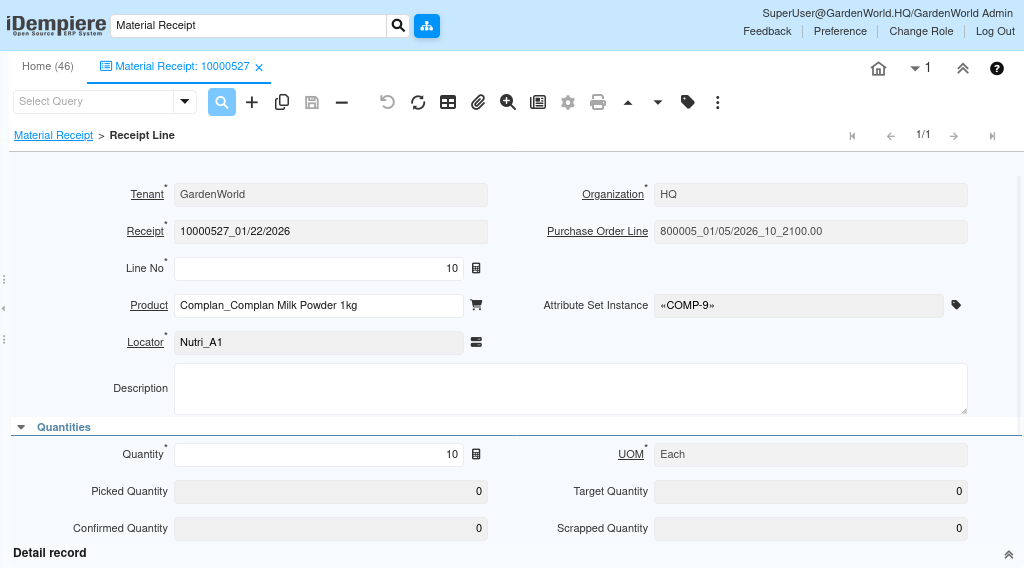
A Material Receipt Line represents the detailed item-level entry of a Goods Receipt. Each line captures the product received, its storage location, quantities, and any related procurement.
The line-level information directly updates inventory, supports matching with purchase orders, and ensures accurate stock valuation and traceability. iDempiere validates every line to ensure it aligns with the purchase order, warehouse constraints, and inventory rules.
Each receipt line ties three essential elements together
The receipt document that represents the physical movement, the product being received, and the locator that defines exactly where in the warehouse the product is stored.
Receipt and Purchase Order Connection
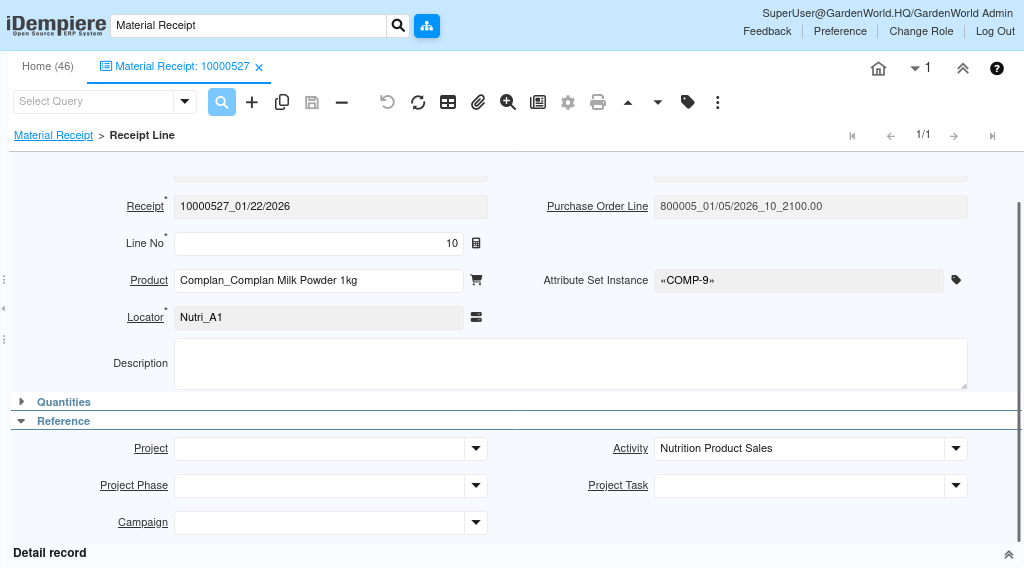
A line always belongs to a Material Receipt, and it may reference a Purchase Order line. When linked, the system uses PO information to determine expected quantities, UOM, and attribute requirements. This guarantees consistency in the procurement flow and ensures that received quantities do not exceed ordered amounts.
Product and Attribute Handling
When a product is selected, iDempiere loads defaults such as UOM, attribute requirements, and storage rules. If the product is attribute-controlled the Attribute Set Instance field becomes essential. This allows tracking of each received unit with complete traceability. If the line is descriptive without actual product stocking, the Description field can be used to record notes without affecting inventory.
Warehouse Locator – Placing Goods Correctly
The Locator determines where the product is stored within the warehouse. This selection is critical for
- Inventory availability
- Stock valuation
- Warehouse picking and tracking
- FIFO / LIFO costing accuracy
iDempiere ensures that only locators belonging to the selected warehouse can be used, preventing cross-warehouse errors.
How iDempiere Validates and Updates Stock
Quantities drive the physical movement of goods and define how much inventory is added to the warehouse. Multiple quantity fields help manage operational flows such as receiving, picking, confirming, and scrapping.
Key Quantity Concepts
- Movement Quantity is the actual stock being received.
- Picked Quantity supports picking/packing workflows.
- Target Quantity is used when the warehouse aims to receive a specific amount.
- Confirmed Quantity ensures warehouse confirmation before completing the receipt.
- Scrapped Quantity records damaged, expired, or unusable goods.
The main Quantity and UOM fields represent the base quantity being processed.
iDempiere validates these amounts against the Purchase Order when linked and ensures that quantities do not exceed the PO or violate inventory constraints.