How Return to Vendor Works in iDempiere
Return to Vendor is used to send back materials to suppliers when goods are damaged, excessive, or incorrect.
It ensures inventory accuracy, cost correction, and proper vendor settlement.
Identify Return Requirement
Materials received undergo inspection at the warehouse or site, identifying issues such as damaged goods, wrong items received, or excessive quantities beyond requirements. This step determines the exact products and quantities needing return.
Create Return to Vendor Document
A Return to Vendor document is created, referencing the original Material Receipt when available, along with the vendor and specific product quantities. This maintains complete traceability back to the original purchase transaction.
Complete Return Transaction
Upon completion, the system reduces inventory quantities and records the outbound stock movement from the warehouse. iDempiere updates all related inventory records to reflect the physical return accurately.
Accounting Impact
The process automatically reverses the inventory valuation, adjusts associated project or expense costs, and updates vendor liability accounts if the items were already invoiced. This ensures immediate financial accuracy.
Vendor Settlement
Returned quantities feed into vendor credit memos or invoice adjustments, preventing overpayments. The system maintains proper reconciliation between physical returns and financial settlements with the supplier.
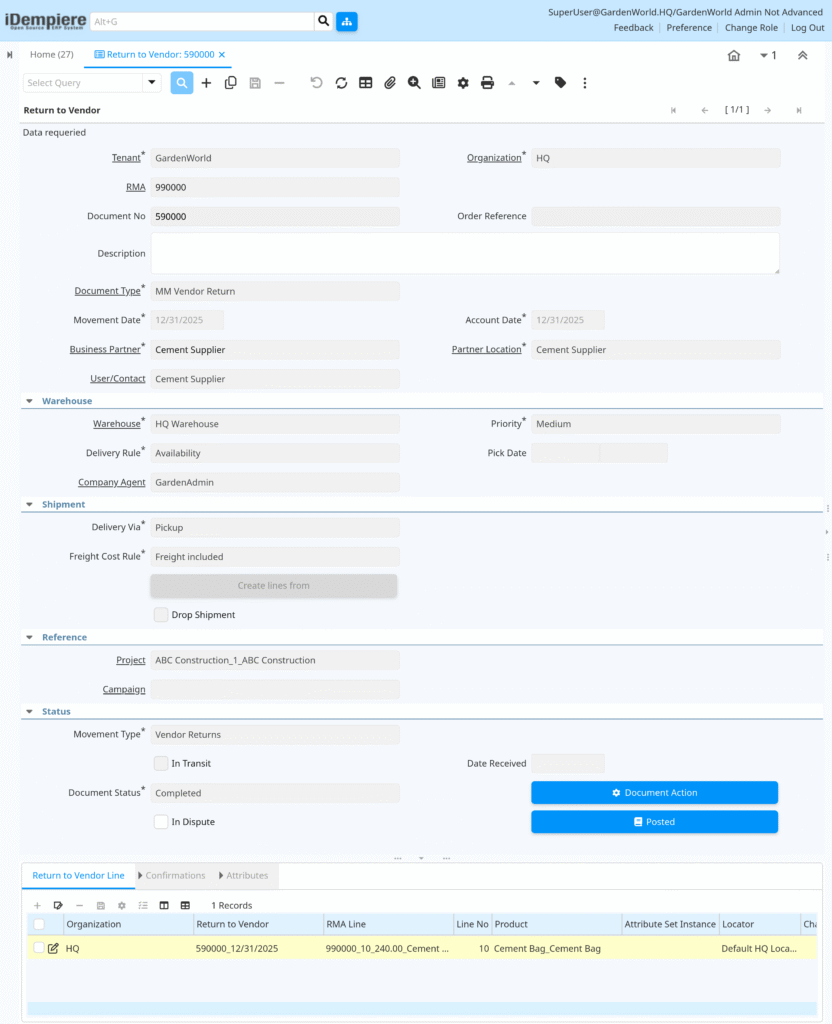
Return to Vendor in iDempiere provides a controlled and auditable process for handling material returns, ensuring inventory accuracy, correct project costing, and proper vendor settlements.