How to create a project with tasks to generate production from project
iDempiere supports task-level project planning, allowing detailed control over quantities, costs, and production at the operational level. This setup is commonly used when execution and costing need to be tracked at a finer granularity within each project phase.
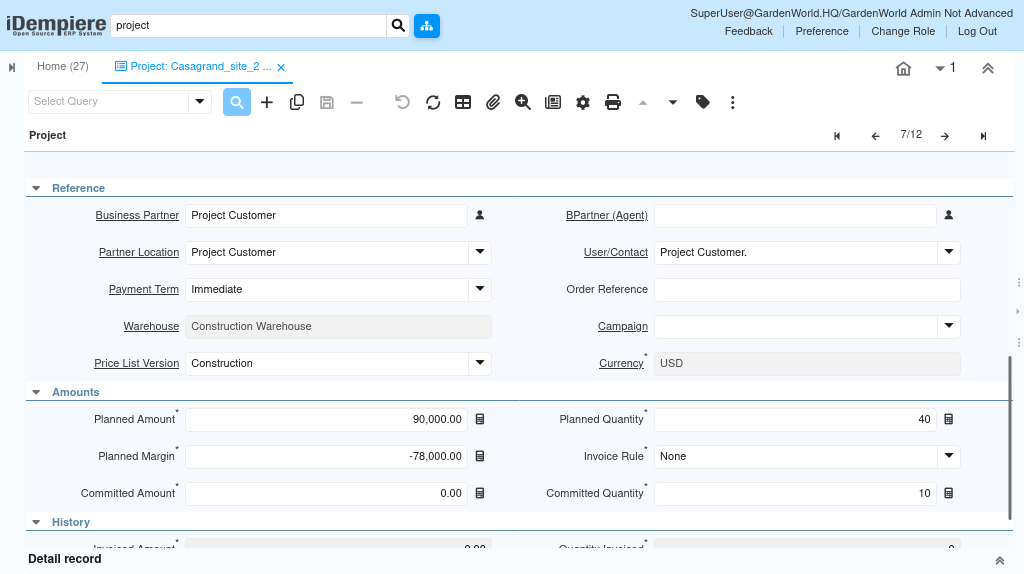
Creating a New Project with Task Line Level
The first step is to create a project and define its planning structure. Setting the correct line level determines how project details are captured and managed.
Project setup includes
- Navigating to the Project window
- Creating a new Project record
- Setting the Line Level to Task
Defining the project at the task level enables detailed planning and tracking for each activity within the project.

Defining Project Phases
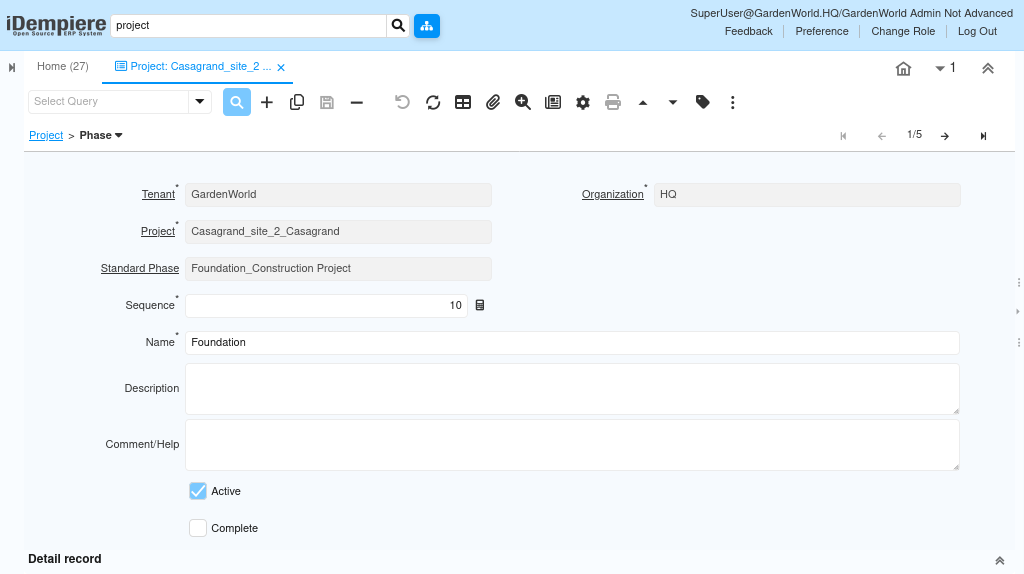
Phases represent high-level stages of the project and serve as containers for related tasks.
Phase configuration includes
- Adding a new Phase to the project
- Entering a meaningful Phase Name
- Providing Description and Comments for reference
- Defining Start Date and End Date, if required
Phases help organize tasks and improve visibility into the project structure.
Creating Tasks Within the Phase
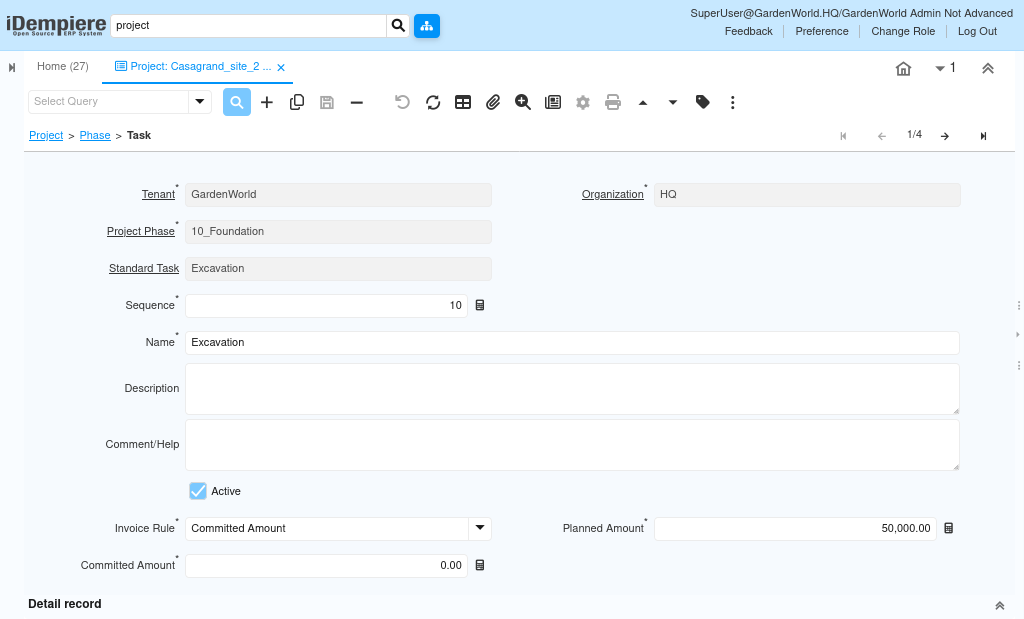
Tasks define the actual activities to be executed within each phase and allow operational-level planning.
Task setup includes
- Creating a new Task under the selected phase
- Entering the Task Name
- Maintaining Description, Comments, and Start/End Dates as needed
Tasks enable precise tracking of work, costs, and production at an activity level.
Creating Task Lines for Planning and Production
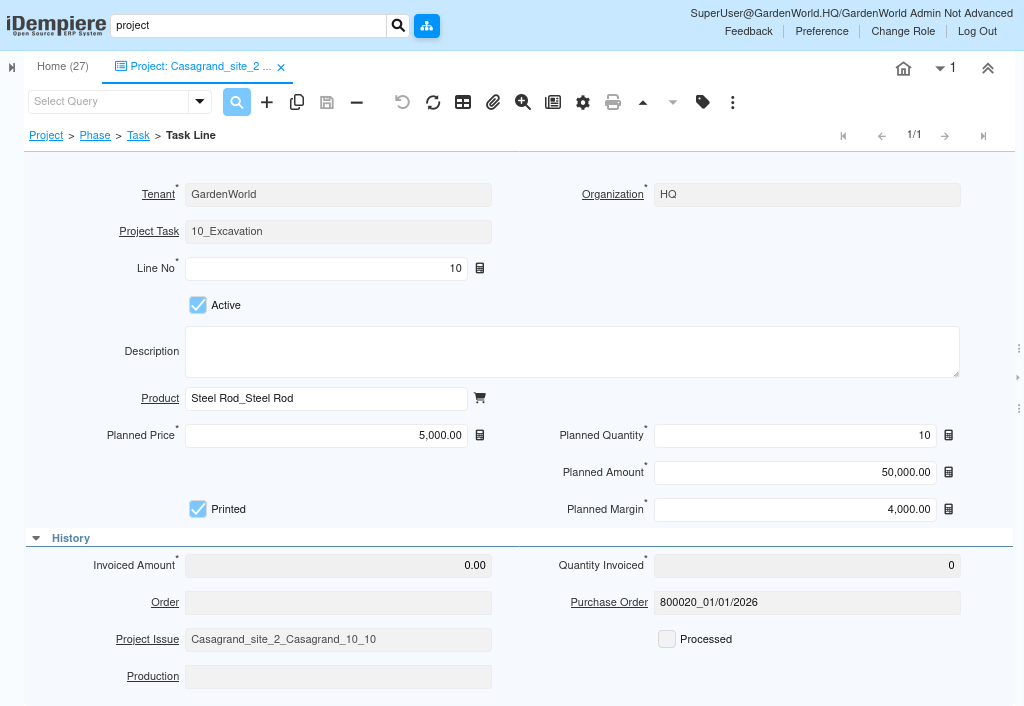
Task Lines are used to define the products, quantities, and costs required to complete each task. These lines are directly used for production planning and cost calculations.
Task line configuration includes
- Adding a new Task Line
- Selecting the BOM Product to be produced
- Entering the Planned Price for the product
- Entering the Planned Quantity required for the task
This configuration links task-level planning with manufacturing and inventory processes.
Planned Amount and Margin Calculation
After entering the planned price and quantity, iDempiere automatically calculates the financial values for each task line.
Automatic calculations include
Planned Amount = Planned Price × Planned Quantity
Planned Margin = (Planned Price − Limit Price) × Planned Quantity
These calculations provide early visibility into expected costs and margins at the task level.
By using task-level project planning
- Projects are planned with greater operational detail
- Production can be generated directly from task lines
- Costs and margins are tracked accurately at the activity level
This approach ensures tighter control over execution, budgeting, and profitability throughout the project lifecycle.