How to Create and Use Tasks in iDempiere
Tasks represent the actual work executed within a project in iDempiere. They are where planning turns into action, as materials, purchases, and costs connect to tasks, making them central to execution tracking and real transaction usage.
Ensure the Project Is Ready for Tasks
Before working with tasks, confirm that the project is properly prepared. Open the project window and verify that the basic project setup is complete and usable for execution. The project header must be saved and active, the line level must be set to task, and a valid project type (for example, Construction Project) must already be selected and applied using the set project type action.
Once this is done, iDempiere automatically prepares the project structure so tasks can be used without manual setup. If the project type includes standard tasks, they will already be available under the relevant phases.
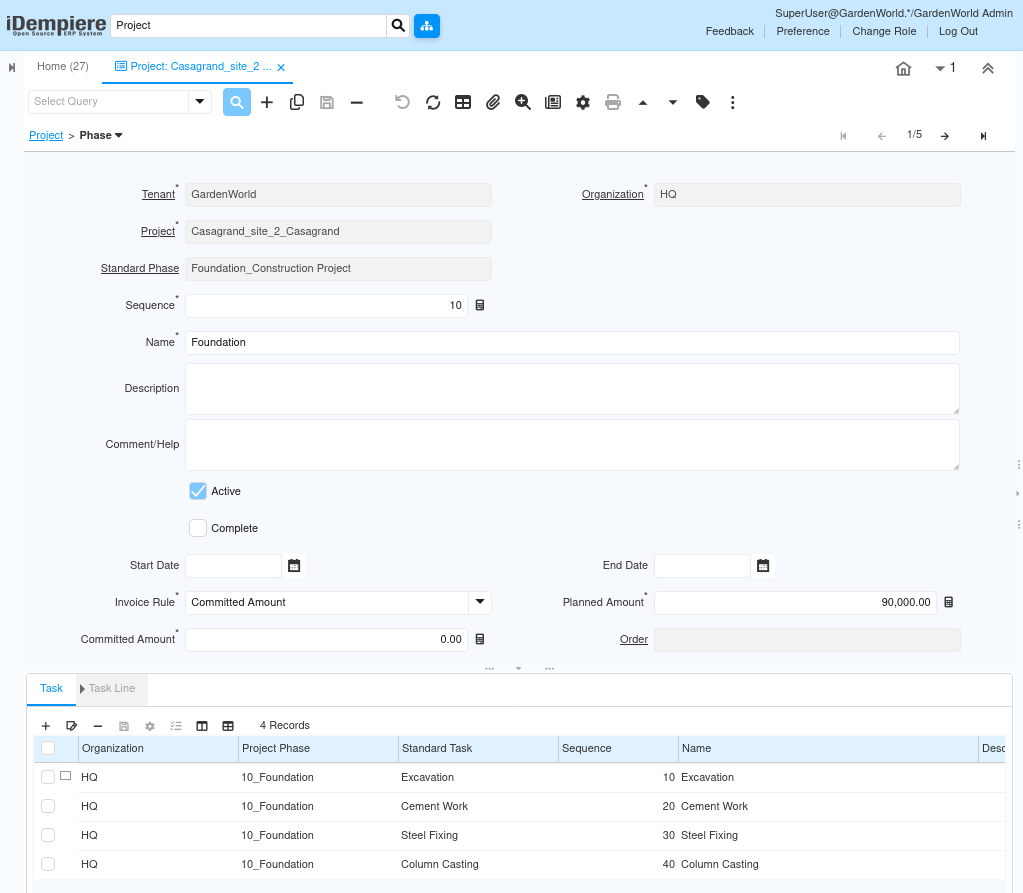
Open the Task Tab
Navigate to:
Project → Phase → Task
Here, you will see a list of tasks grouped under each phase. These tasks are copied automatically from the selected project type.
At this stage:
- Tasks already exist
- Each task is linked to a phase
- Each task is linked to the project
You are now working with project-specific tasks, not templates.
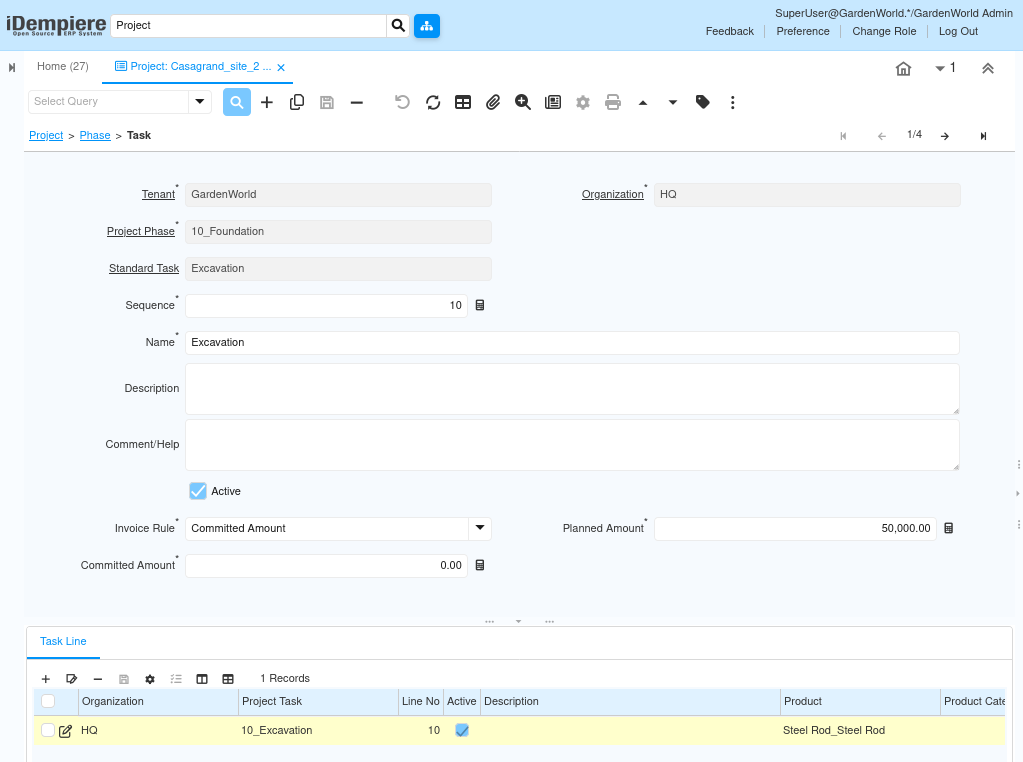
Review the Auto-Created Tasks
Go through each task and verify that it matches how the project will actually be executed. This review ensures that the system reflects real work rather than unused template data. Confirm that task names match real activities such as excavation or cement work, verify that the sequence reflects the actual execution flow, keep tasks active if they will be executed, and deactivate tasks that are not required for this project.
If the project includes additional scope that is not covered by the standard tasks, new tasks can be created manually in this tab.
Adjust Task Planning Values
Each task must reflect realistic planning values so costs and quantities flow correctly.
For each task:
- Update the planned amount to represent expected cost
- Confirm or adjust the invoice rule based on how costs should be tracked
- Save the task after updating values
These planned values act as the baseline for future comparison against actual execution.
Understand Task Readiness for Transactions
Once a task is saved and active, it becomes usable across the system without any additional configuration. Tasks immediately act as the control point for execution-related transactions.
At this point, tasks can be used for:
- Creating purchase orders
- Issuing materials
- Generating project issues
- Accumulating costs through invoices
No additional configuration is required at the task level to enable these transactions.
Outcome
By using project tasks effectively, iDempiere enables work to be organized into clear, executable units that sit between planning and execution. Tasks act as the control point where materials, services, and costs are accumulated, allowing teams to track progress, manage budgets, and monitor execution at a practical level. This results in better control over project execution, accurate cost roll-ups to phases and projects, and a clear connection between planned work and actual performance.