How to Use Locator Type in iDempiere
A Locator Type in iDempiere defines the functional purpose of warehouse locators. Instead of treating all storage locations the same, locator types tell the system how a locator should behave during inventory movements, reservations, replenishment, and shipping. This classification helps iDempiere automatically choose the right locator during transactions.
Role of Locator Type
Locator Type acts as a rule layer between warehouse structure and business processes. While a locator defines where products are stored physically, the locator type defines how that location can be used by the system.
Each locator inherits its operational behavior from the locator type assigned to it.
Key Fields and Their Behavior
Name
The functional identity of the locator type, such as Replenishment, Picking, Bulk Storage, or Damage. This name is later referenced indirectly by warehouse logic.
Description / Comment-Help
Used to explain the business intent of the locator type. This is especially useful for administrators and auditors to understand why a locator behaves in a specific way.
Functional Flags and Their Impact
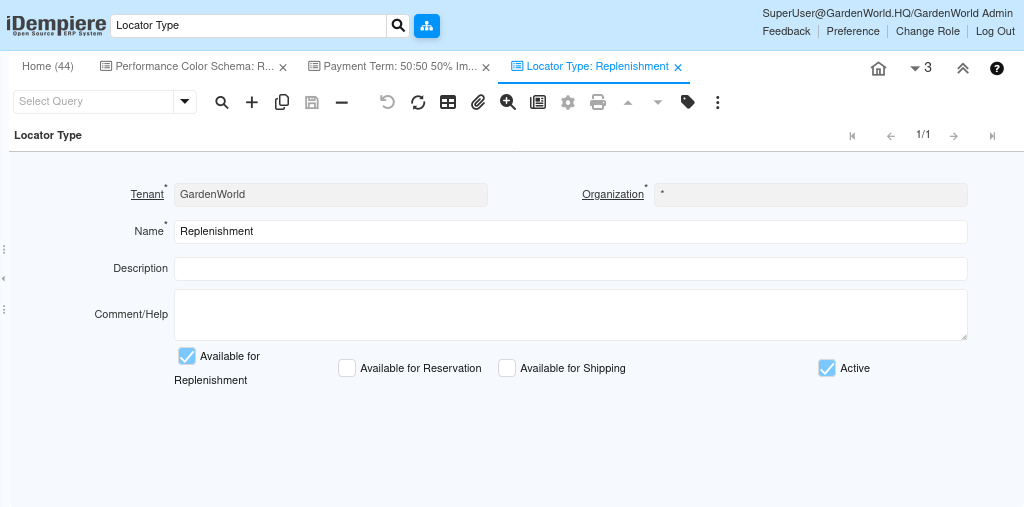
Available for Replenishment
When enabled, this locator type is considered during replenishment processes.
iDempiere uses these locators as source or target locations when stock needs to be refilled based on replenishment rules.
In your example, a Replenishment locator type is marked available, meaning it actively participates in internal stock movement.
Available for Reservation
Controls whether stock in locators of this type can be reserved for sales orders.
If unchecked, quantities stored here are ignored during reservation, even if stock exists physically.
Available for Shipping
Determines whether products can be picked and shipped directly from locators of this type.
This is typically enabled for picking or staging locations and disabled for bulk or replenishment-only areas.