How to Create Various Payment Methods in Odoo POS?
Processing customer payments smoothly is essential for fast and efficient retail operations. Odoo POS makes this intuitive by offering multiple flexible payment options that integrate seamlessly into the checkout experience.
Add a products to the cart—items are scanned or selected from the product list, and each appears instantly for the cashier to review. Once the order is ready, clicking the Payment button opens the payment screen, where all configured payment methods become visible.
Cash Payments: Simple and Reliable
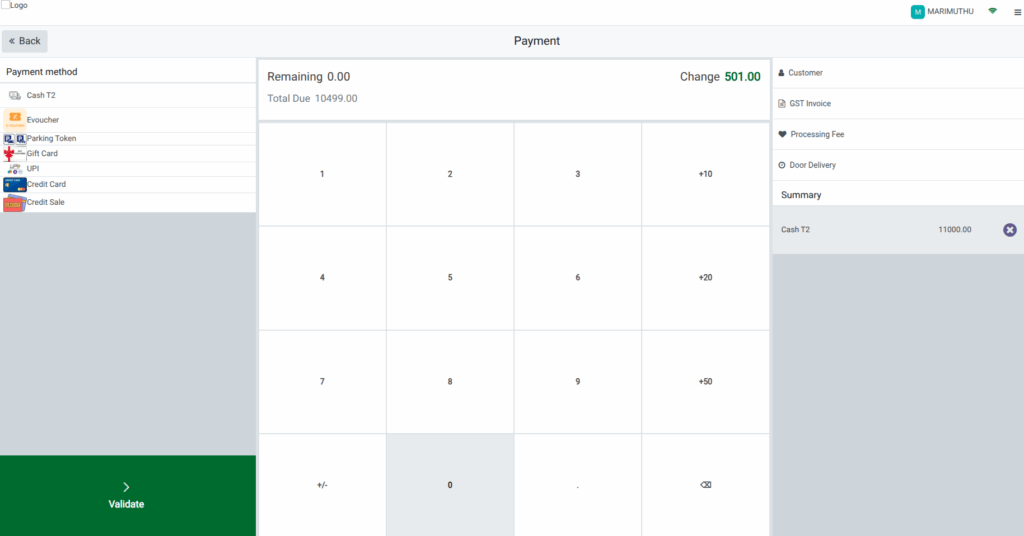
Cash remains one of the most straightforward ways to complete a purchase. After selecting Cash on the payment screen, the cashier enters the amount received from the customer. Odoo POS automatically calculates and displays the change when the customer pays more than the bill amount, eliminating manual errors.
The cashier then validates the payment, finalizing the order and generating a printed receipt that reflects all cash payment details.For example, if the bill is ₹320 and the customer hands over ₹500, Odoo POS instantly highlights the change of ₹180 to return, keeping the checkout process quick and accurate.
UPI Payments: Fast and Digital
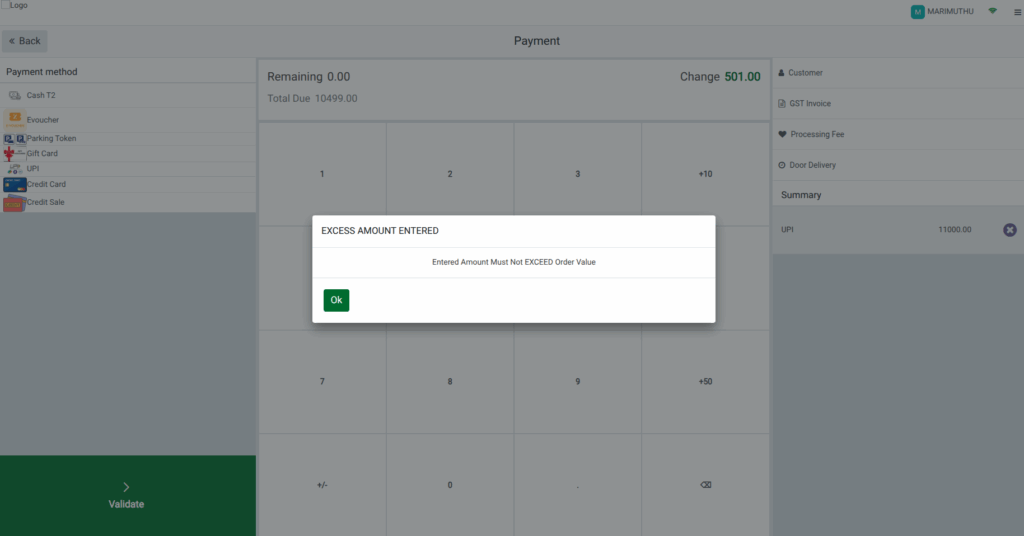
UPI payments provide a smooth digital experience for customers using mobile payment apps. When the cashier chooses UPI as the payment method, the exact bill amount appears on the screen along with a QR code or UPI prompt. The customer authorizes the transaction by scanning the QR or entering the displayed UPI ID in their mobile app.
Odoo POS supports only the exact payable amount for UPI transactions. If an amount higher than the bill is entered, the system displays a validation message indicating that excess amounts are not allowed.
Once the customer completes the payment on their device, the cashier confirms it in Odoo POS, and the transaction syncs automatically with the backend for clean accounting.
For instance, if the bill is ₹450, the customer must transfer exactly ₹450—UPI does not support over payments.
Credit Card Payments: Secure and Convenient
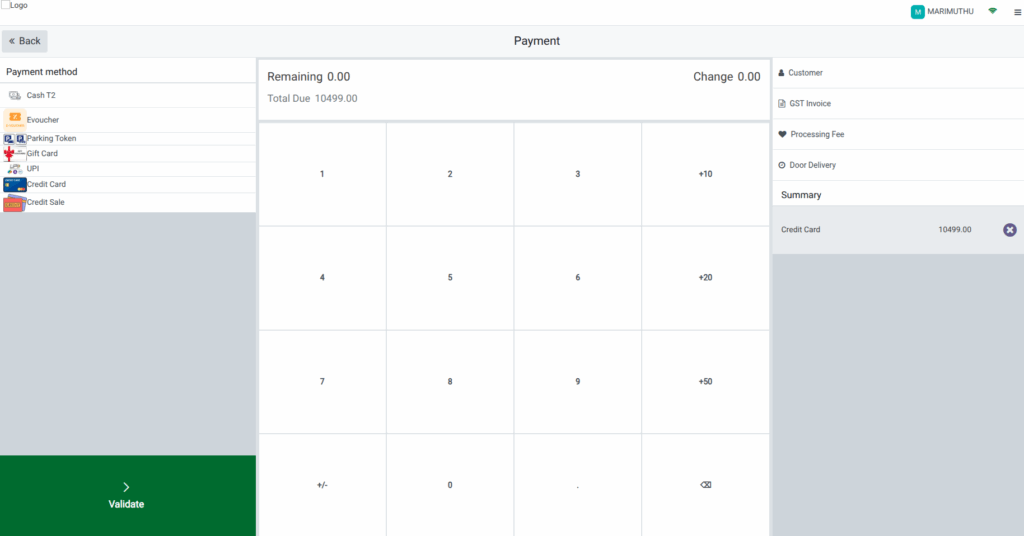
Credit card payment support in Odoo POS enables fast, secure transactions through connected card terminals or third-party payment gateways. The cashier selects Credit Card as the payment method and enters the amount to be charged, usually the total bill. The customer then pays by tapping, inserting, or swiping their card on the integrated terminal.
Once the payment is authorized by the terminal or gateway, the cashier validates the order in Odoo POS. A printed receipt displays the credit card payment details, and the back end updates automatically for reconciliation.
For example, if a customer needs to pay ₹780, they simply tap their card on the terminal, and the confirmation appears in Odoo POS, ensuring seamless processing.
Parking Token Payments: Ideal for Partial Redemptions
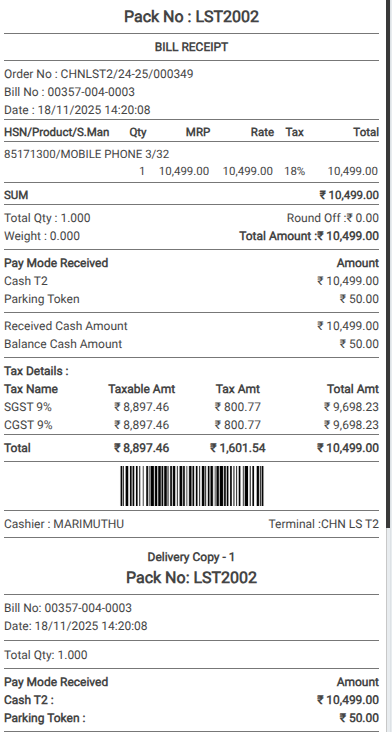
Odoo POS also supports Parking Token payments, allowing customers to redeem token value before choosing another payment method. The cashier selects Parking Token from the payment screen and enters the amount the customer wishes to redeem. Odoo POS deducts this from the total, instantly updating the remaining balance.
For example, if the total bill is ₹200 and the customer wants to redeem ₹50 in tokens, the system applies that amount and shows ₹150 as the remaining balance. The customer can then pay the remaining amount through Cash, UPI, Credit Card, or another configured method.
After the full payment is covered, the cashier validates the order. The printed receipt then displays both contributions, such as Parking Token: ₹50 and Cash: ₹150, along with the total amount paid. The system also syncs all payment information with the backend for accurate financial tracking.