How POS Offline works in Odoo
Odoo POS is built to keep your sales running even when the internet or server connection is down. When a network issue happens, the system automatically shifts to Offline Mode, allowing you to continue billing with limited features. Once the connection returns, all offline orders are synced safely to the database.
When the POS Goes Offline
When the network disconnects, the POS system immediately shows an alert informing you that it has switched to Offline Mode. You simply need to click Continue with limited functionalities to keep using the POS.
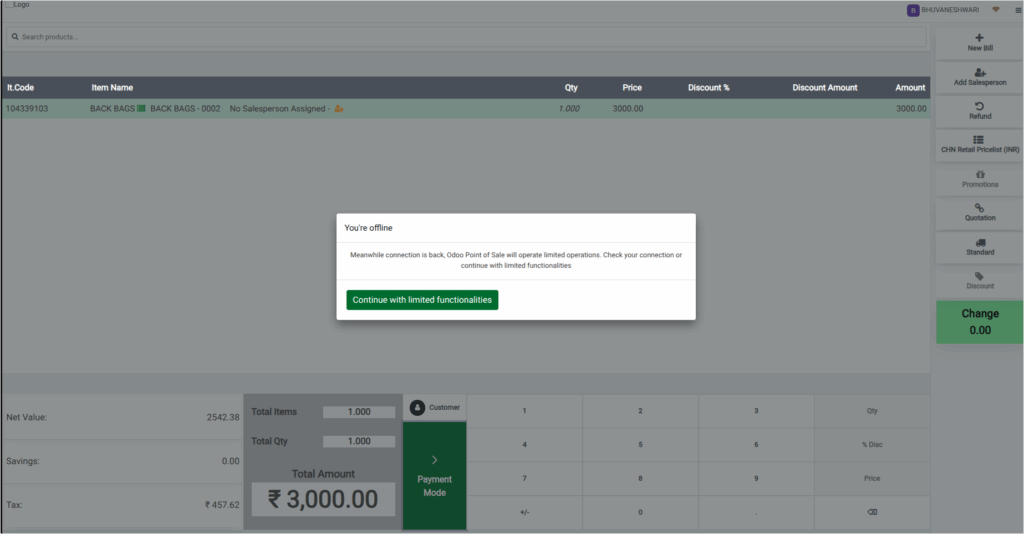
In Offline Mode, you can still make sales, but some features like real-time inventory checks may not work. You can continue the billing process normally by clicking the Payment Mode button or pressing F4. However, automatic receipt printing will not work during this time.

Processing Payments in Offline Mode
Even without an internet connection, the POS allows you to complete payments. You can select the payment method and confirm the order just like in online mode. The only limitation is that features that depend on server communication like payment gateway integration will not be available. All transactions made while offline are stored temporarily in the browser until the system reconnects.
When the POS Comes Back Online
As soon as the network is restored, the POS displays a message on the payment screen saying Remaining unsynced orders. Clicking OK will begin the syncing process. The system will automatically upload all offline orders to the main database.

After syncing, these orders will appear in POS just like regular online orders, ensuring full accuracy in sales reporting.
Limitations in POS Offline Mode
Some features, such as real-time stock updates and online payment gateways, are not available while the system is offline. It’s important to reconnect the POS as soon as the network issue is fixed so all offline orders can sync smoothly.
Sales can continue during the offline period, but automatic receipt generation will stay disabled until the POS is back online.
