How to Filter, Search, and Group the Customer Master Data in Odoo Inventory
Managing customer information is one of the most critical aspects of running a successful business. Accurate and organized customer data ensures smooth operations, improves communication, and enhances financial and sales workflows. In Odoo, the Customer Master serves as a centralized hub for storing all essential customer details, including contact information, billing and shipping addresses, payment terms, and tax information. Centralizing this data not only reduces errors and duplication but also provides a single source of truth for all customer interactions and transactions.
Accessing the Customer Master
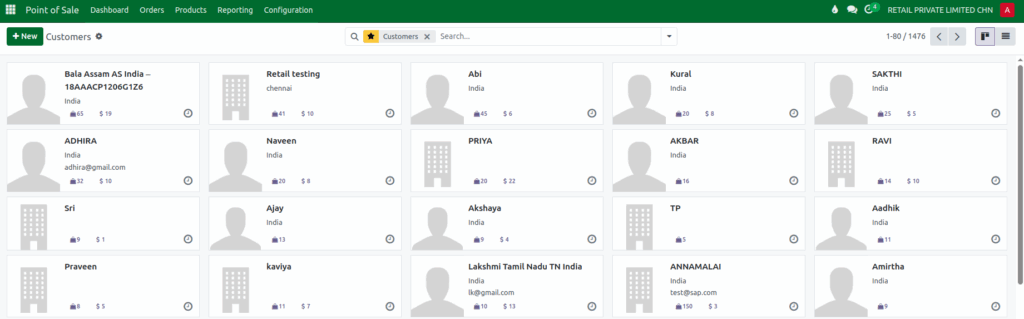
Accessing the Customer Master in Odoo is simple and intuitive. Start by navigating to the Main Menu, then click on the Point of Sale module. From the menu, select Orders and finally click on Customers. This opens a complete list of all customer records in the system.
Having all customer records displayed in one place makes it easy to manage and update information whenever necessary. Whether adding new customers, updating existing records, or reviewing transaction histories, the interface allows for quick access and streamlined management. Odoo’s design ensures that your team can locate customer profiles efficiently, which is crucial for daily operations and reporting.
Searching Customer Records
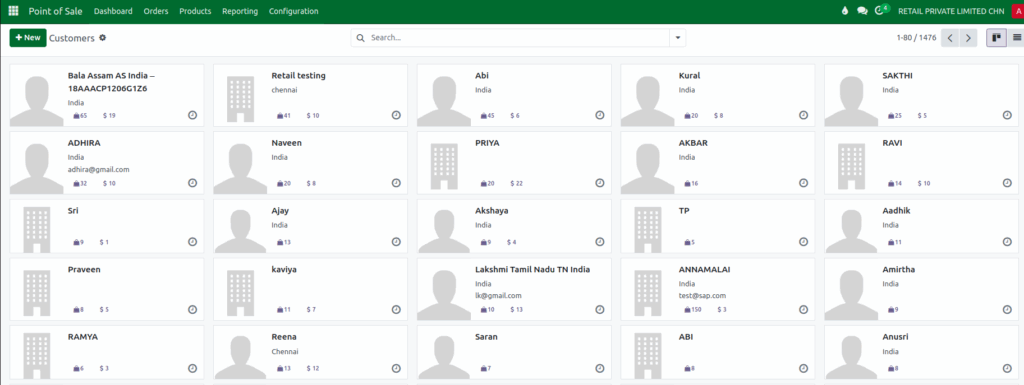
Odoo’s search functionality makes finding customer information fast and effortless. You can search using various criteria, such as the customer’s name, email address, phone number, or other identifiers. This is especially useful for organizations with large customer databases, allowing you to access specific profiles without scrolling through extensive lists.
Efficient searching reduces delays, ensures timely communication with customers, and supports informed decision-making by providing accurate data quickly. It’s a key feature for businesses aiming to maintain high operational efficiency.
Applying Filters and Custom Filters
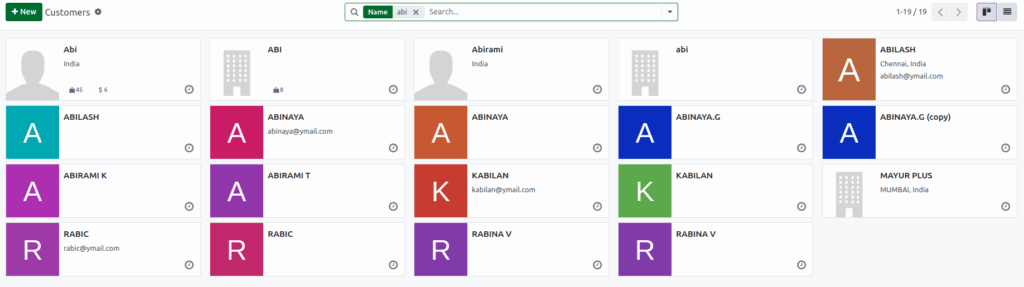
Filters in Odoo allow you to narrow down customer records based on specific criteria, helping you focus on the subset of customers that matter most. By clicking the dropdown icon in the search bar, you can apply standard filters such as filtering by individuals, companies, customers with invoices, or archived entries.
For more advanced needs, Custom Filters can be created. You can select a field to filter by, choose an operation like “is equal to” or “contains,” and enter the desired value. This enables precise filtering, such as customers from a specific region, with overdue invoices, or having a particular tax treatment. Using filters not only saves time but ensures you are working with accurate and relevant customer information, making workflows more efficient.


Grouping Customer Data and Using Favorites
Odoo goes beyond searching and filtering by allowing you to group customer records for better analysis. Using Add Custom Group, you can categorize customers based on fields like region, customer type, or sales representative. Grouping makes it easy to identify trends, monitor performance, and gain insights that inform strategic decisions.
Additionally, Odoo lets you save these grouped views and filters as Favorites, giving you instant access to frequently used reports without recreating the configurations every time. This functionality improves efficiency, ensures consistency in reporting, and empowers your team to make faster, data-driven decisions. Combining grouping and Favorites helps you maintain an organized overview of your customer base and focus on high-priority clients effortlessly.