How to Make a Credit Sale Payment in POS in Odoo
A credit sale allows a customer to purchase goods/services without immediate payment. The unpaid amount is recorded as a receivable. The customer agrees to pay the amount at a later date. Sale is processed in the POS system like a regular transaction. Especially useful for trusted or account-based customers. Automatically linked with customer invoices and accounting records.
Example
A customer buys items worth Rs.10000.
They agree to pay in 7 days.
The sale is marked as a credit sale in POS.
Creating a Credit Customer in POS
- Step 1: Go to POS > Orders > Customers.
- Step 2: Click “Create” to add a new customer.
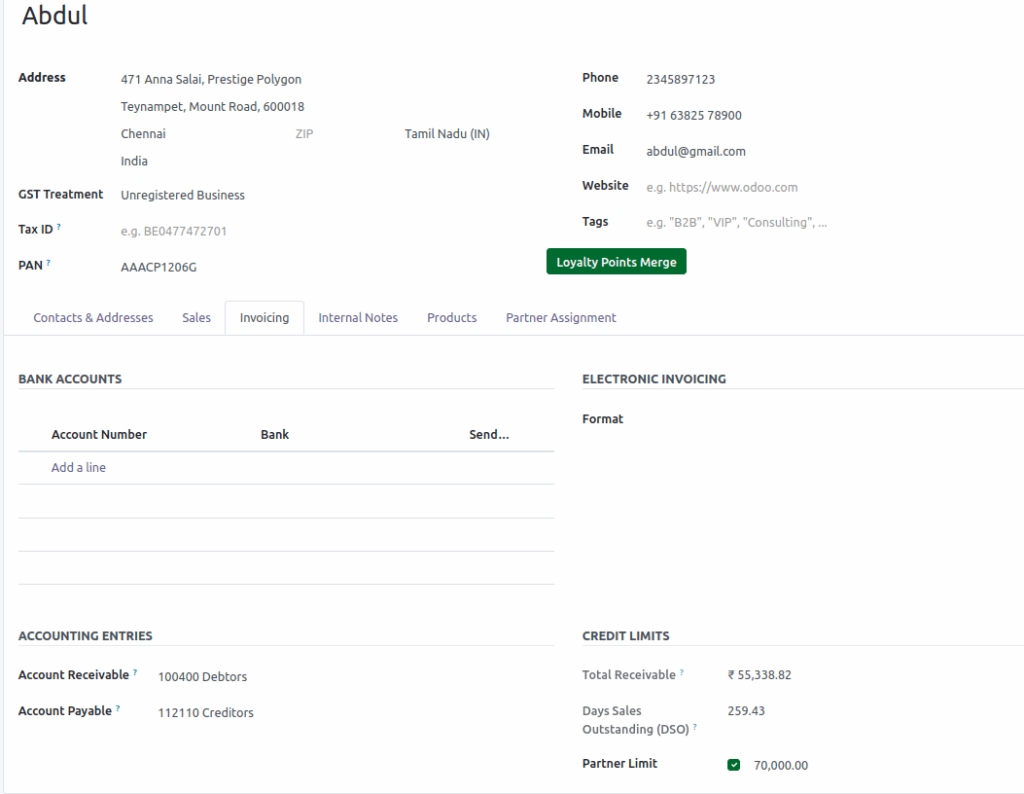
Fill in mandatory details:
- Name – Enter the customer’s full name.
- Tax ID – Provide a valid tax identification number.
- Mobile Number – Enter the customer’s active mobile contact.
Creating a Credit Customer in POS
In the Invoicing tab: Enable the option “Partner Limit ”. Set the Credit Limit 0 (e.g., Rs.1,000) 0 to define how much credit the 0 customer is allowed. Save the customer record. This customer is now ready for credit sales in POS.
Add Product
Products can be added to the POS Cart in three ways:
- Type the product code(e.g., /2010058)
- Scan the lot barcode
- scan any of the multi barcode
once added, the product appears in the POS Cart automatically.
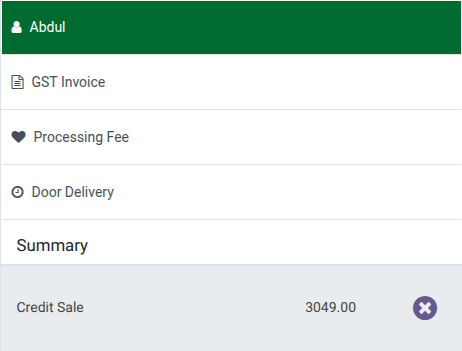
Choose the Credit Customer
Click the Customer icon or use the shortcut Ctrl + C to open the customer screen. Once the screen is open, select the credit customer. The chosen customer will be displayed in the POS cart. Then, click the
Payment Mode to proceed with the payment.

Validation for Credit Sale in POS
When selecting Credit Sale as the payment method Customer selection is mandatory. If no customer is chosen, the system shows an error: “Customer required for credit sale payment method.”
If the customer’s payment exceeds the credit sale limit, the system displays the following error: “Customer required for credit sale payment method.”

This validation ensures
- Accurate tracking of credit accounts.
- Prevents anonymous credit sales.
- Maintains proper accounting and invoicing.
- User must select or create a customer before proceeding with a credit sale payment.
Click Validate to complete the payment through a credit sale.