How to Create a Margin Ratio in Odoo
The Margin Ratio defines the acceptable profit margin range within which a product should be priced. It ensures that products maintain consistent profitability and prevents excessive discounting that could negatively impact margins. By configuring margin ratios properly, businesses can enforce pricing discipline and sustain healthy profit levels across their product lines.
Accessing the Margin Ratio Screen
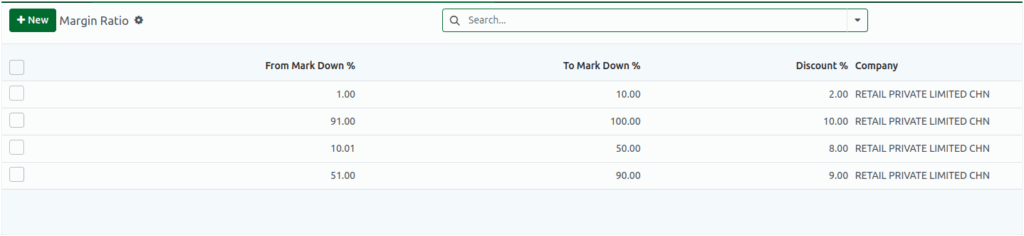
To view or manage margin ratios, go to Inventory → Products → Masters → Margin Ratio from the dashboard.The Margin Ratio screen displays the following details for each record: From Markdown%, To Markdown%, Discount%, and the associated Company.
Creating a New Margin Ratio
To create a new margin ratio, click [+ New]. The creation form displays fields for From Markdown%, To Markdown%, and Discount%. The company field is automatically filled based on the user’s current company.
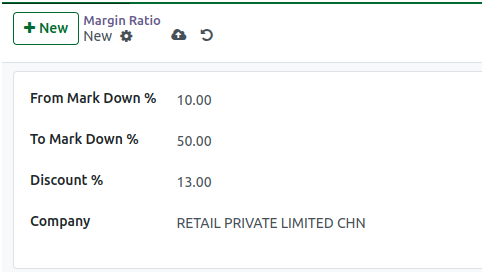
Setting Markdown and Discount Percentages
In the From Markdown% and To Markdown% fields, enter values within the range of 0 to 100.If a value outside this range is entered, an alert appears stating:
- “From Markdown and To Markdown must be between 0 to 100.” If either of these fields is set to zero, another alert appears:
- “From Markdown and To Markdown should not be 0.”For the Discount% field, enter a value greater than zero. If 0% is entered, the system displays the message “Discount % should not be Zero.”These checks ensure that all margin ratios are valid and meaningful for pricing calculations
Saving and Validating Margin Ratios
After entering valid values, click Save to create the new margin ratio. The system automatically validates the inputs before saving.If any inconsistencies are found, the following alerts may appear:
- Overlap Error:“Margin ratio is overlapped. Only one range can exist.”
- Invalid Order:“To Markdown cannot be less than or equal to From Markdown.”
These validations help ensure that each defined range is unique and logically ordered.
Automatic Discount Display According to Margin Ratio in Product
When slab discount is enabled for a product, the system automatically checks the markdown percentage to see which range it falls into. Once it identifies the appropriate range, the system displays the configured discount percentage for that slab. This displayed discount is read-only, meaning it cannot be modified manually.
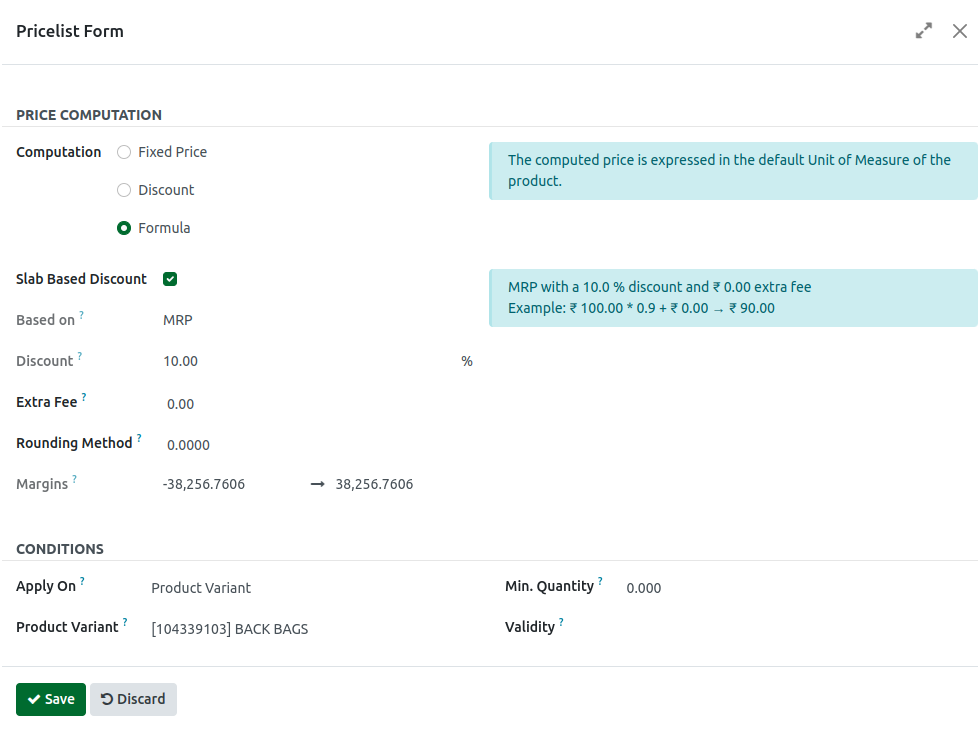
The Margin Ratio configuration is an essential control for maintaining profitable pricing strategies. It helps ensure that markdowns and discounts remain within approved limits, protecting overall profitability. With clear parameters and built-in alerts, the Margin Ratio setup supports consistent, accurate, and efficient product pricing management.
