How the Details Are Displayed in GST Invoice Print in Odoo POS
Printing a GST invoice in Odoo POS provides a detailed view of all essential information for both the seller and the customer. The invoice is divided into sections to make it organized and easy to understand.
Header and Address Section
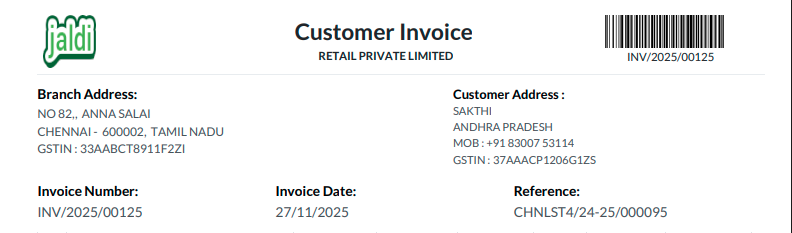
At the top of the GST invoice, the company logo is displayed in the left corner, while the customer invoice title appears in the center. On the right corner, the invoice number and barcode are shown for easy reference. Below the header, the branch address of the seller and the customer’s address are displayed. This ensures that both parties details are clearly visible on the invoice.
Invoice and Product Information
The invoice also contains key details like the unique invoice number, the invoice date, and a reference number for the related POS transaction. Product details are listed clearly, including the product name, HSN code, quantity, unit price, discount percentage, taxes applied, and the final amount for each product. For products that are tracked by lot or serial number, a separate lot details section displays the product name, quantity, and the corresponding serial or lot number.
Total Values and Payment Details
The total values section summarizes the financial details of the invoice. It shows the taxable amount, the breakdown of taxes such as CGST, SGST, or IGST, and any rounding adjustments. The final total is displayed along with payment details, including the date, payment method, and amount paid. If there is any remaining balance, it is shown under amount due.

HSN Summary Section
Finally, the invoice includes an HSN summary. This section lists each HSN code, the quantity of products sold, the applicable tax percentage, and the taxable value. The GST amounts are broken down into SGST, CGST, or IGST, depending on whether the transaction is intra-state or inter-state. This helps both the seller and customer quickly understand the tax components of the invoice.

