How to create a New Customer in POS in Adempiere Retail
Creating a new customer by using Ctrl + N in the POS Screen.
User Access
Who Can Access
- Cashier
- Manager
- Admin
- Back office
What User Can Do
- Open Customer Entry Screen
- Enter Customer Details
- Validate Information
- Save Customer Profile
Pre-Requisite Activities
- POS System Configuration
- User Access Rights
- Customer Data Policy
- Training for POS Users
Business Rules
- Unique Mobile Number
- Data Validation
- Single Profile per Customer
- Real-Time or Scheduled Sync
- Access Control
User Interface
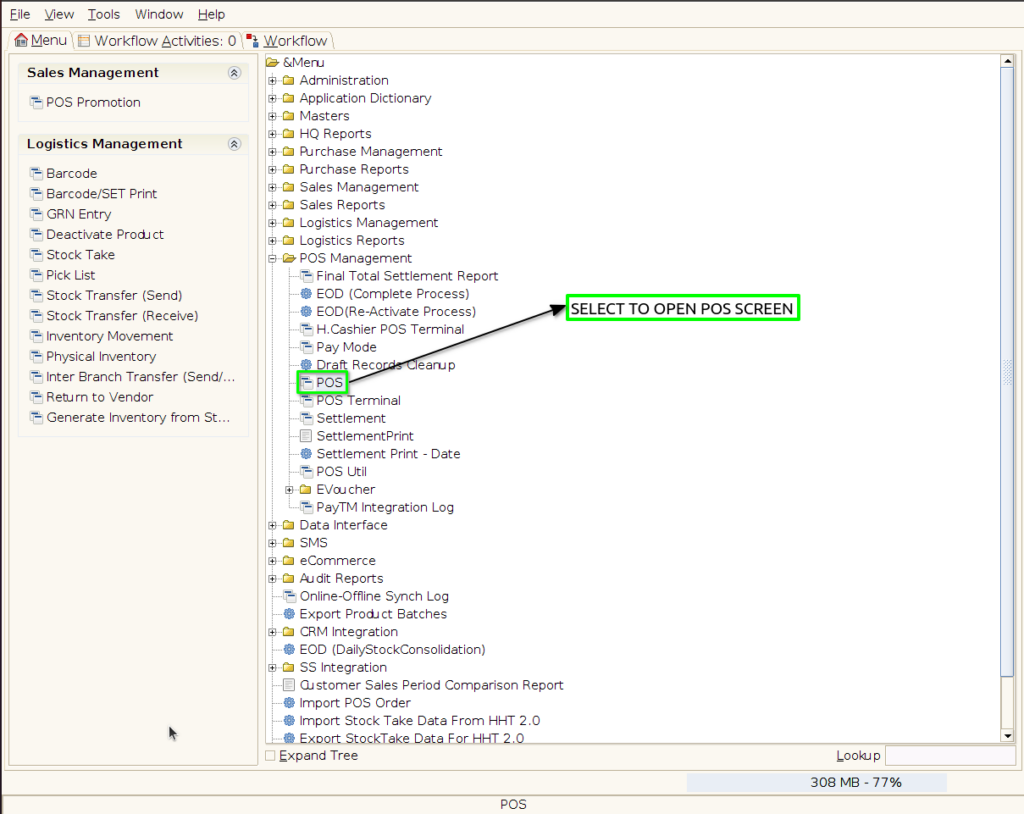
Step 1: Select ‘Pos‘ in Menu-> POS Management -> POS or Search POS in Lookup
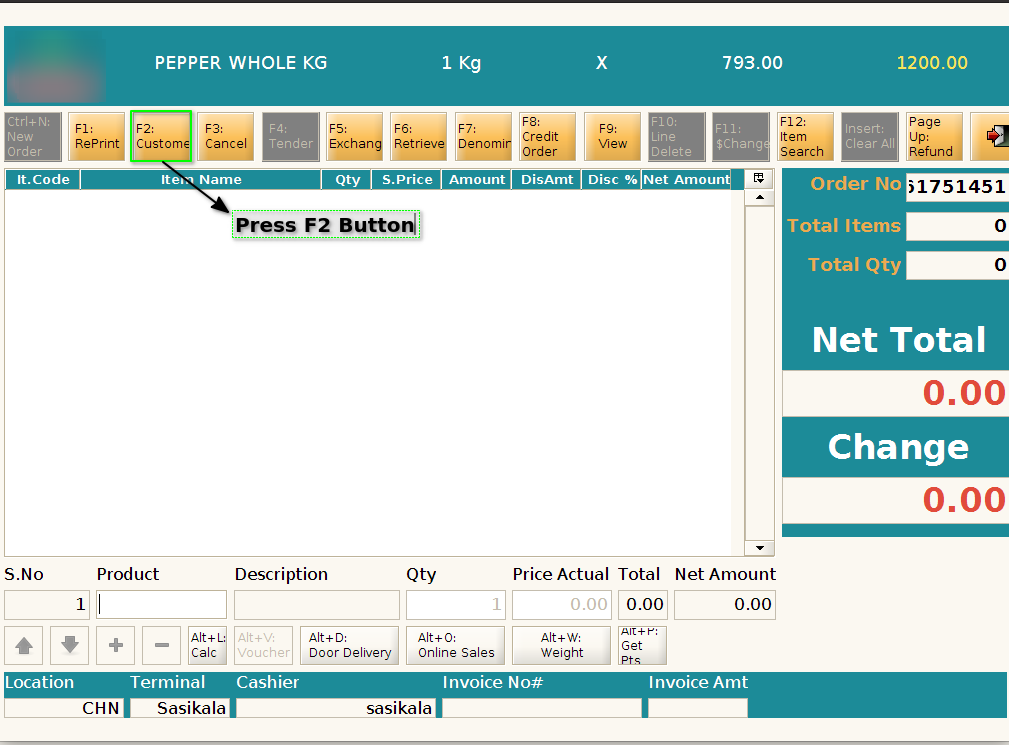
Step 2: Click F2 Button
Step 3: Press CTRL+N Button for creating a new customer

Step 4: Enter the all necessary details for creating a new customer and click Alt+Enter Key
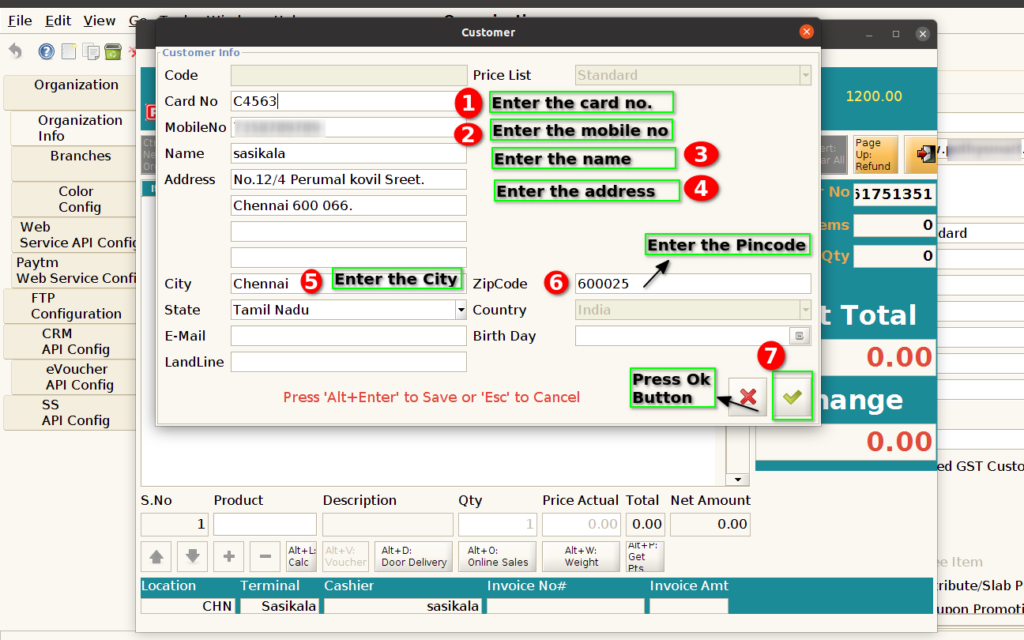
Step 5: Check the status of the new customer and note the customer id

Step 6: Search the new customer whether it display in the customer info or not

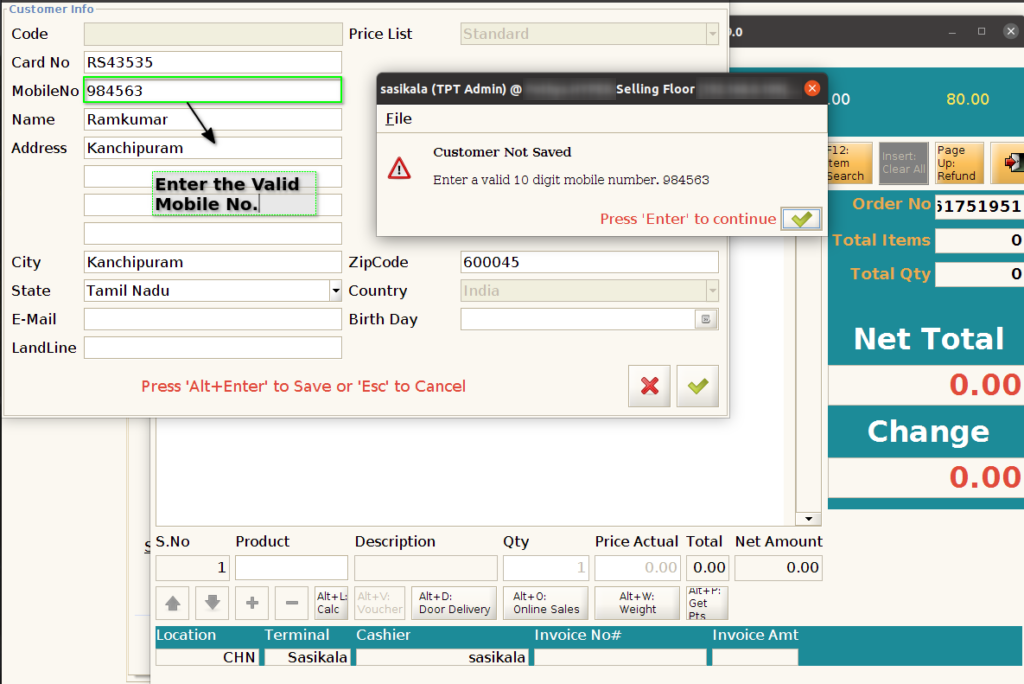
Step 7: Customer mobile number should be valid. It doesn’t exceed more than 10 digit