How to change a customer reference for a Invoice in Adempiere Retail
Updating or replacing the customer information linked to an existing invoice.
Who Can Access
- Back Office
- Cashier
- Manager
- Admin
What User Can Do
- Search and Open an Invoice
- Select a New Customer
- Update Customer Details on the Invoice
- Reprint or Resend Invoice (if needed)
Pre-Requisite Activities
- User Logged In with Proper Access
- Invoice Exists and Is Editable
- New Customer Must Be Registered
- Invoice Not Tied to Completed Transactions
Business Rules
- Authorisation Required
- Editable Invoice Status
- Valid Customer Selection
- Update All Related Fields
- User Confirmation Required
User Interface
STEP 1: To select the Change Customer By Invoice.

STEP 2: To enter the Invoice bill no and to updated automatically fill the details.
To enter the change customer details to enter the customer name to updated the details automatically.
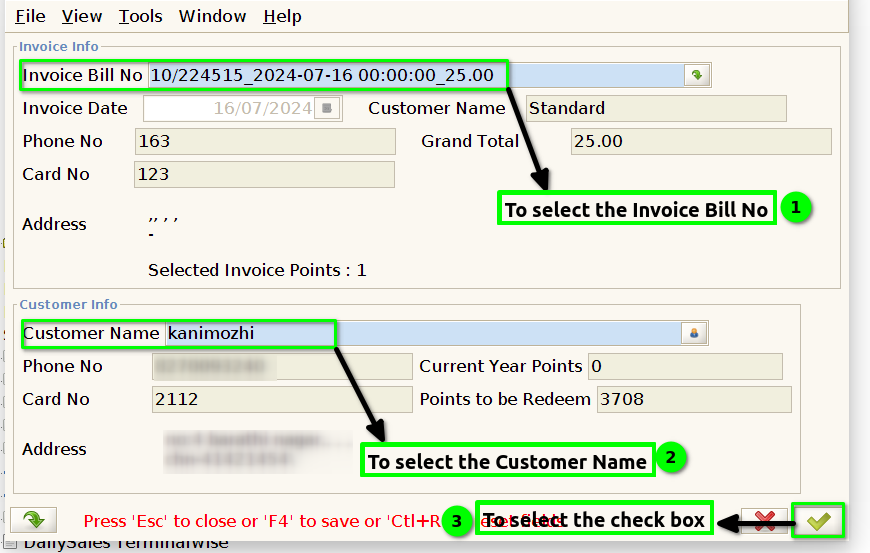
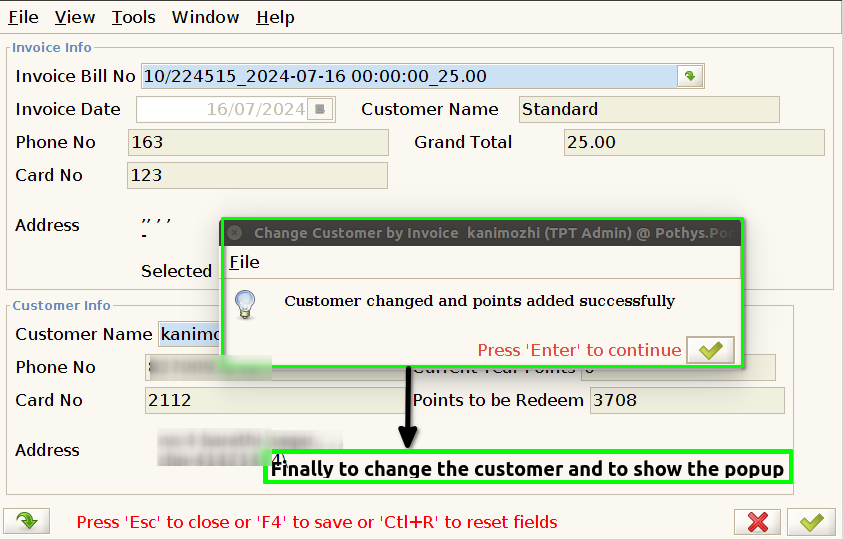
STEP 3: Finally to change the customer and to shoe the popup.