How to execute Vendor Return SAP Synch process in Adempiere Retail
Vendor Return SS Sync Process refers to synchronizing vendor return data (items returned to suppliers) from the system to the Accounting Software (AS). This ensures that all vendor return transactions done at the branch level are updated in the SS system for accurate stock and financial records.
User Access
Who Can Access
- Back Office
- Manager
- Admin
- Purchase
What User Can Do
- Generate a vendor return entry (with items, reason, quantity)
- Trigger manual or automatic sync to the central server
- View sync status (success, failed, pending)
- Re-initiate failed syncs
Pre-Requisite Activities
- Configure API or sync connection between branch and SS
- Ensure proper network/internet access
- Vendor return module should be active and authorized
- Define return reasons and mapping with SS
- Assign user roles for vendor return creation and sync
Business Rules
- Only approved or completed vendor return entries are eligible for sync
- Each return must be tagged with a vendor, invoice number, and item details
- Return data must be validated before syncing (e.g., stock availability, duplicate returns)
- Sync status must be logged with timestamps
- In case of sync failure, retries must be tracked and controlled
- No edits allowed on returns that are already synced successfully
User Interface
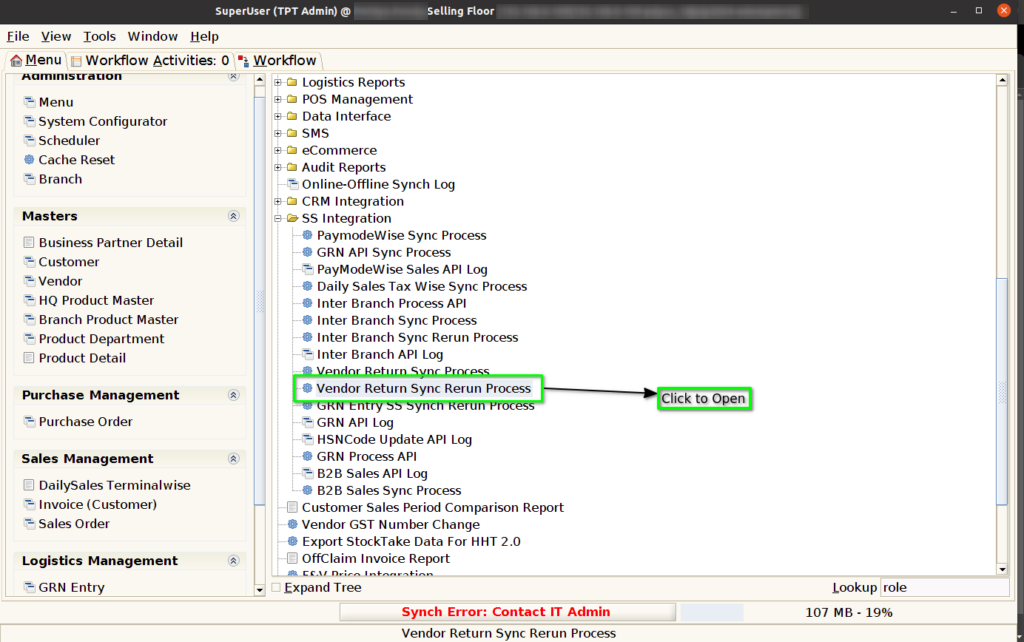
Step 1 : Select ‘Vendor Return Synch Process‘ in Menu -> SS Integeration > Vendor Return Synch Process or Search Vendor Return Synch Process in Lookup.
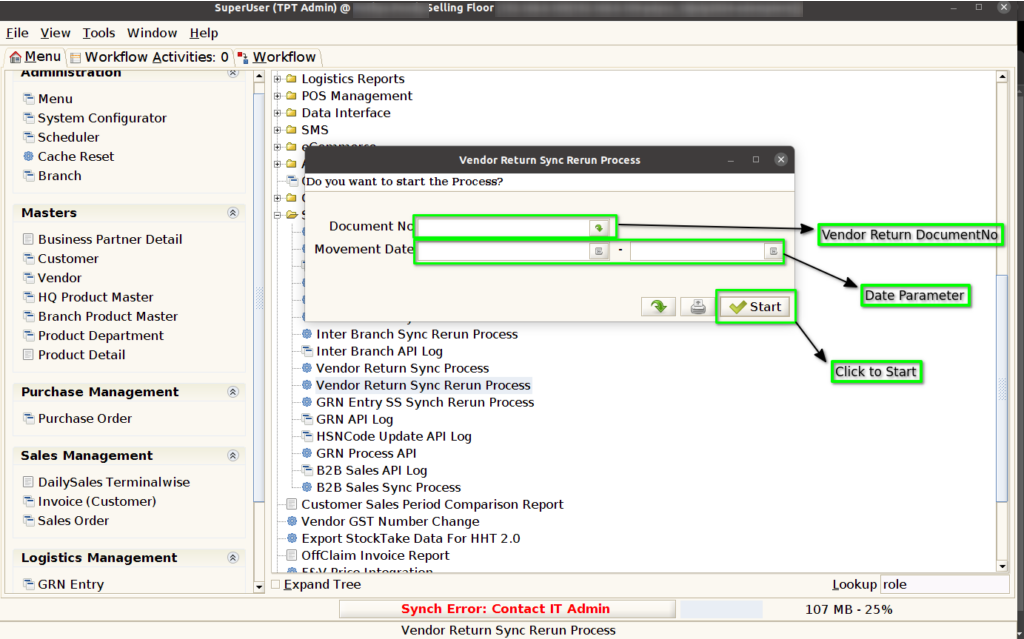
Step 2: after clicking the process menu it will show like below image.