How to create a Product Design in Adempiere Retail
Product Design refers to the unique pattern, style, or structure of a product—usually used in textiles, garments, footwear, and branded items. It helps differentiate one product model from another visually or structurally.
User Access
Who Can Access
- Back Office
- Cashier
- Manager
- Admin
What User Can Do
- Create and manage a Design Master
- Assign a design to a product during Product Master entry
- Use design as a search filter in reports, sales, and stock
- Group products with the same design for analysis
Pre-Requisite Activities
- Define the product categories or types in the system
- Prepare a list of approved design names or styles
- Set up access permissions for creating or editing design master
- Ensure products are linked to design where applicable
Business Rules
- Each design must have a unique name or code
- Designs can be mapped to multiple products
- Inactive designs cannot be used in transactions
- Only authorised users can create or modify designs
- The design name should be meaningful and standardized
User Interface
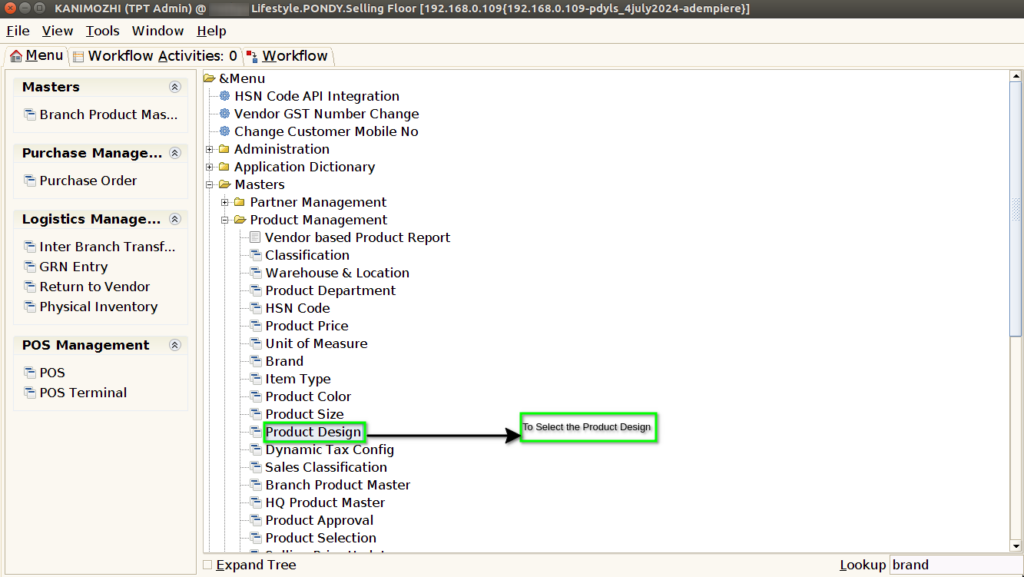
STEP 1: To select a Product Design.
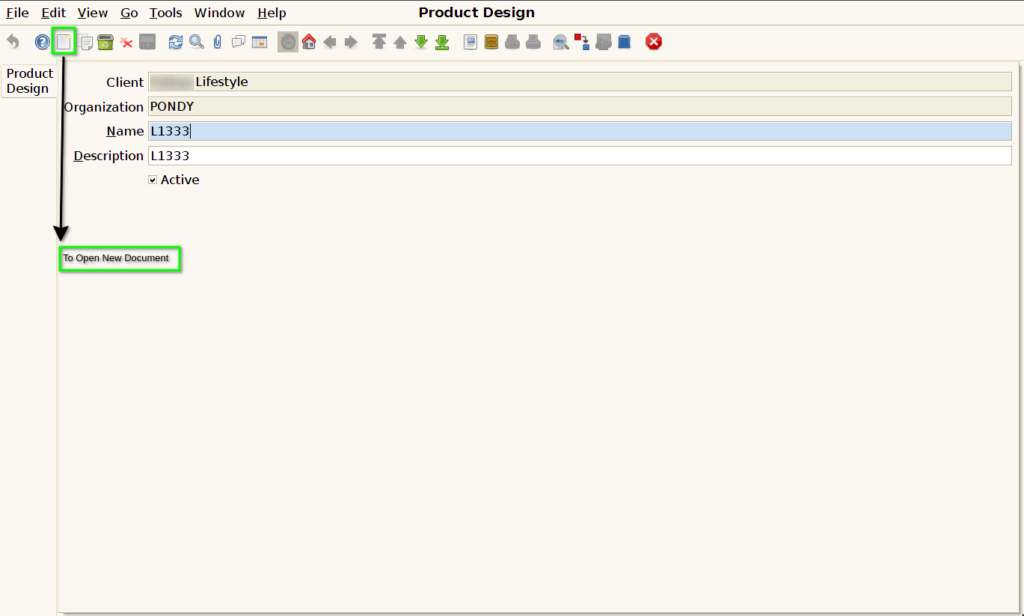
STEP 2: To Open a New document.
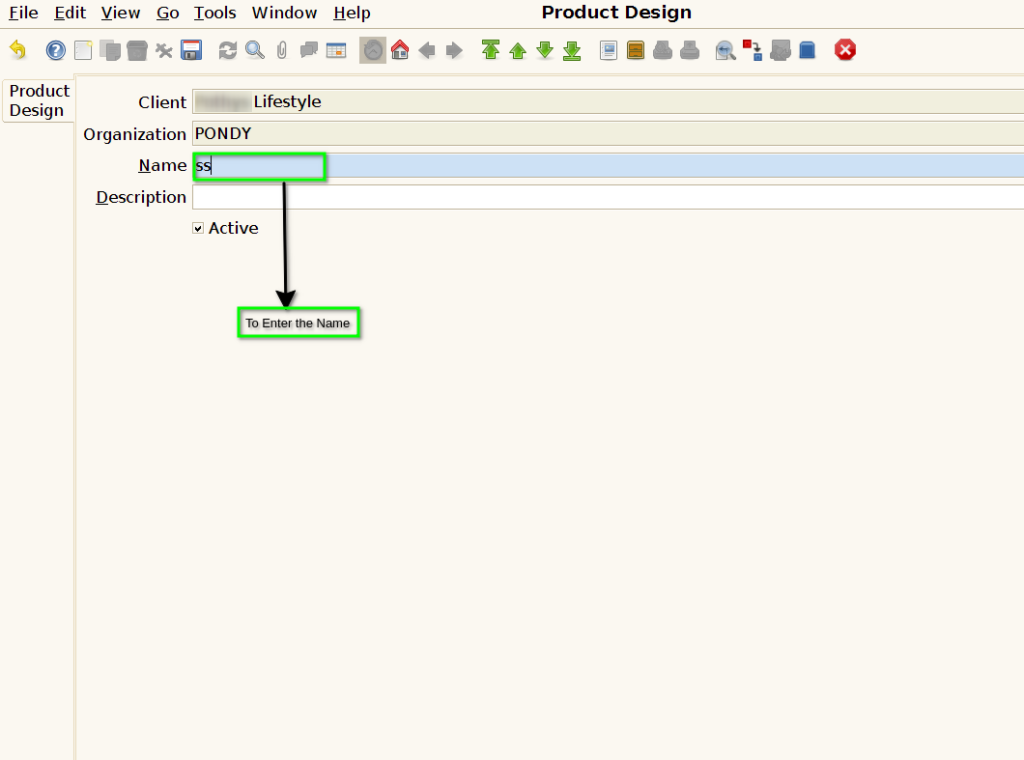
STEP 3: To enter the Product Design Name.
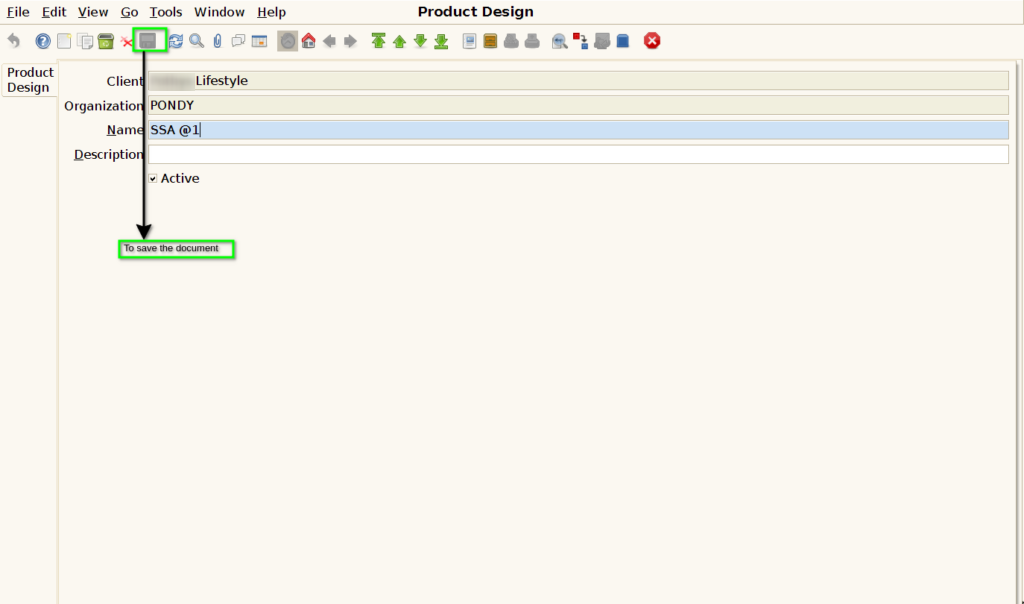
STEP 4: Finally to Save the Document.