How to create Mail User Configuration in ADempiere Retail
Mail User Configuration refers to setting up the email account details within the system so that it can send automated notifications, alerts, reports, or approvals through email.
User Access
Who Can Access
- Admin
- Back office
- Manager
What User Can Do
- Configure sender email address
- Set SMTP server, port, and authentication details
- Enable or disable mail sending features
- Define default recipients (To, CC, BCC)
- Link mail templates to specific modules (e.g., PO, GRN, Invoices)
Pre-Requisite Activities
- Email account must be created and active
- SMTP server info should be available
- Ensure firewall or security settings allow email sending
- Finalize the list of modules where email is needed
Business Rules
- Only authorized admins can configure or change mail settings
- Test email must be sent and verified after setup
- Invalid email configurations must prevent system email sending
- Secure password storage must be ensured
- Mail logs should be maintained for audit purposes
User Interface
Step 1 : Select ‘Mail User Configuration’ in Menu -> Administration > Mail User Configuration or Search Mail User Configuration in Lookup.

Step 2 : To create new configuration record.
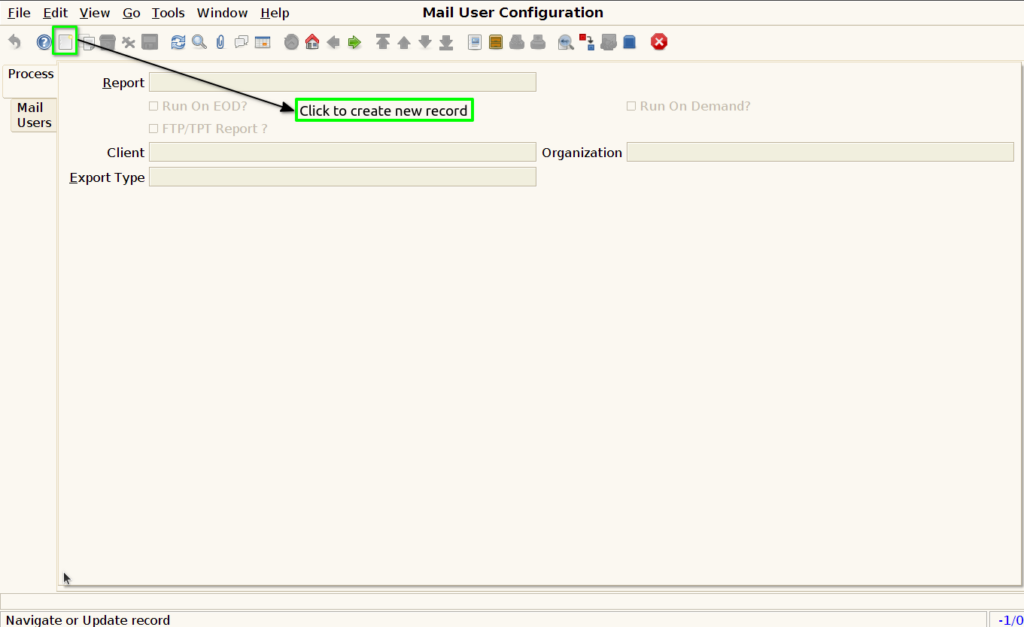
Step 3 : Create the report configuration by following these steps.
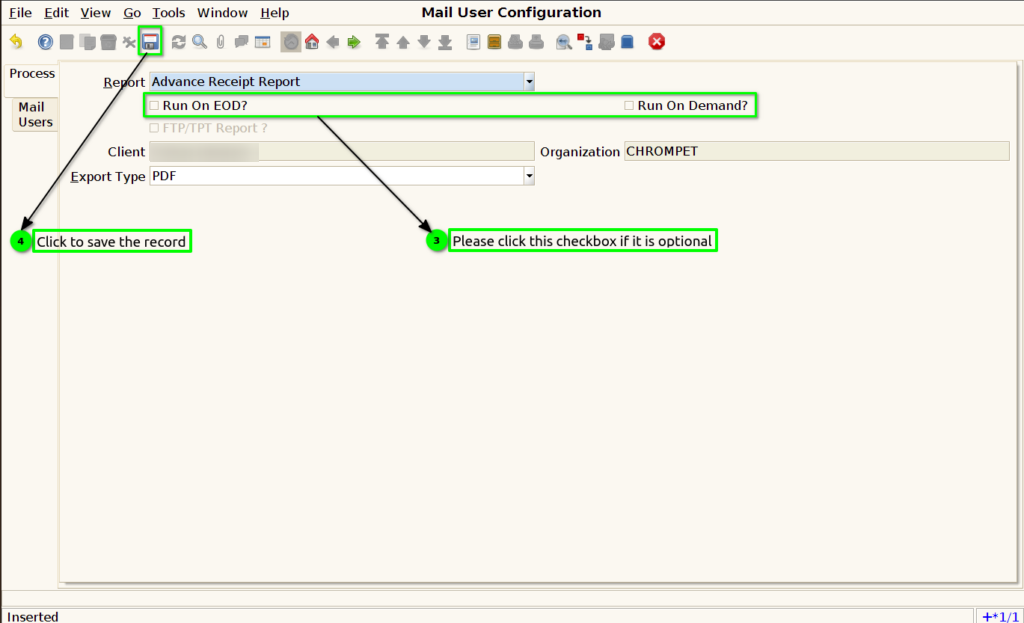
Step 4 : Email User Configuration in the Mail Users tab by following these steps.

Step 5 : To create a new record and configure the user and recipient type.

