How to redeem a SuperStore Coupon in POS in Adempiere Retail
Coupon Redemption in POS means applying a discount or offer coupon code at the Point of Sale during checkout to reduce the total payable amount.
User Access
Who Can Access
- Cashier
- Manager
- Back Office
- Admin
What User Can Do
- Enter or Scan Coupon Code
- Validate Coupon
- Apply Discount or Offer
- Reject Invalid Coupons
Pre-Requisite Activities
- Coupon Creation and Configuration
- Coupon Activation
- User Permissions
Business Rules
- Coupon is not apply credit order
- SS Coupon Only available for Coupon promotion limit
- Valid and Active Coupon Only
- Single Use or Multi-Use Based on
- Partial Redemption Allowed
- User Authorization Required
User Interface
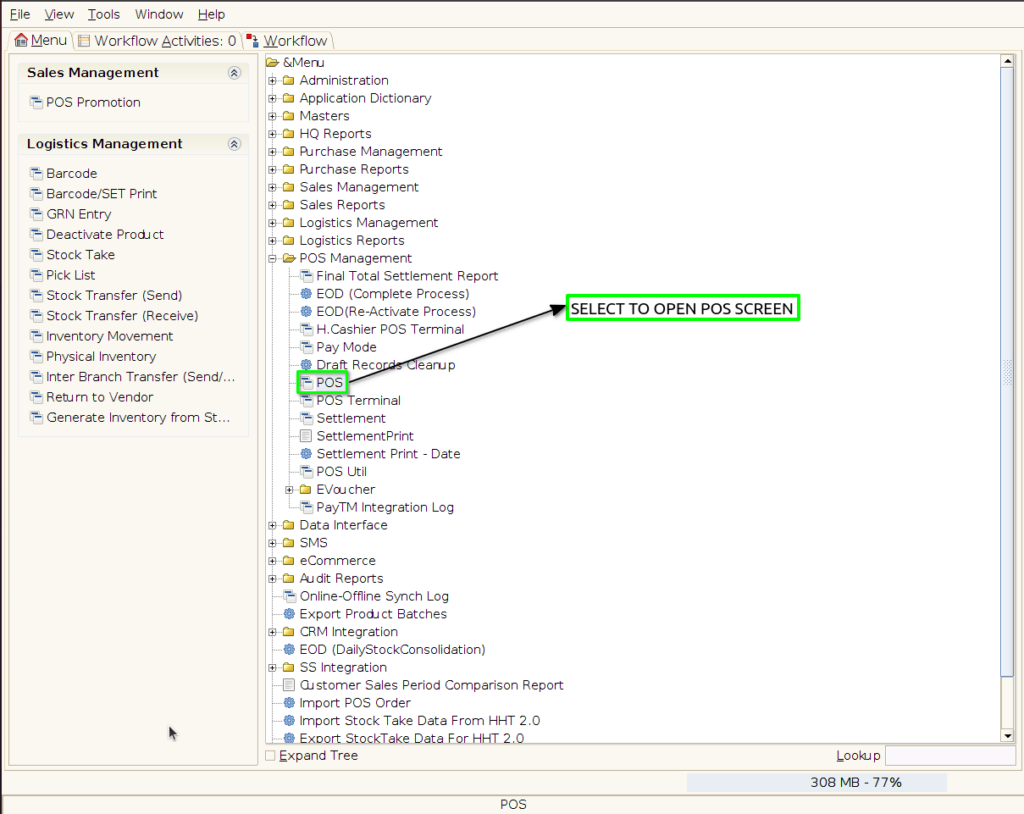
Step 1 : Select POS in Menu -> POS Management -> POS or Search POS in Lookup.
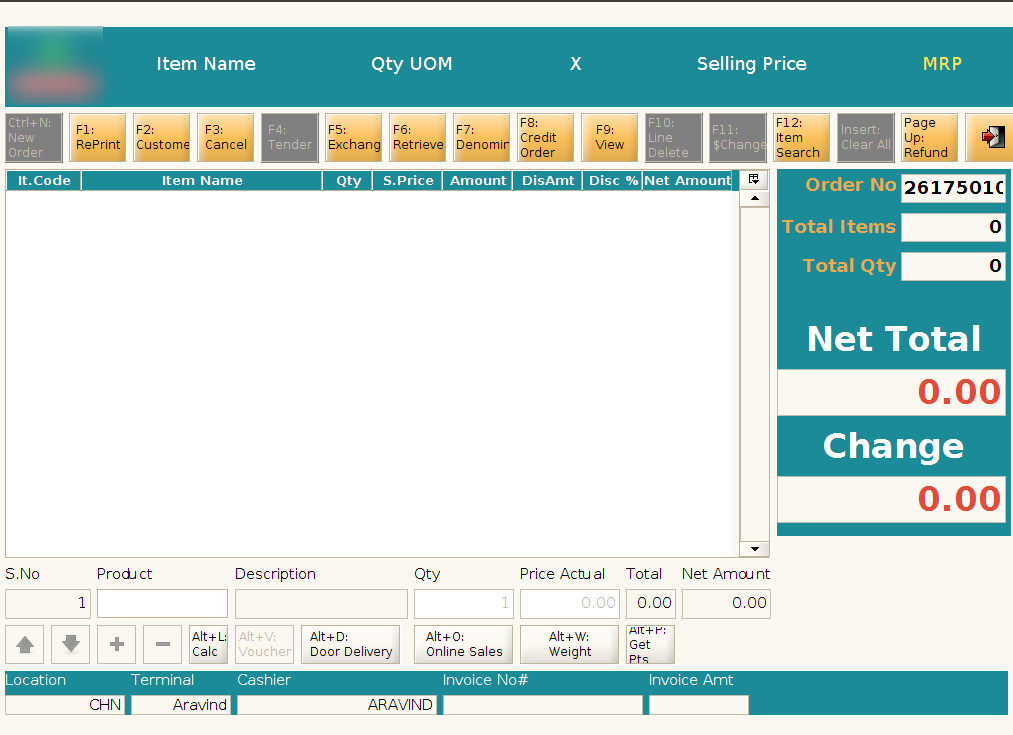
Step 2 : Scan the product to create new POS Order

Step 3 : Click F2 to Select the customer Screen

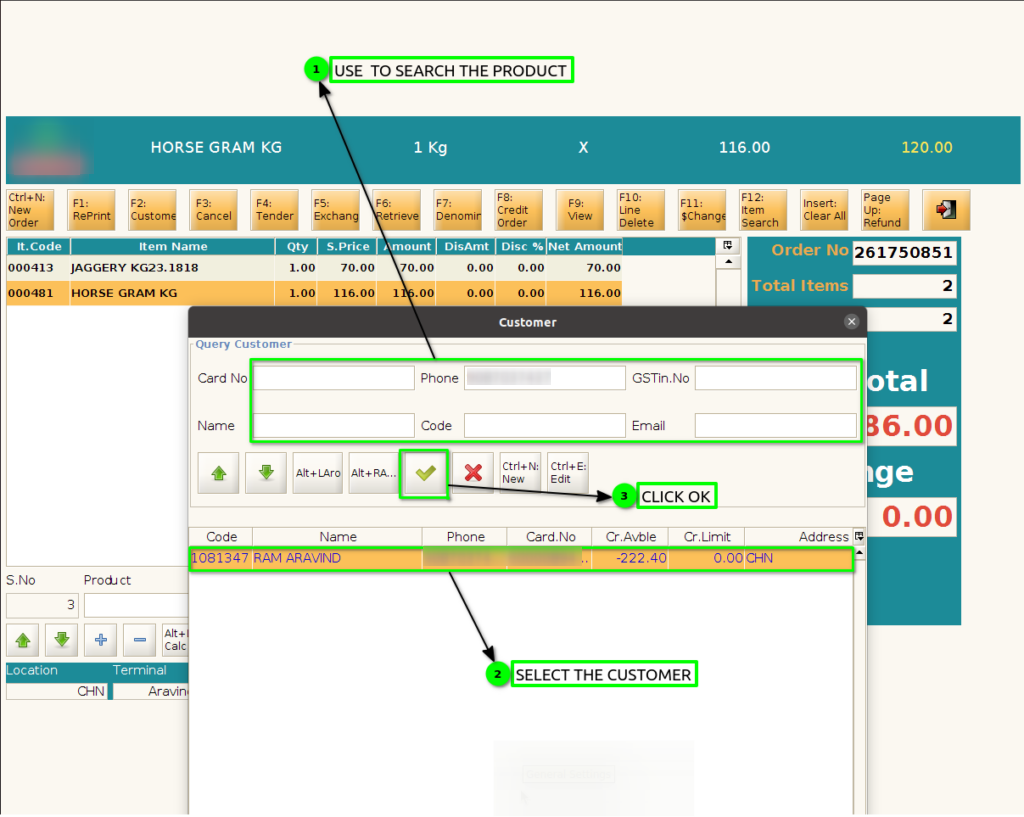
Step 4 : Click F4 to Payment screen

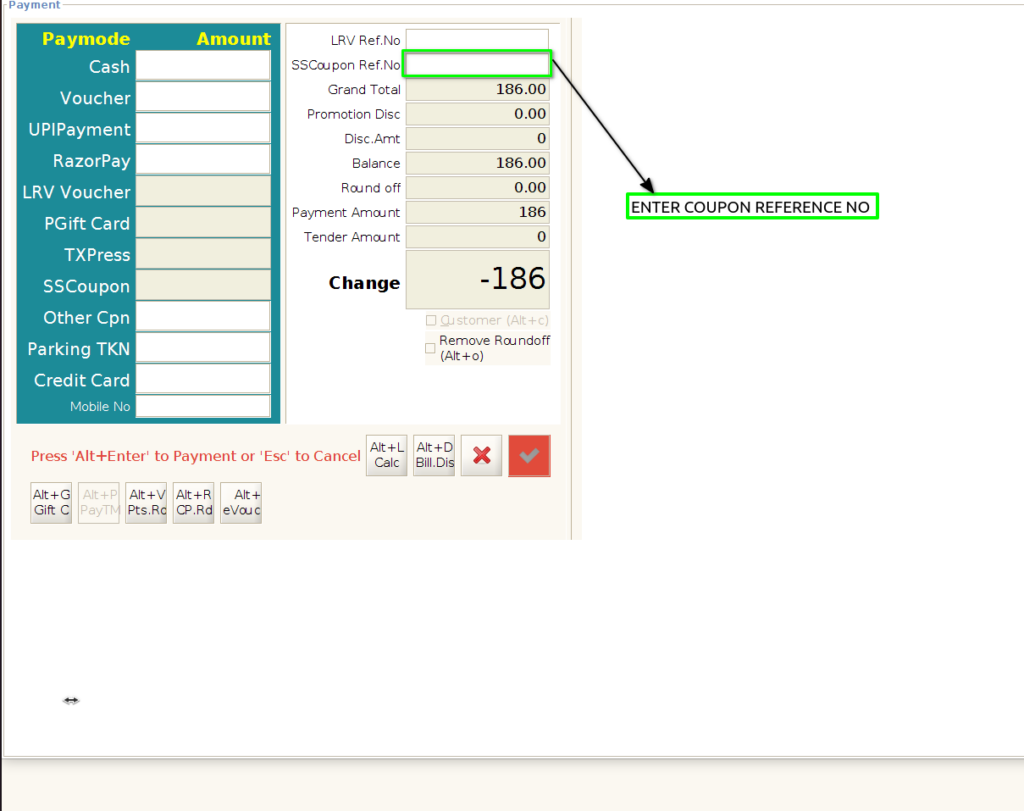
Step 5 : Enter or Scan Valid SS Coupon no
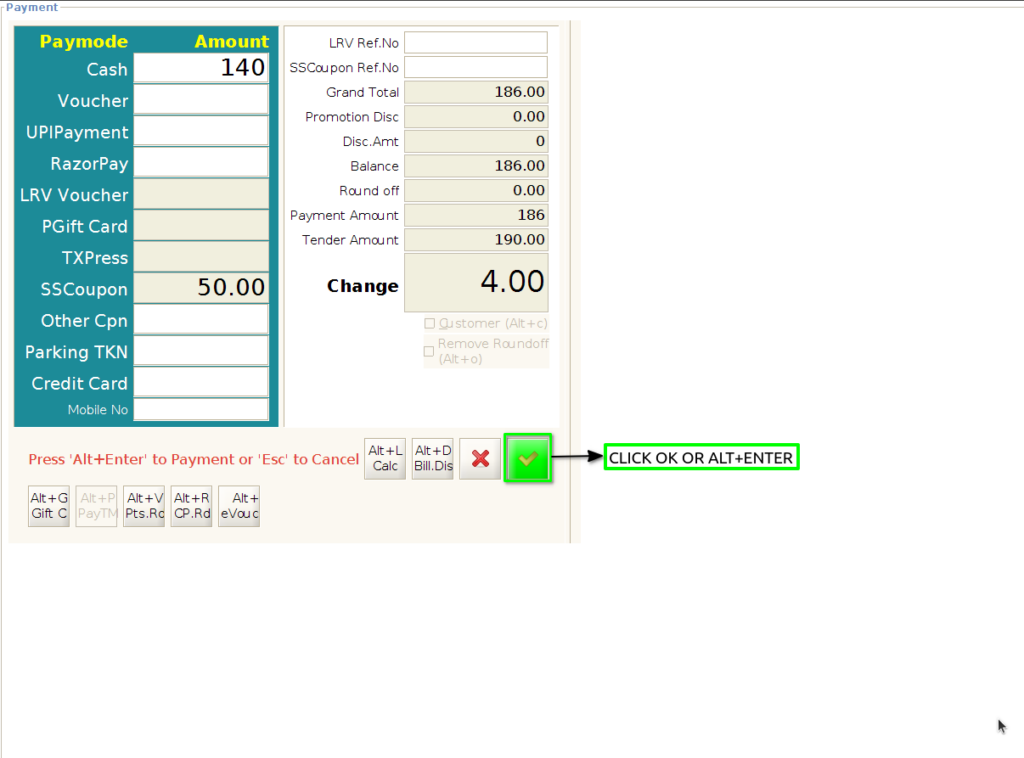
Step 6 : Applied the coupon and complete the payment balance

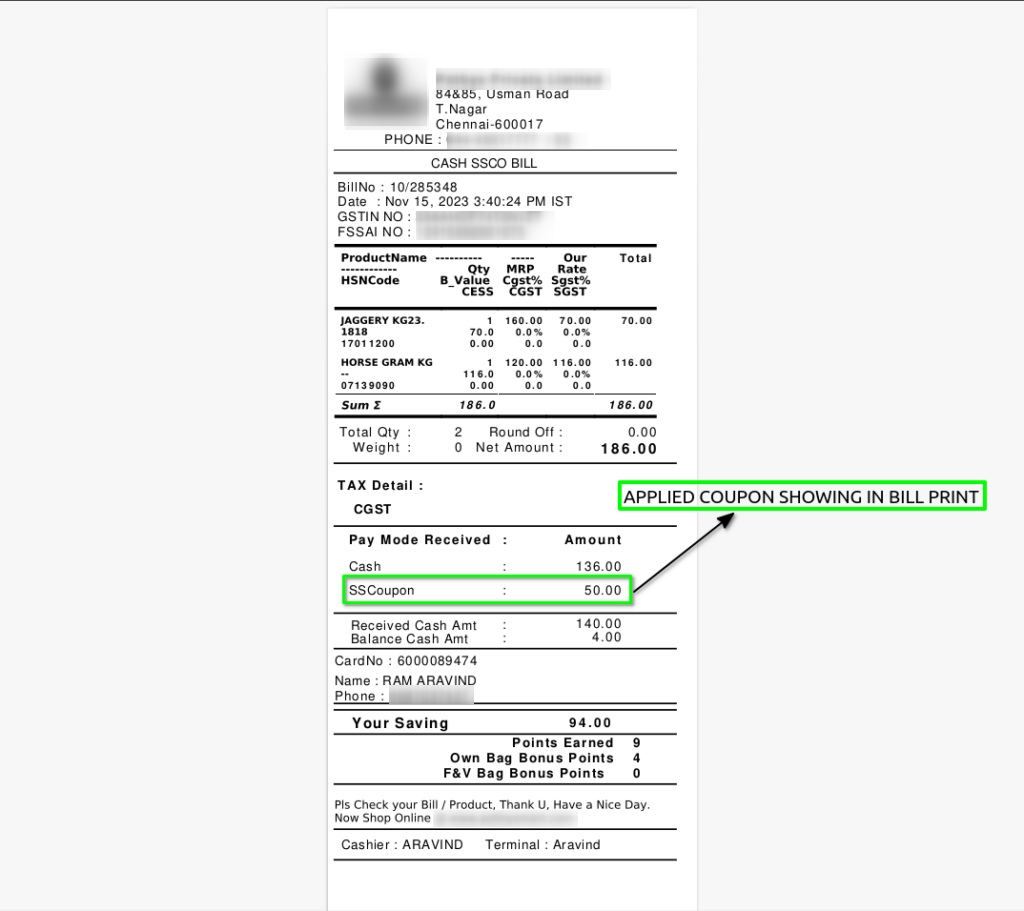
Step 7 : Print out the POS order bill print with showing applied SS Coupon