How to run Serial No/IMEI change process for Lifestyle in ADempiere Retail
The Serial No / IMEI Change Process allows users to update or correct the serial number or IMEI of a product after it has been sold into the system.
User Access
Who Can Access
- Back Office
- Manager
- Admin
What User Can Do
- View existing Serial No / IMEI details
- Update incorrect or missing Serial No / IMEI
- Save changes with a reason or remark
Pre-Requisite Activities
- The product must support Serial No / IMEI tracking
- Sales transaction reference should be available
- User role must have permission to modify serial data
- Ensure that the product is not already sold to update
- Validate original vs. new IMEI/Serial for authenticity
Business Rules
- Serial/IMEI can only be changed After product sale
- All changes must be logged with timestamp and user ID
- A valid reason must be provided for every change
- Once updated, the new IMEI/Serial should not reflect in inventory and billing
User Interface
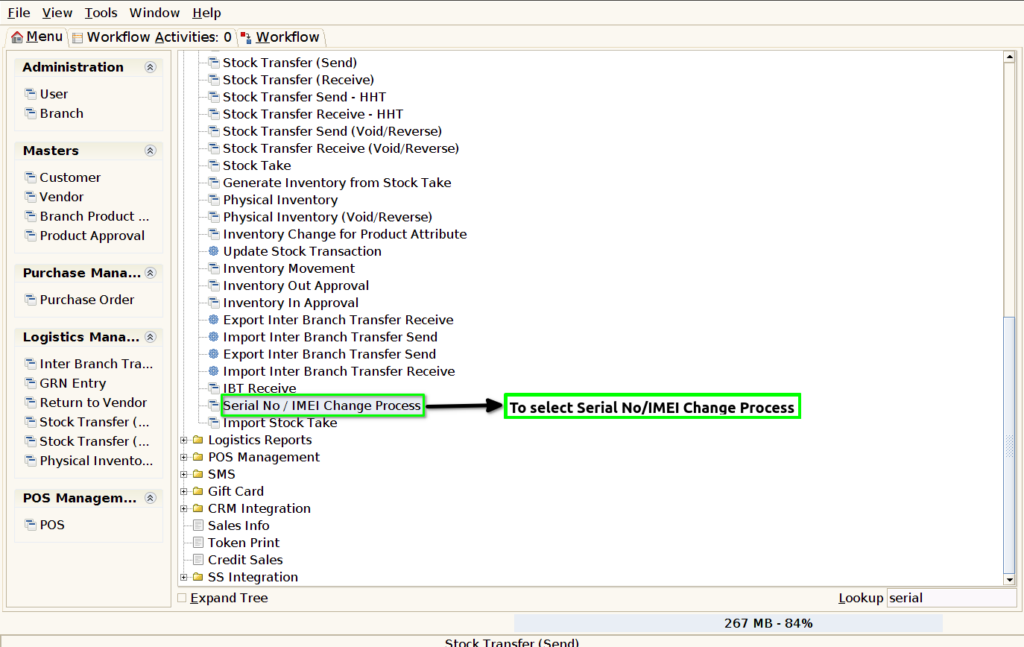
STEP :1 To select a Serial No / IMEI Change Process.
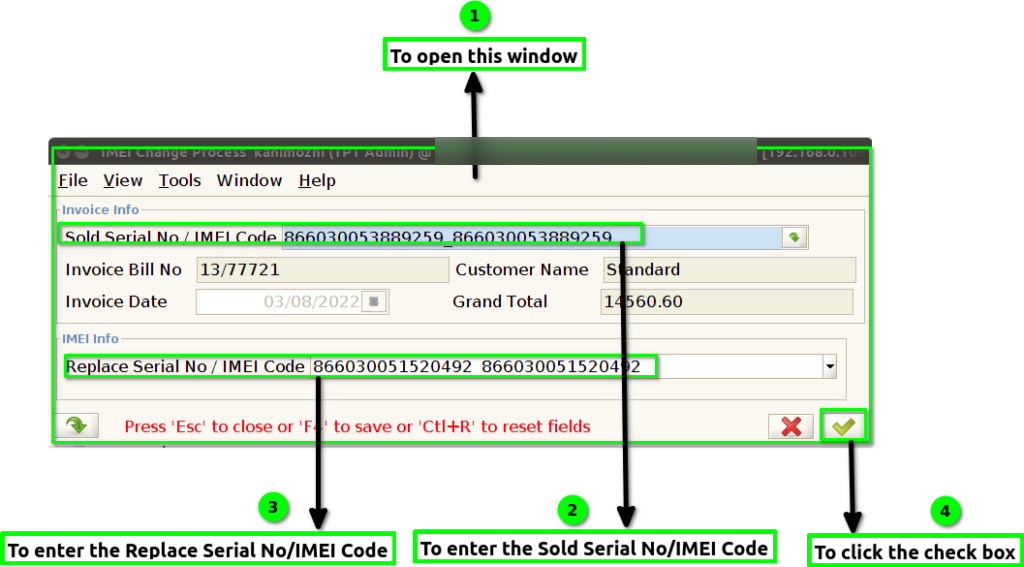
STEP :2 To open this window then to enter the Sold Serial No/IMEI Code to automatically updated in invoice bill no ,customer name,invoice date and grand total based on serial no and imei code.
To enter the Replace Serial No/IMEI Code & to click the check the check box.
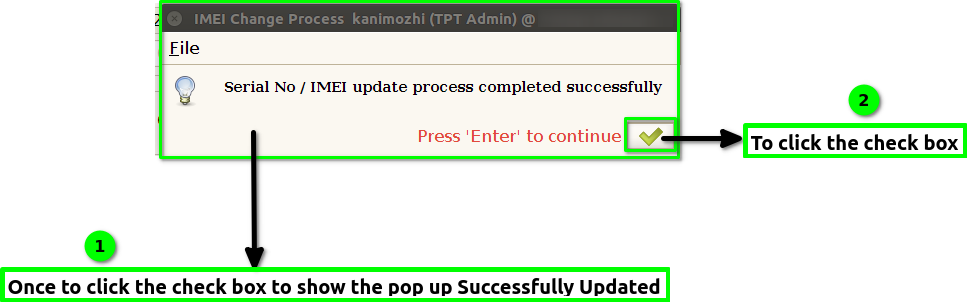
STEP :3 Once to click the check box to show the pop up Serial No / IMEI Updated Process Completed Successfully.Finally to click the check box.