How to create Product Price in ADempiere Retail
Product Price Setup is the process of defining and managing the selling price, cost price, and other pricing structures for products. This ensures accurate billing, margin tracking, and promotional pricing across all branches or sales channels.
User Access
Who Can Access
- Back Office
- Purchase Manager
- Manager
- Admin
What User Can Do
- Set selling price, cost price, and MRP for each product
- Configure price effective dates for future changes
- Enable price override restrictions during sales
Pre-Requisite Activities
- Product master should be created and active
- UOM and Tax Category must be assigned
- Price List Type (e.g., Retail, Wholesale, Online) should be defined
- Branch or customer segmentation for pricing should be finalized
- Approver for price change (if workflow enabled) must be set
Business Rules
- A product must always have an active selling price before sale
- Price history should be stored for audit/reference
- No manual changes allowed unless the user has permission
- Price must include/exclude tax as per system config
- Price cannot be lower than cost unless explicitly allowed
- Price sync should be enabled across POS/branches after update
User Interface
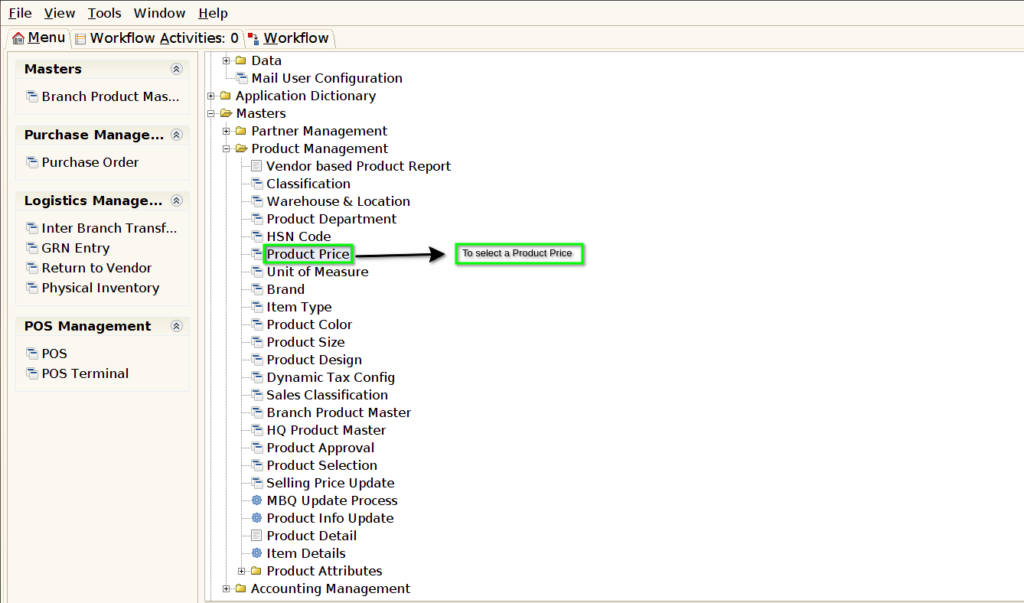
STEP 1: To select the Product Price.
STEP 2: To open new document.

STEP 3: To enter a product,Its based on MRP & to update MRP,Selling Price,Limit Price.
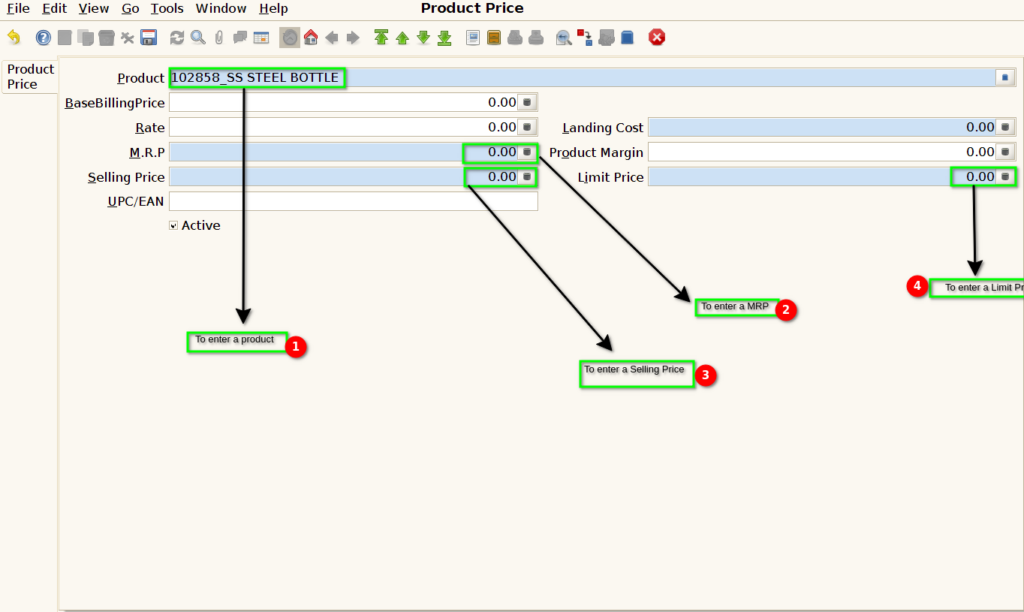
STEP 4: Finally to Save the document.Its Manually Updated.Once to create product to create batch to make a GRN.Once GRN completed Manually updated in Product Price.
