How to generate Loyalty Voucher Print in Adempiere Retail?
Loyalty Voucher Print means printing a physical or digital voucher given to a customer as a reward for their loyalty (frequent purchases or engagement). It usually includes a discount, gift, or offer that the customer can use on a future purchase.
User Access
Who Can Access
- Back Office
- Cashier
- Manager
- Admin
What User Can Do
- Earn Loyalty Points – Make purchases to accumulate points.
- Request/Receive Voucher – Receive a voucher based on loyalty points or spending.
- Voucher is Printed Automatically
- Redeem Points for Voucher
Pre-Requisite Activities
- Loyalty Program Enrollment
- Redemption Eligibility Check
- Voucher Redemption Request
- Authentication/Validation
Business Rules
- Eligibility Rules
- Redemption Rules
- Voucher Validity Rules
- Transaction Rules
- Limits & Frequency
User Interface
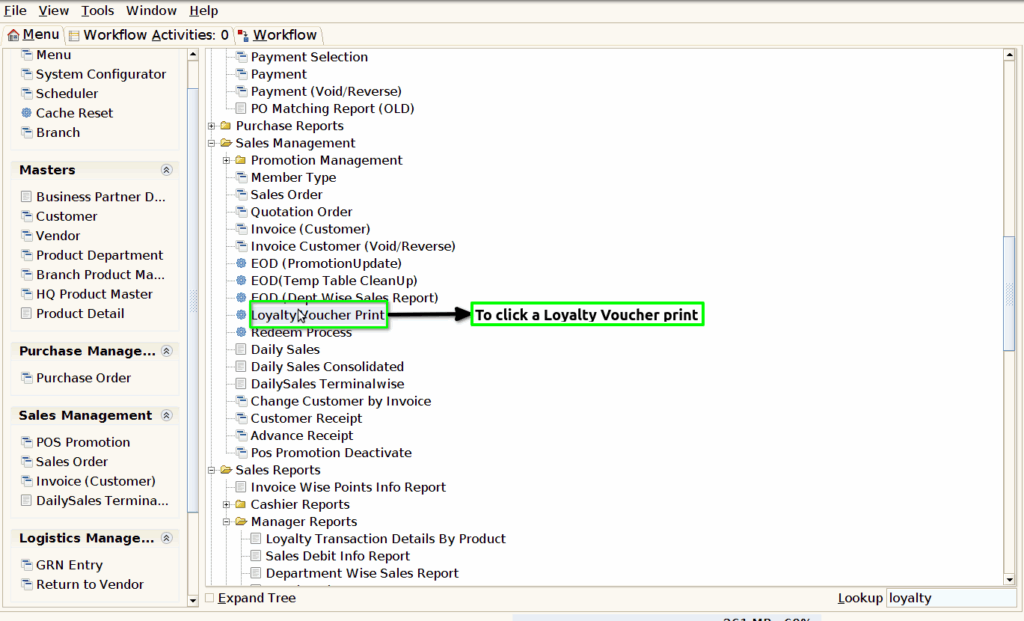
Step 1 : To Select a Branch in Menu.Then to click a Loyalty voucher print.
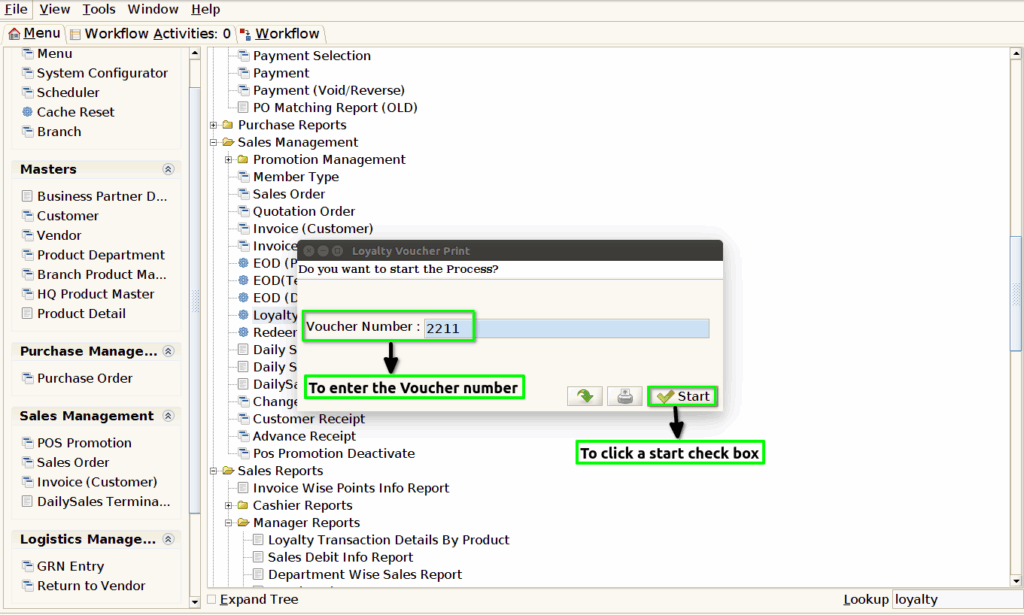
Step 2 :To enter a Voucher Number and to click the start process.
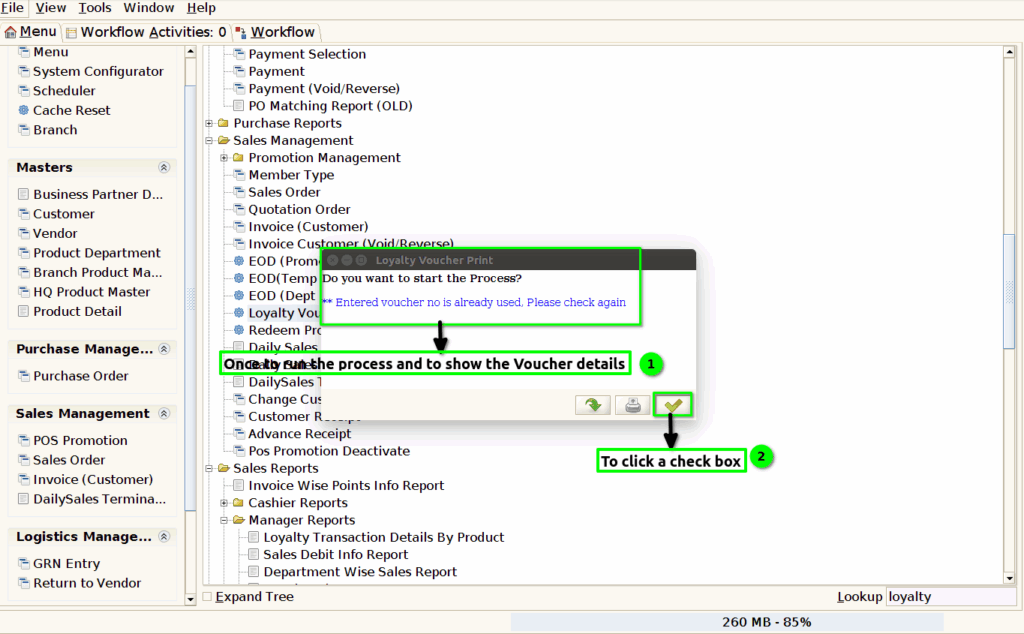
Step 3 :Once to complete the process to show the popup message and then to click the check box.