How to select a GST Customer in POS for Adempiere Retail
Choose GST Customer for Order means selecting a customer who has a registered GST (Goods and Services Tax) number while placing an order, so that the invoice includes GST details.
User Access
Who Can Access
- Cashier
- Manager
- Admin
- Back office
What User Can Do
- Search and Select GST Customer
- Verify GST Details
- Apply GST to the Order
- Generate GST Invoice
- Update or Add GST Info
Pre-Requisite Activities
- Customer Profile Setup
- GST Number Entry
- GSTIN Verification
- Address Details
- User Access Rights
Business Rules
- Valid GSTIN Required
- GSTIN Must Match Address
- Business Type Identification
- One GSTIN per Location
- Tax Rate Based on Transaction Type
User Interface
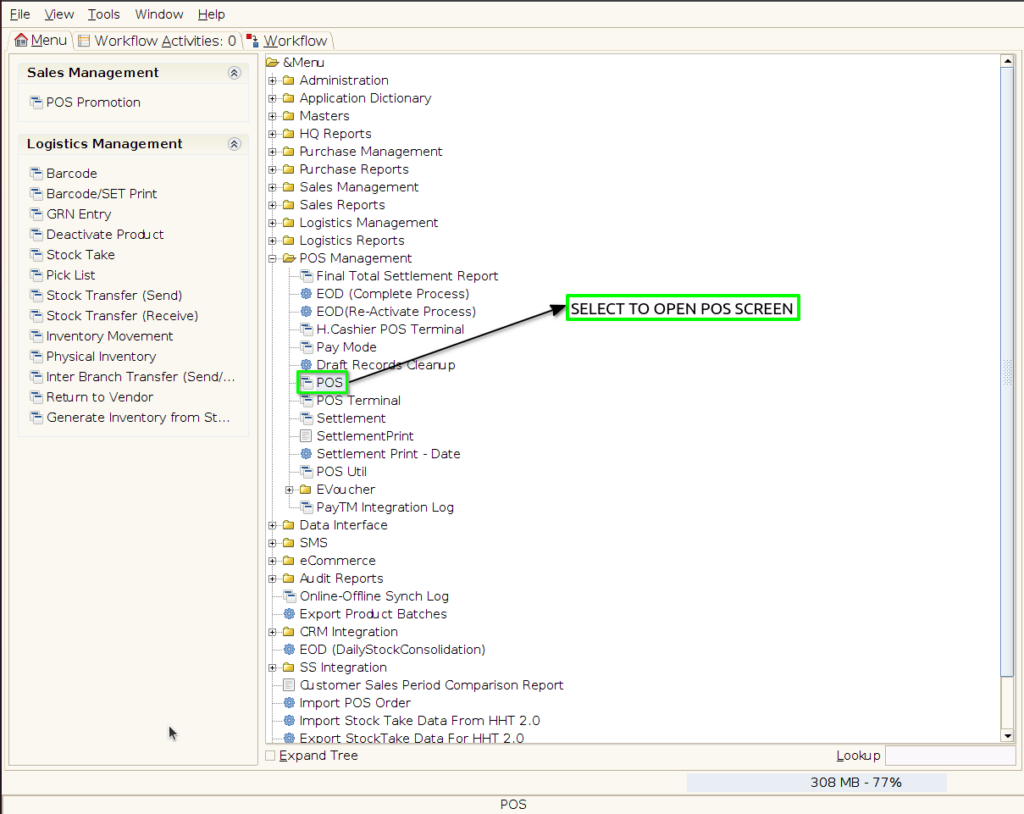
Step 1 : Select ‘POS’ in Menu -> POS Management -> POS or Search POS in Lookup.
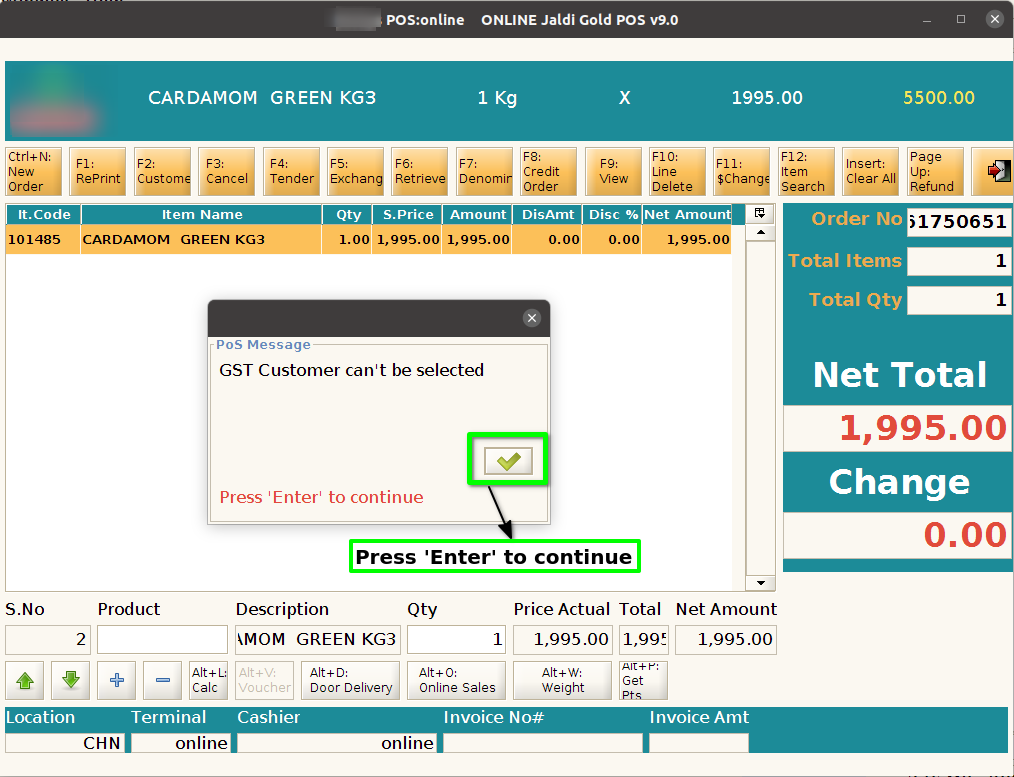
Step 2: System should not allow to select the GST Customer after product scan
Step 3: Click F2 Button, Customer should select before scanning the product

Step 4: Search and select the GST Customer

Step 5: Click Ok Button, to generate the B2B sales Bills for gst customer

Step 6: Press Esc Button it will generate normal bills for gst customer
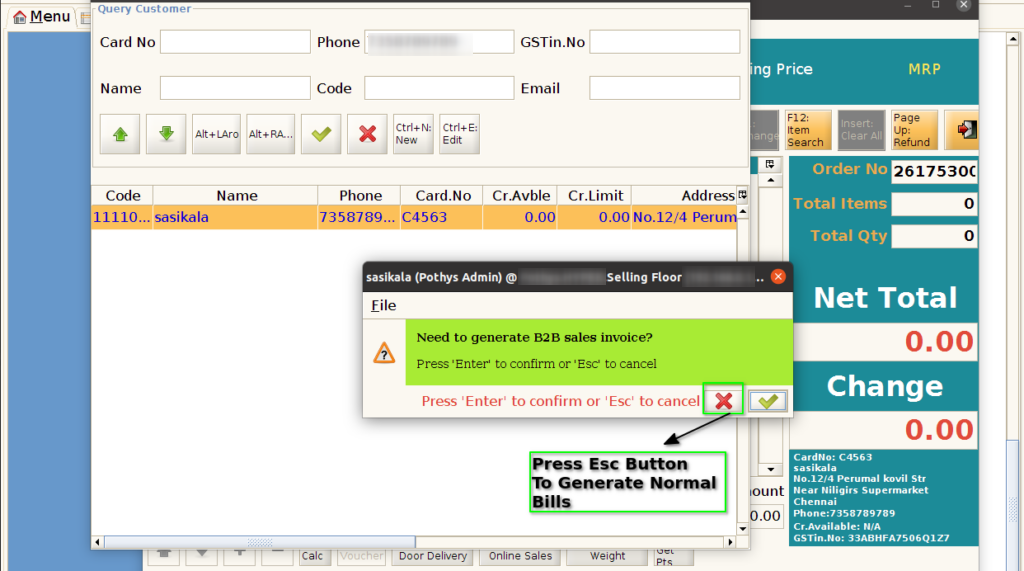
Step 7: For B2B sales, same zero % tax product will be allowed for same bill not other tax will be different bill
