How to create POS Key Layout in Adempiere Retail
POS Key Layout refers to the arrangement and assignment of buttons or keys on a Point of Sale (POS) terminal or touchscreen that allows users to quickly perform sales functions like ringing up items, applying discounts, processing payments, and other transaction tasks.
User Access
Who Can Access
- Back Office
- Cashier
- Manager
- Admin
What User Can Do
- Use Keys to Process Sales
- Navigate the Interface
- Customise Layout (If Allowed)
Pre-Requisite Activities
- Product and Category Setup
- User Access Rights
- POS Software Configuration
- Training and Documentation
Business Rules
- User Permissions
- Limit Number of Keys
- Function Keys Priority
- Update Control
User Interface
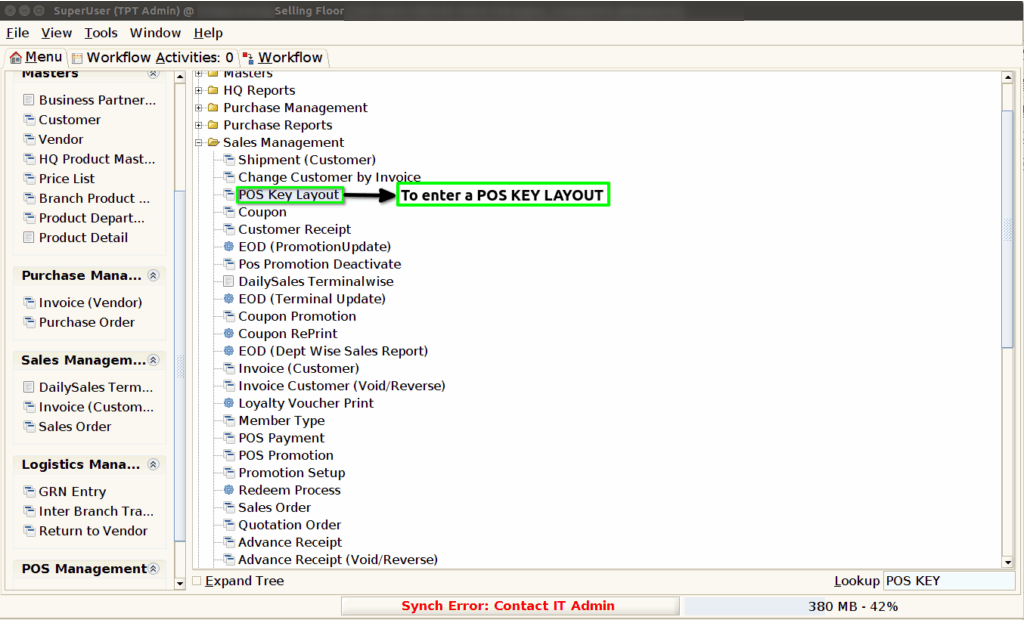
Step 1 : To Select a Branch in Menu.Then to click a POS Key Layout.
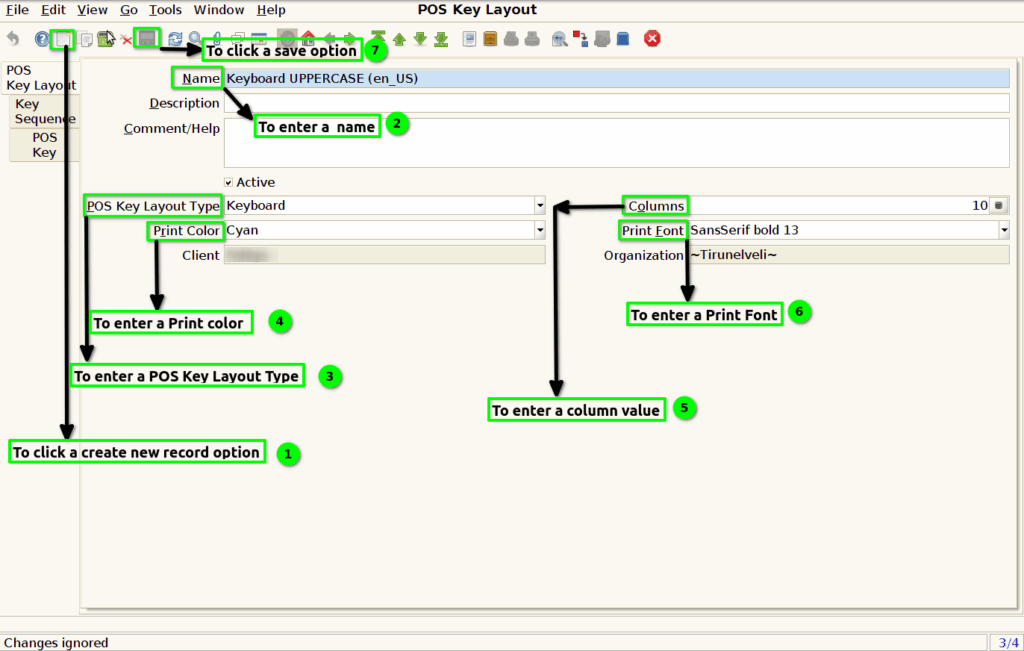
Step 2 :To click a create new record option and to enter a values for Name,POS Key Layout Type ,print color,Print font and Columns.Finally to save the header.
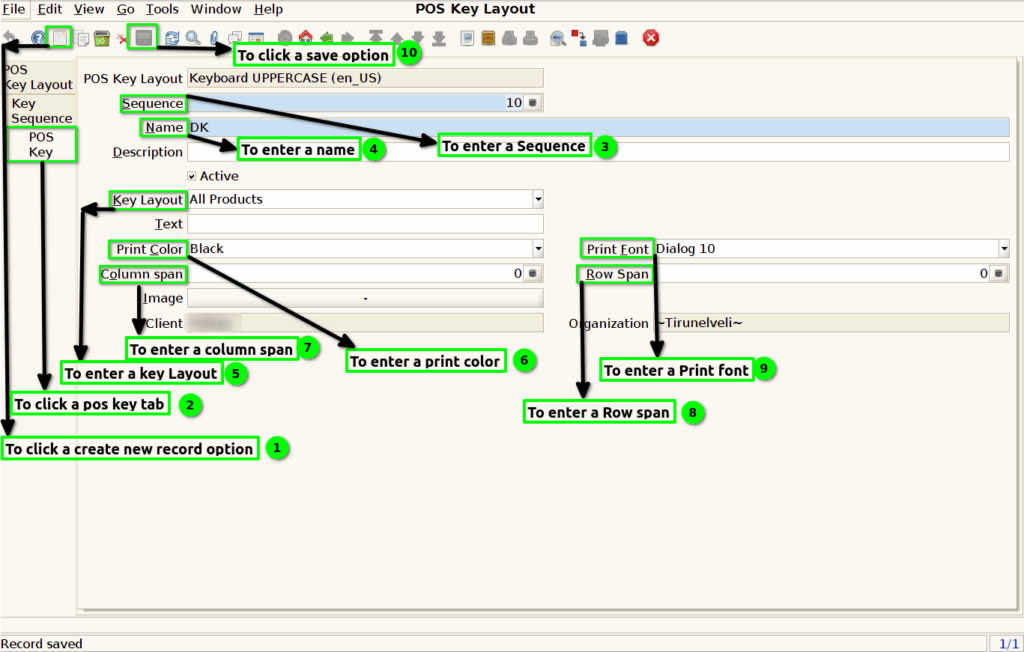
Step 3 :To click POS Key tab and to enter the values for Sequence,Name,Key Layout,Print Color,Column span,print font and Row span.Finally to save the Record.