How to run Selling Price Update process in ADempiere Retail
The Selling Price Update process refers to changing or updating the prices at which products are sold, either manually or through bulk import, to reflect new pricing strategies, discounts, or supplier cost changes.
User Access
Who Can Access
- Back Office
- Purchase Manager
- Manager
- Admin
What User Can Do
- Update Selling Prices based on parameter
Pre-Requisite Activities
- Ensure products are already created in the system
- Validate cost prices before applying selling prices
- Define pricing rules (margin %, rounding, etc.)
Business Rules
- New selling price must be higher than cost (based on policy)
- Price updates should not affect already invoiced transactions
- Only authorized users can update or approve selling prices
User Interface
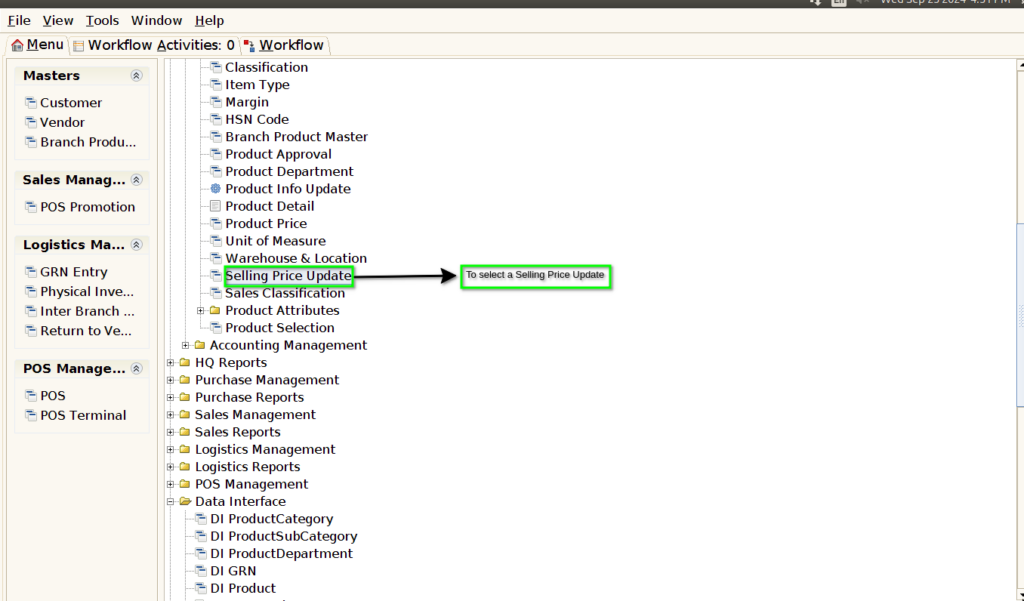
STEP 1: To select the Selling Price Update.
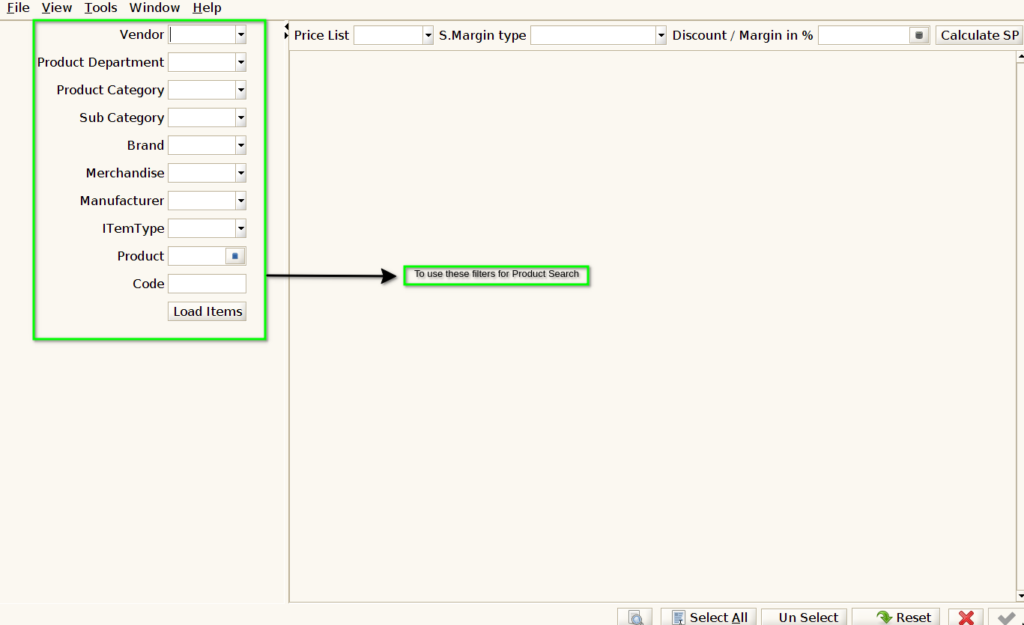
STEP 2: To use these filters for Product Search option.
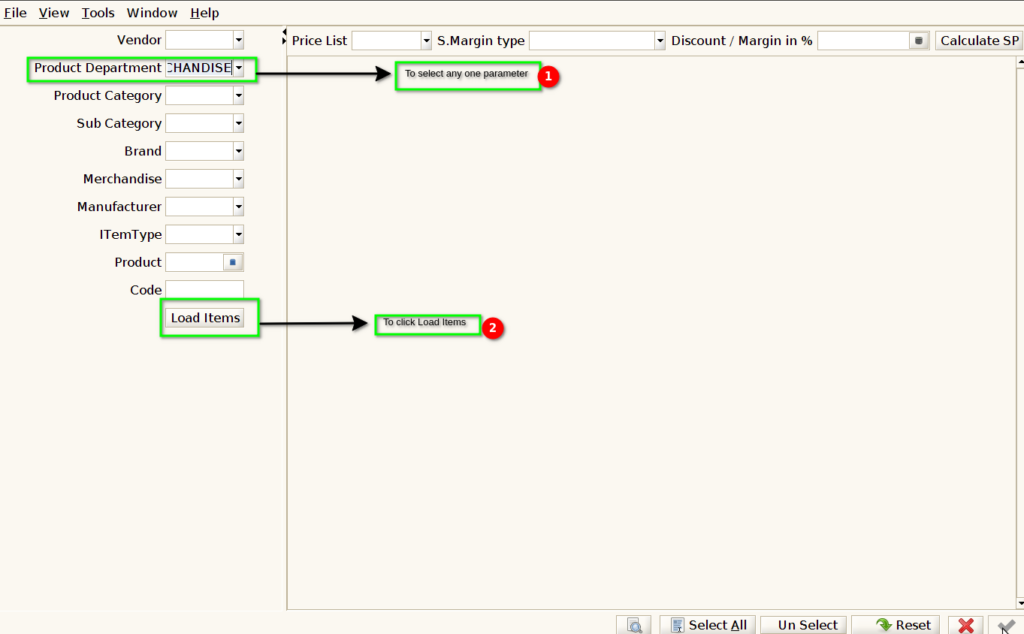
STEP 3: Based on our requirements to select the parameters & to click load items.
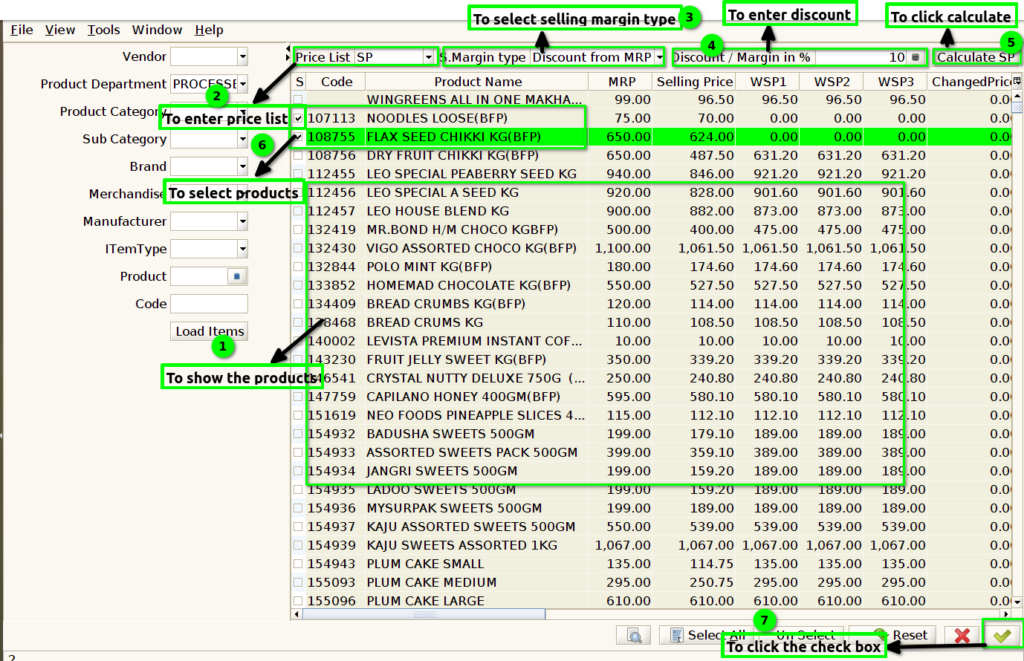
STEP 4: Once to click the load items to show the products based on selected parameters.To enter the price list,selling margin type,discount & margin in % then to click calculate.Then to select the products to click check box to updated in selected products based on our requirements.
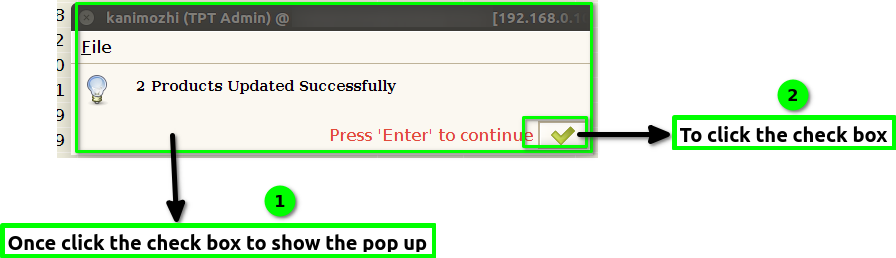
STEP 5: Once to click the check box to show the popup updated Successfully.& Finally to click the box.