How to create a Product Classification in Adempiere Retail
“Create Only Weighing” classification refers to identifying products for which transactions (like billing or sales) are allowed only through a weighing process. These products typically don’t have fixed quantities but are sold based on their actual weight at the time of sale.
User Access
Who Can Access
- Back Office
- Manager
- Admin
What User Can Do
- Create Classification
- Edit Classification
Pre-Requisite Activities
- POS or billing system integrated with electronic weighing scale
- Classification master should include “Create Only Weighing” as an option
Business Rules
- Items marked as Create Only Weighing must fetch quantity directly from the weighing machine
- Manual override of quantity should not be allowed unless user has special role permission
- Classification should be audit-logged for compliance
- Applies only to selected categories (e.g., F&V, grocery, loose items)
- Barcode (if used) must link to a weight-based SKU
User Interface
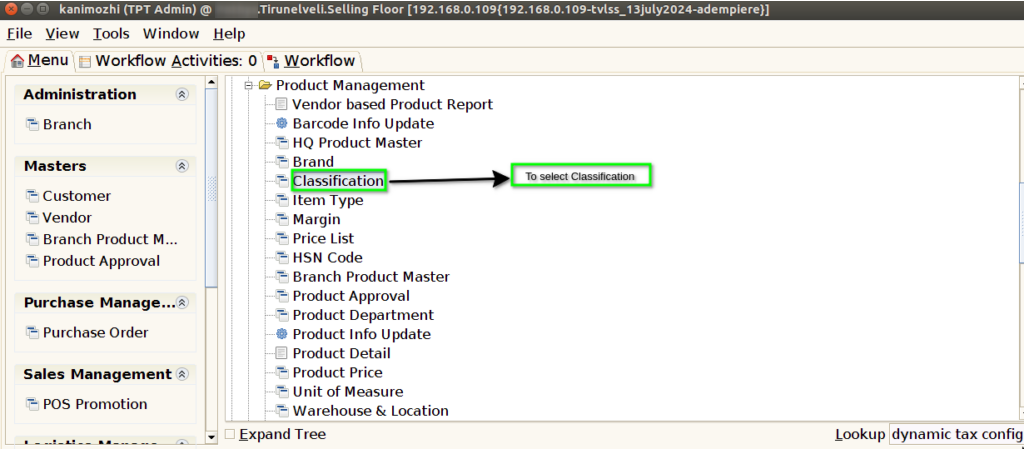
STEP 1: To select a Classification.
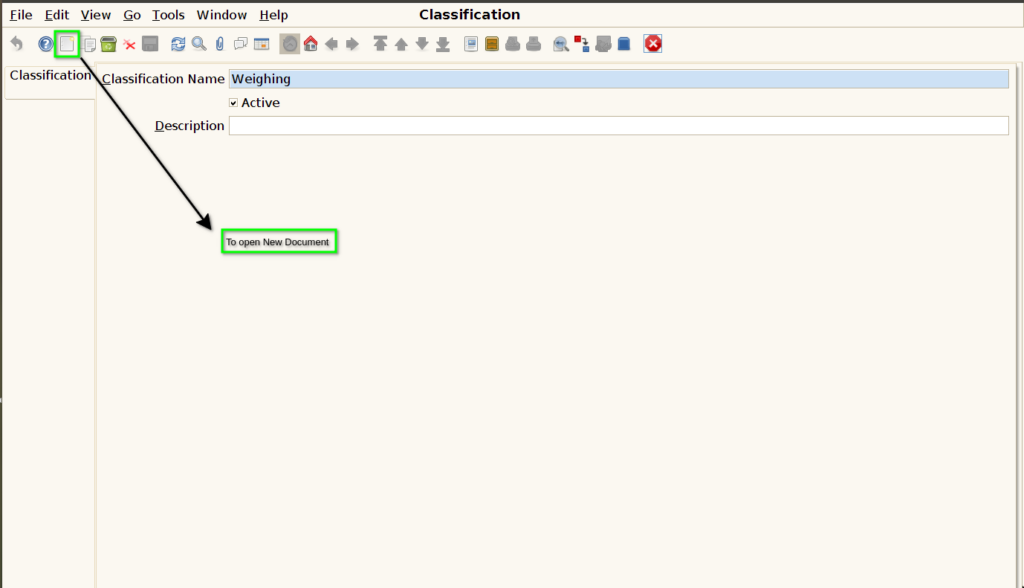
STEP 2: To Open New document.
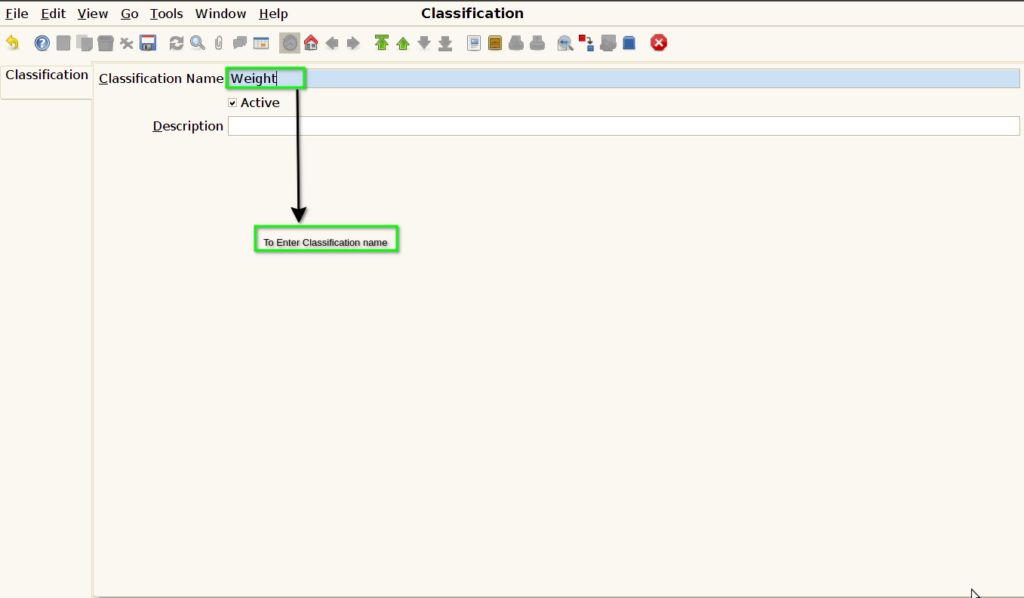
STEP 3: To Enter a Classification Name.
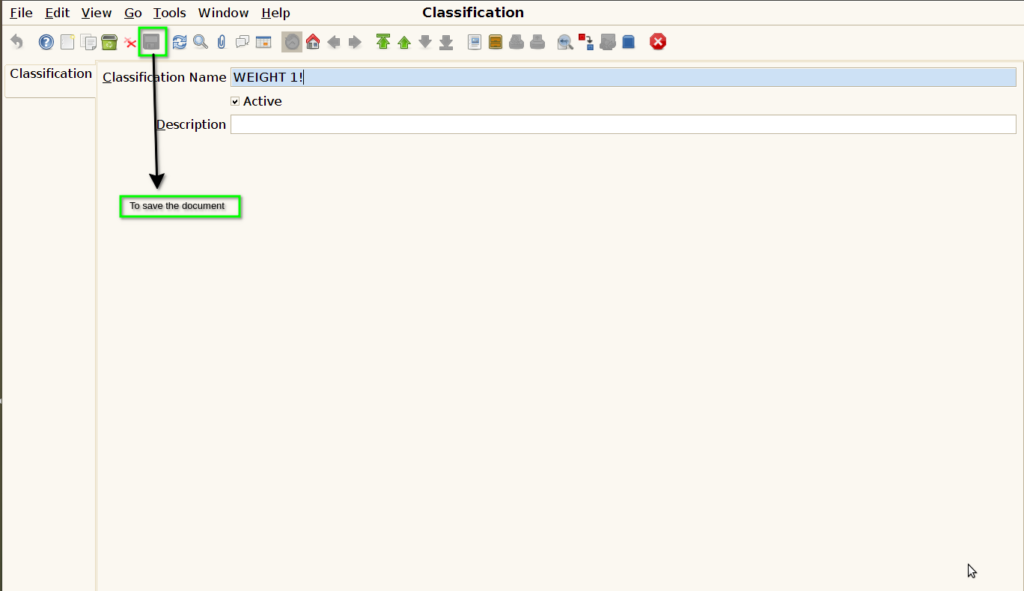
STEP 4: Finally to Save the Document.