How to import Inter Branch Transfer Send document in ADempiere Retail
The process of bringing in (uploading) data files related to stock items sent from one branch to another into the inventory system to record or update transfer send transactions.
User Access
Who Can Access
- IT Admin
- Manager
- Cashier
- Back office
What User Can Do
- Upload Transfer Send Files
- Validate Data Before Import
- Confirm and Process Import
- View Import Logs and Reports
Pre-Requisite Activities
- Prepare Import File
- Validate Data Accuracy
- User Authorisation
Business Rules
- Authorised Users Only
- File Format Compliance
- Mandatory Fields Validation
- No Partial Imports
- Inventory Update on Import
User Interface
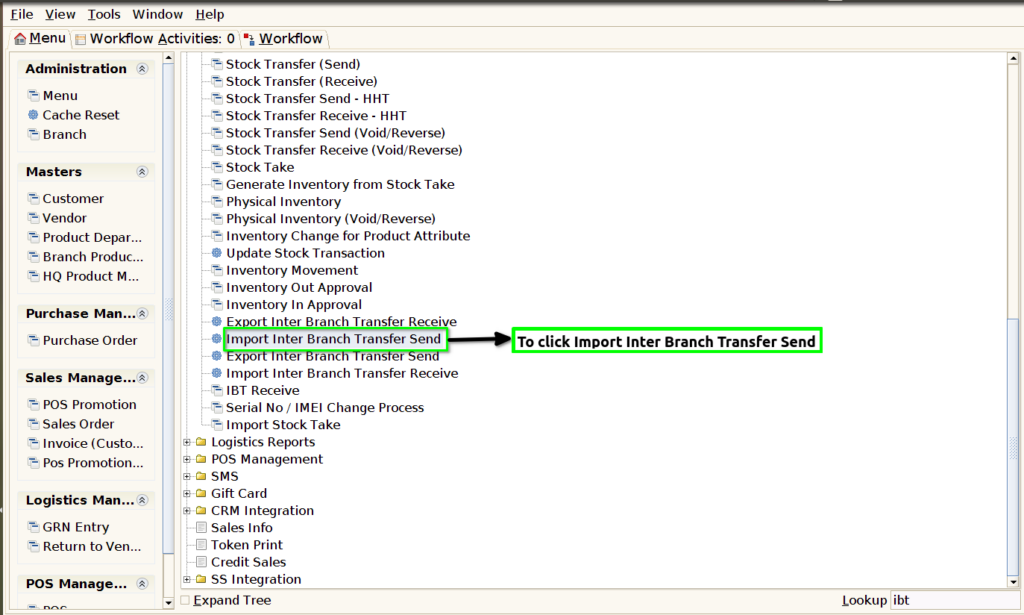
STEP 1: To select the Import Inter Branch Transfer Send.
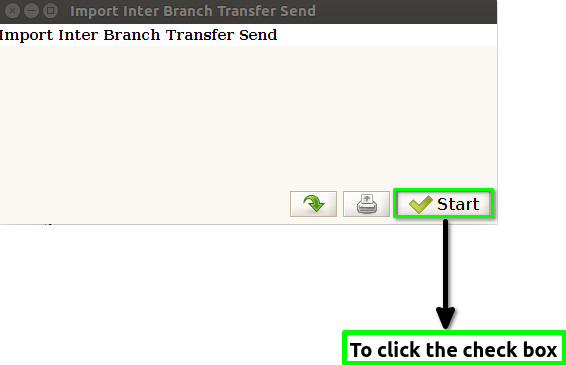
STEP 2: To click the check box
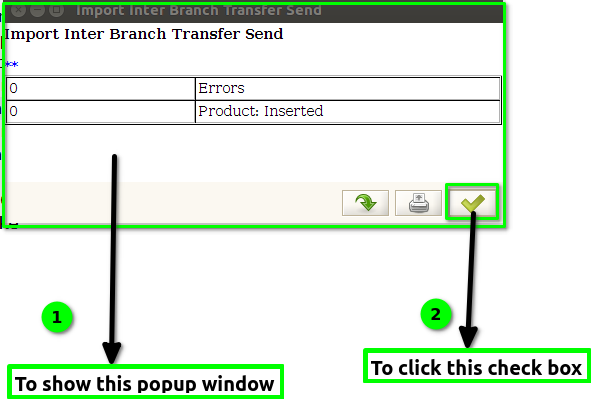
STEP 3: Once to run the process and to show this popup window products inserted or errors count will show and then to click the check box.