How to view Product Expiry Detail Report in Adempiere Retail
A Product Expiry Detail Report shows a list of products along with their expiration dates and relevant details, helping track which products are close to or past their expiry.
User Access
Who Can Access
- Admin
- Manager
- Cashier
What User Can Do
- Identify Expiring Products
- Remove or Quarantine Expired Items
- Plan Stock Rotation
- Make Purchase Decisions
- Reduce Financial Loss
Pre-Requisite Activities
- Maintain Accurate Product Master Data
- Enable Expiry Date Tracking in Inventory System
- Regular Stock Updates
- Set Thresholds for Expiry Alerts
Business Rules
- Expiry Date is Mandatory
- Batch-wise Tracking
- Real-time Stock Updates
- FIFO Compliance
- Prohibit Sale of Expired Products
- Regular Reporting and Alerts
User Interface
Step 1 : Select ‘Product Expiry Detail Report’ in Menu Logistics Reports -> Product Expiry Detail Report or Search Product Expiry Detail Report in Lookup.
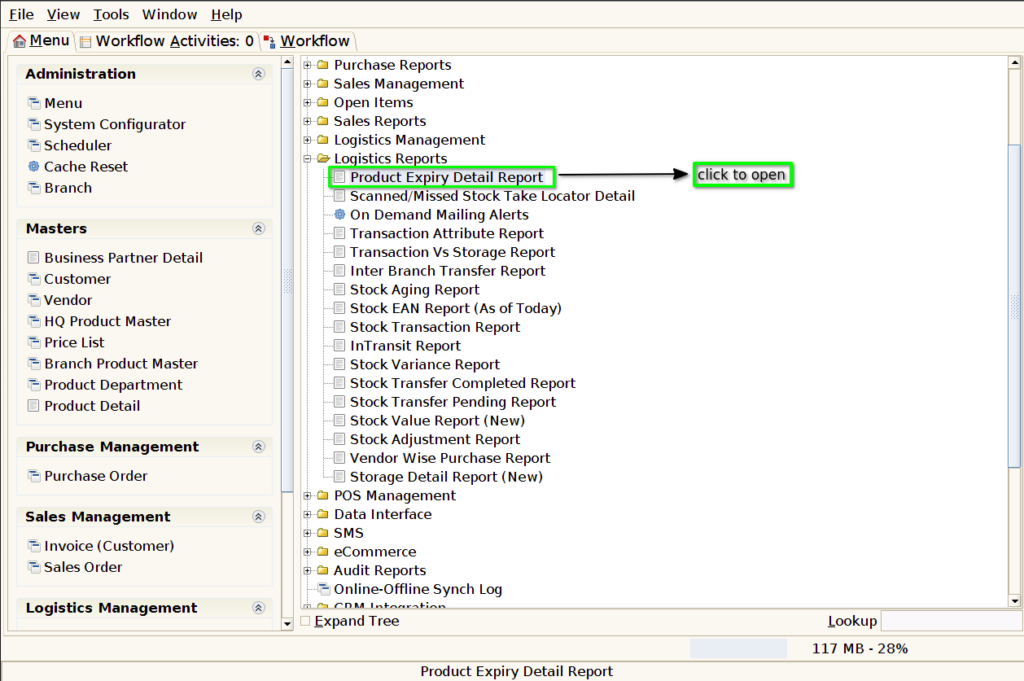
Step 2: After opening the Concern Report, it appears as shown in the image below.

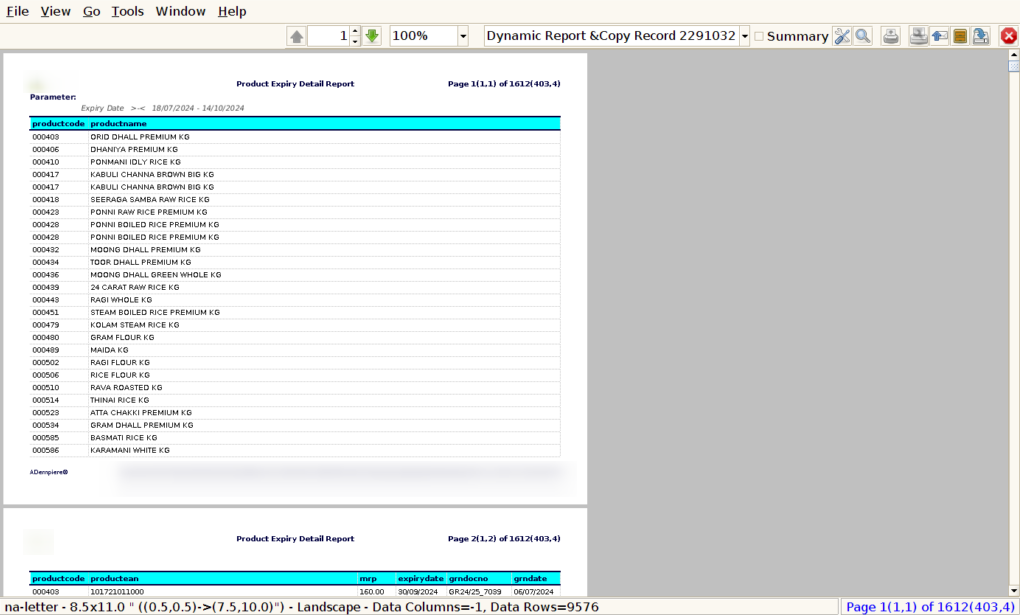
Report will look like below image.
1.Product code
2.Product Name
3.Product EAN
4.MRP
5.Expiry Date
6.GRN Doc No
7.GRN Date