How to view Promotion Deactive List Report in Adempiere Retail
A Promotion Deactivate List shows all the promotions or discounts that have been stopped or turned off.
User Access
Who Can Access
- Admin
- Cashier
- Sales Manager
- Manager
What User Can Do
- Track Inactive Promotions
- Avoid Applying Expired Discounts
- Manage Promotion Lifecycle
- Review Promotion History
Pre-Requisite Activities
- Maintain Accurate Promotion Records
- Define Promotion Statuses
- Regular Review Process
Business Rules
- Accurate Status Updates
- Defined Deactivation Criteria
- Access Control
- No Sales Application Post-Deactivation
User Interface
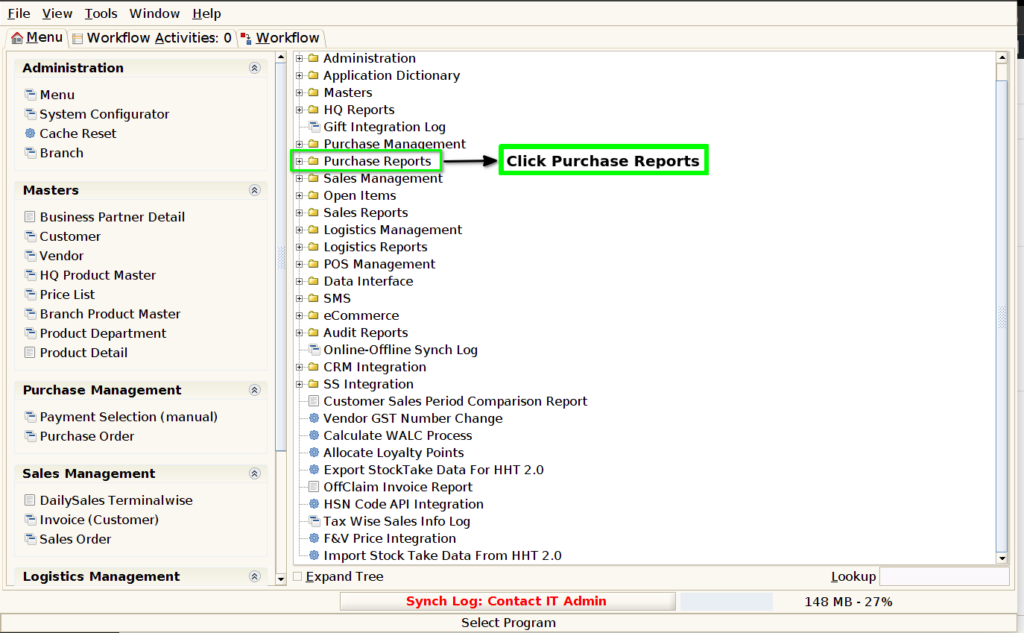
STEP 1: Click Purchase Reports Folder.
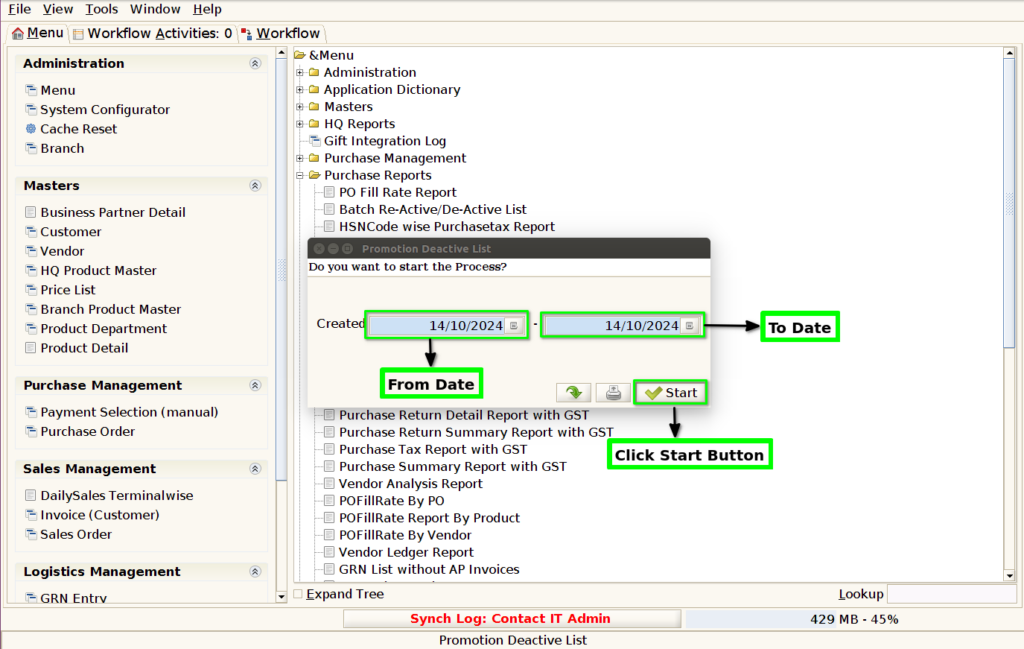
STEP 2: Click Promotion Deactive List Report.

STEP 3: Choose Parameter From Date, To Date and Vendor Mandatory.
STEP 4: Show the report based on the given data.


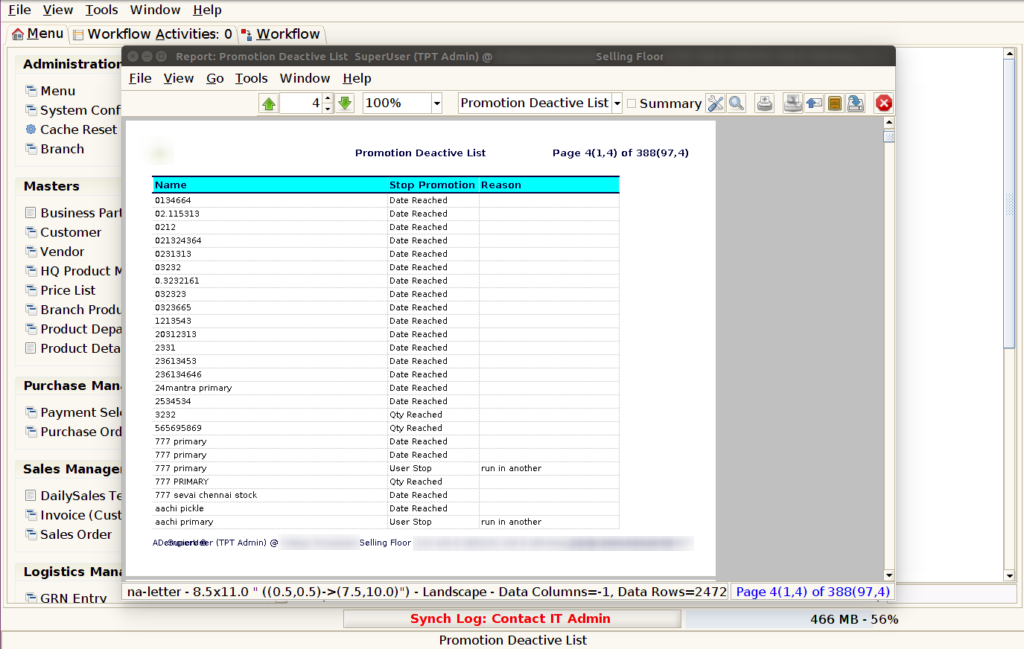
STEP 5: Name– typically refers to the name of the employee or individual being considered for promotion. It is an essential piece of information as it identifies the person whose performance, achievements, or qualifications are being evaluated for advancement within the company or organisation.
Promotion mode– can refer to different things depending on the context, but it generally involves a situation where a certain event or process is being elevated or focused on for greater visibility, benefits, or incentives.
Product name– refers to the name given to a specific product, typically by the manufacturer, seller, or brand. It serves to identify, differentiate, and market the product to consumers.
End date – in a promotion report refers to the specific date when the promotional period or campaign concludes. It marks the last day the promotion is valid, and typically, no further discounts, offers, or benefits are available after this date. In a promotion report, the end date is important for tracking the effectiveness and timing of the promotion.
Deactivated date– typically refers to the specific date when an account, service, device, or feature is turned off or becomes inactive. This date marks the point when access to the resource is no longer available or when the functionality has been discontinued.
Updated by – typically refers to the person who made the most recent changes or updates to the report. This information helps track accountability and ensures that the report reflects the most current data or actions taken related to promotions, employee status changes, or product/service updates.
Active – typically refers to the items, activities, or campaigns that are currently running or ongoing.
Stop Promotion – typically refers to a decision or action taken to halt or discontinue a particular promotional campaign or offer.
Reason-Transparency and Accountability- It provides transparency to employees about who has been considered and selected for promotion, ensuring that the process is fair and accountable.