How to run Item Details Report in ADempiere Retail
Item Details refer to the complete information about a product or material stored in the system. This includes name, code, category, price, tax, and other related data used in purchasing, sales, and inventory.
User Access
Who Can Access
- Admin
- Cashier
- Back Office
- Manager
What User Can Do
- Select Item Details.
- Select Classification.
Pre-Requisite Activities
- Define product categories and subcategories
- Set up tax rules and HSN codes
- Create vendor and manufacturer masters
- Configure unit of measure and price lists
Business Rules
- To make a classification compulsory .
- Classification based on the products (Normal products & Weighing products)
- Its used only Weighing products.
User Interface
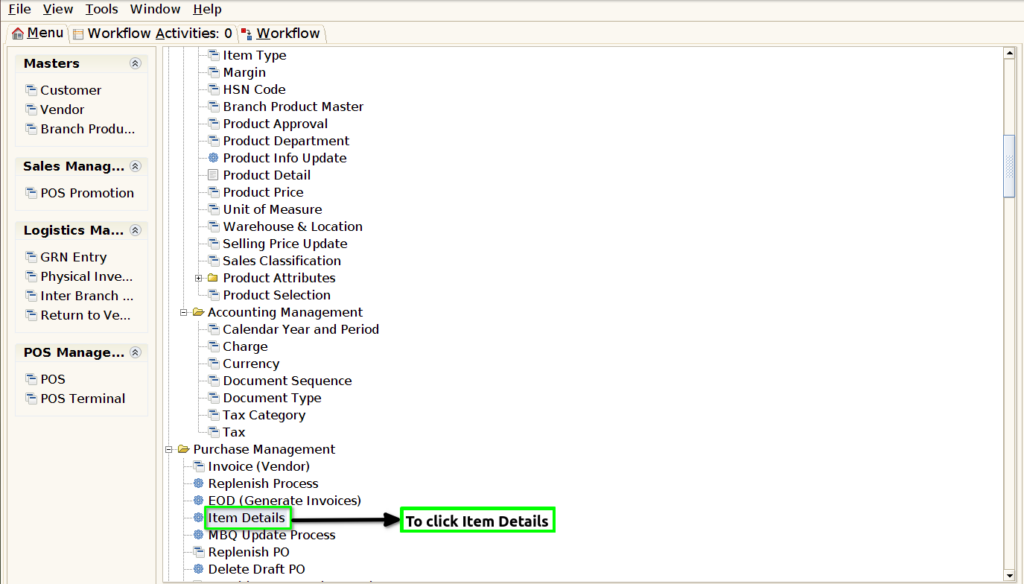
STEP 1: To select the Item Details.
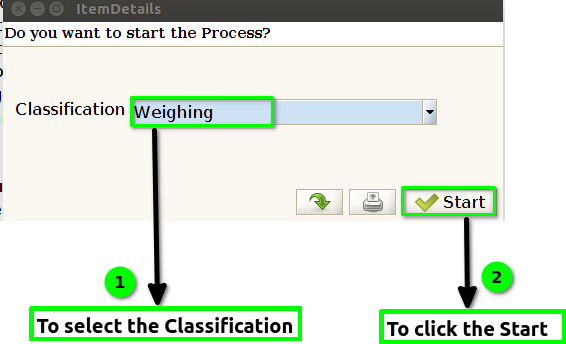
STEP 2: To Select the Classification.Then to click start check box.
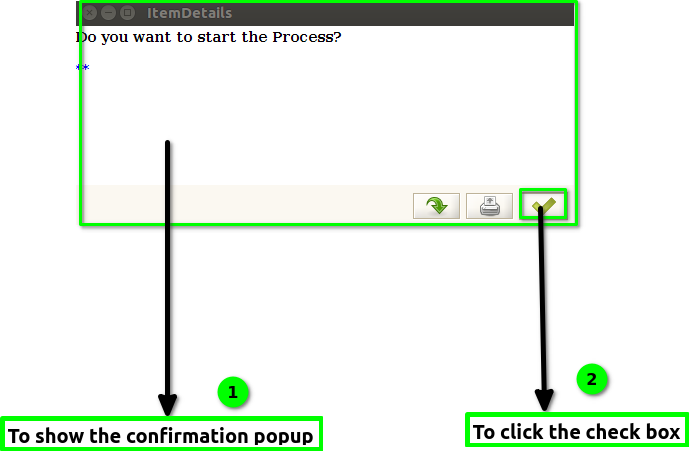
STEP 3: To show this confirmation window.Then to click check box.