How to do F&V Price Tag Integration in Adempiere Retail
F&V Integration refers to the process of connecting the Fruits & Vegetables (F&V) management system with the main billing, inventory. This ensures real-time syncing of weights, prices, stock, and sales for F&V items, which are typically sold by weight or barcode.
User Access
Who Can Access
- Admin
- Cashier
- Manager
- Back office
What User Can Do
- Create
- Update
Pre-Requisite Activities
- F&V items must be defined in product master
- Integration with weighing scale or F&V POS hardware
- System must support unit-wise pricing (kg/gm)
- Barcodes must encode item and weight data
- Mapping of departments/categories for F&V
Business Rules
- Based on scheduler, F&V price will sync automatically to Small Tag, Big Tag
User Interface
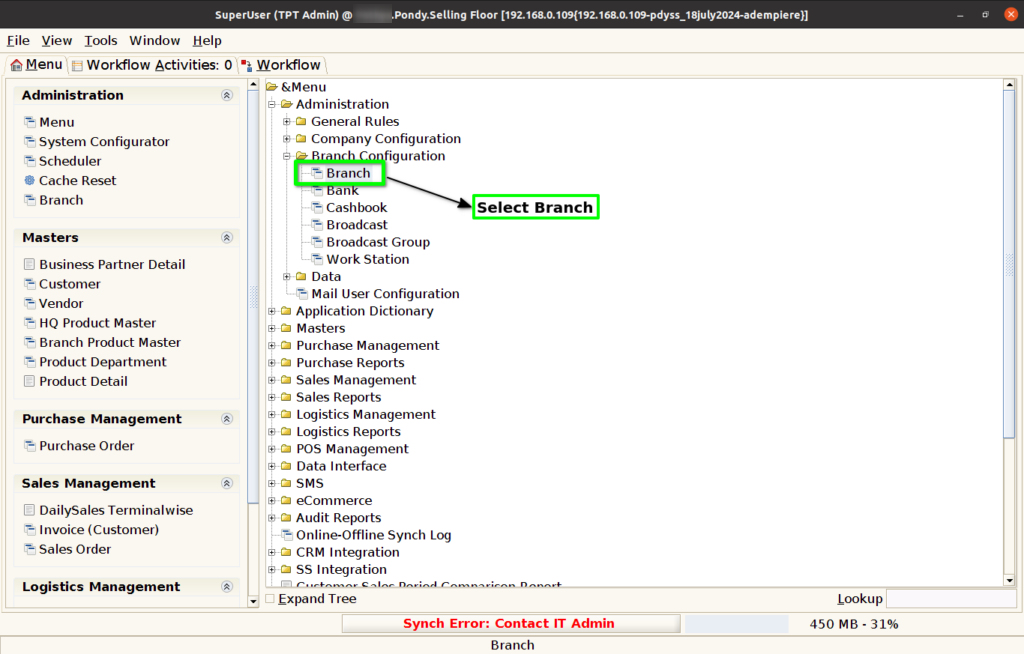
Step 1 : Select ‘Branch’ in Menu Branch Configuration -> Branch or Search Branch in Lookup.
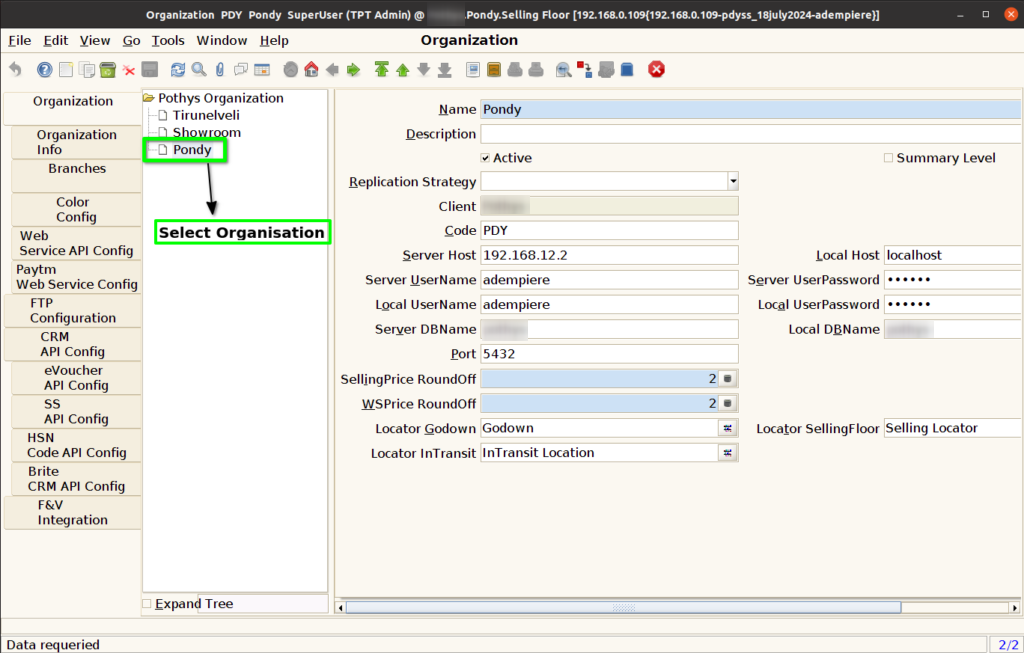
Step 2 : Select Organisation.
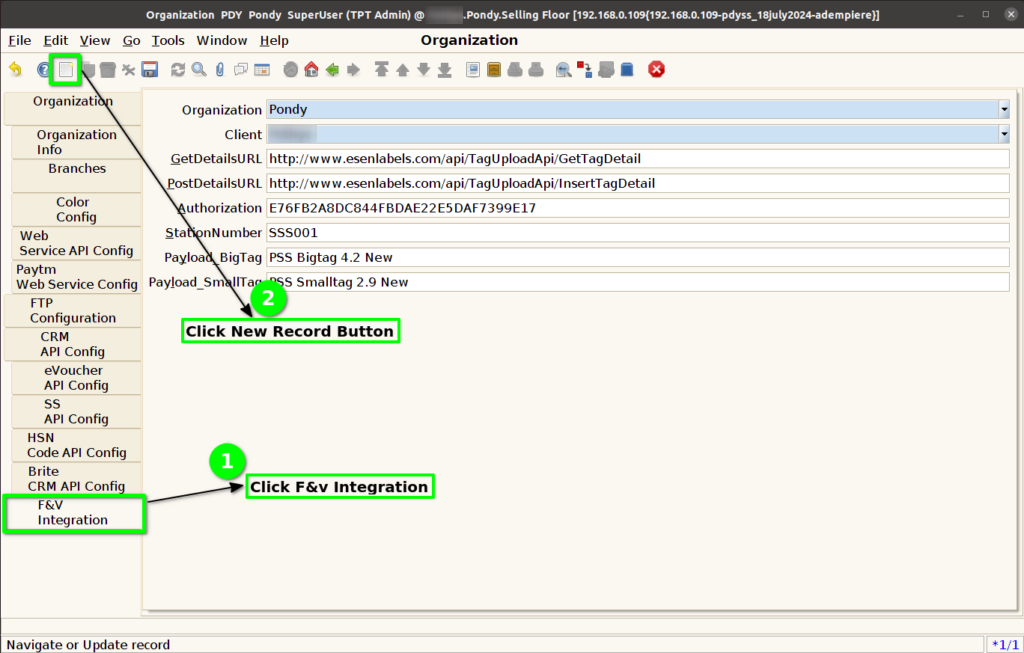
Step 3 : Click F&V Integration Config Tab and Click New Button.
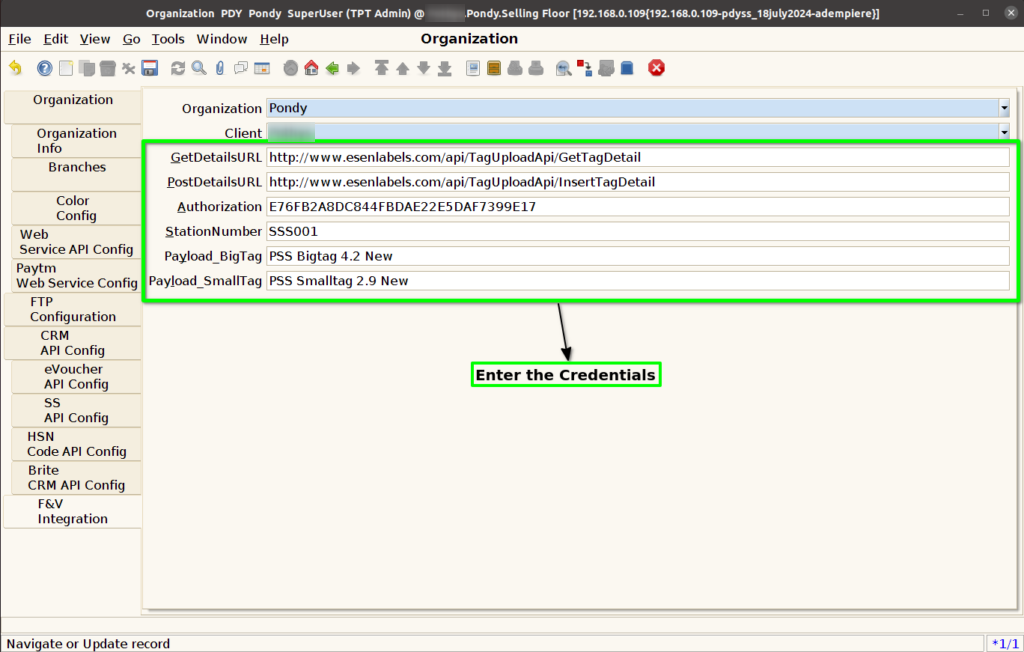
Step 4 : Enter Below Credentials for F&V Integration Config
- GetDetailsURL
- PostDetailsURL
- Authorization
- Station Number
- Payload_Big Tag
- Payload_Small Tag
Step 5 : Click to Save the Record.
