How to view Transaction Attribute Report in Adempiere Retail
A report that shows details of transactions based on specific attributes or characteristics, such as payment type, transaction mode, customer type, or product category.
User Access
Who Can Access
- Admin
- Cashier
- Sales Manager
- Manager
What User Can Do
- Analyze transactions by different attributes like payment method or customer type.
- Filter transactions to focus on specific categories or modes.
- Generate customized reports for finance, sales, or audit teams.
Prerequisite Activities
- Relevant transaction attributes
- Configure the system to capture and store attribute data accurately.
- Regularly validate data for completeness and accuracy.
Business Rules
- All transactions must have complete and accurate attribute data.
- Attributes should be standardized and consistent across all entries.
- Data must be updated in real-time or as per the reporting schedule.
- Access to the report must be restricted to authorized users only needed.
User Interface
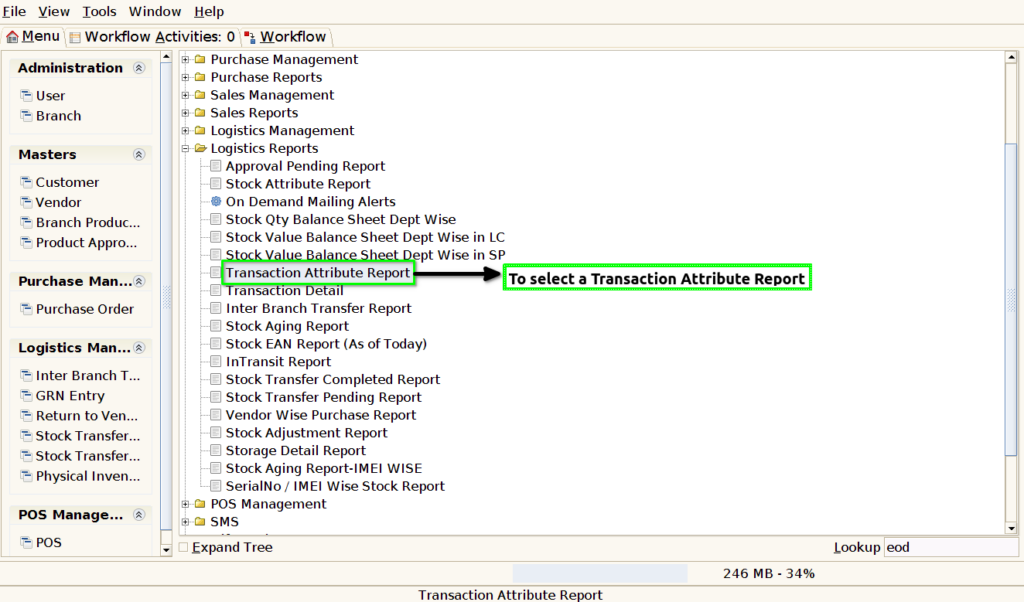
STEP 1: To select a Transaction Attribute Report.
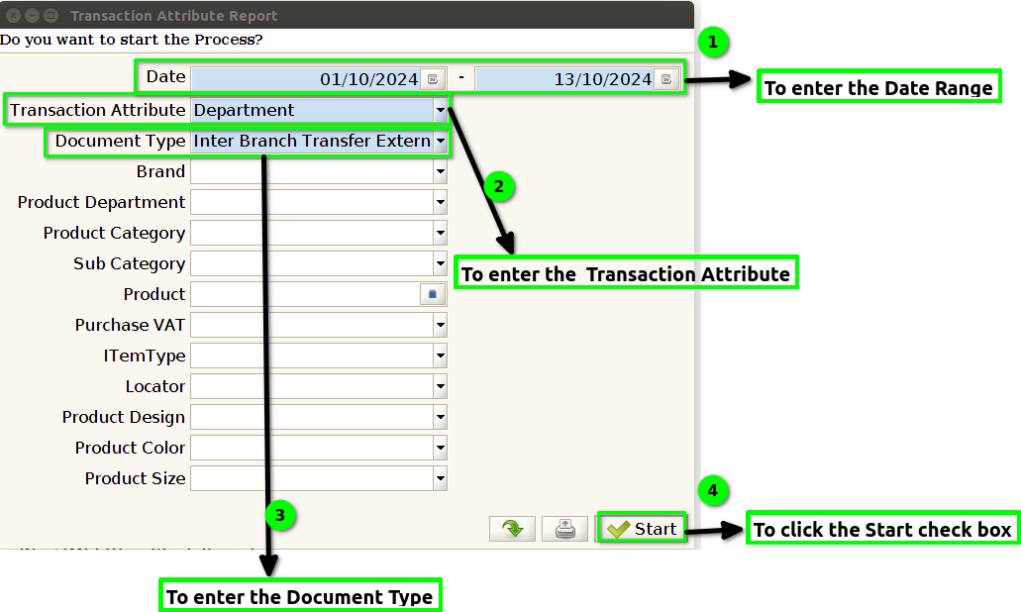
STEP 2: To enter the Date Range.And to enter a Transaction Attribute.And then to enter the Document Type.Finally to click the Start check box.To run the process.
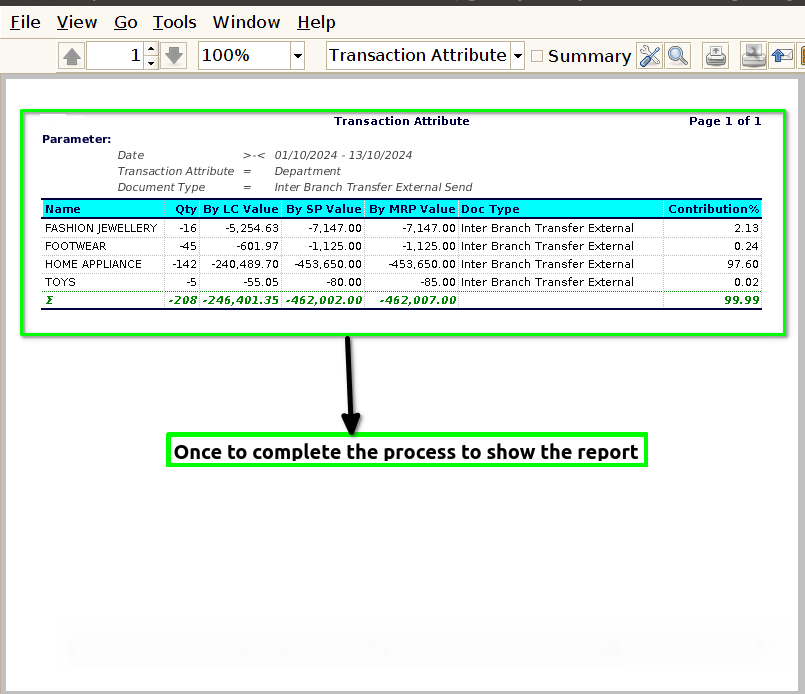
STEP 3: Once to run the process to show the Report based on the given parameter.
1.Name
2.Quantity
3.By LC Value
4.By SP Value
5.By MRP Value
6.Doc Type
7.Contribution%.