How to create HSN Code-LS in Adempiere Retail
The Harmonised System of Nomenclature (HSN) means entering this classification so that products can be linked to the right tax category.
User Access
Who Can Access
- Back Office
- Cashier
- Manager
- Admin
What User Can Do
- Create a New HSN Code
- Link HSN Code to Product Categories
- Edit or Inactivate Existing HSN Codes
Pre-Requisite Activities
- Identify Applicable HSN Codes
- Gather Tax Details
- Check if Code Already Exists
Business Rules
- HSN Code Must Be Unique Numeric Numbers
- HSN Code Must have 8 Digits
- Only Authorized Users Can Create or Update HSN Codes
- Inactive HSN Codes Should Not Be Assigned to Products
- Every Product Must Have an HSN Codeallow starting space & Ending space
User Interface
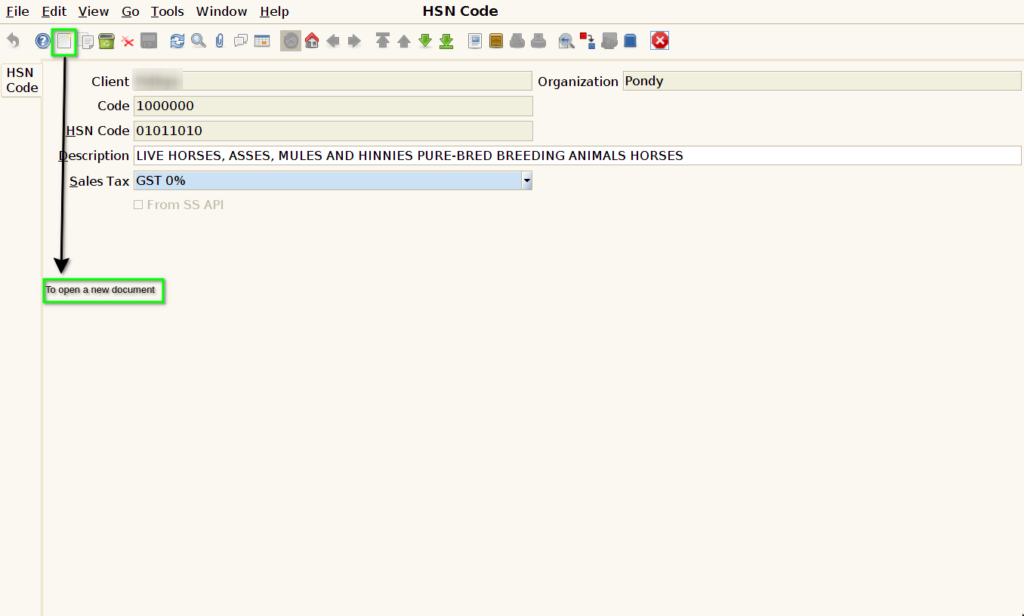
STEP 1: To Select a HSN CODE.

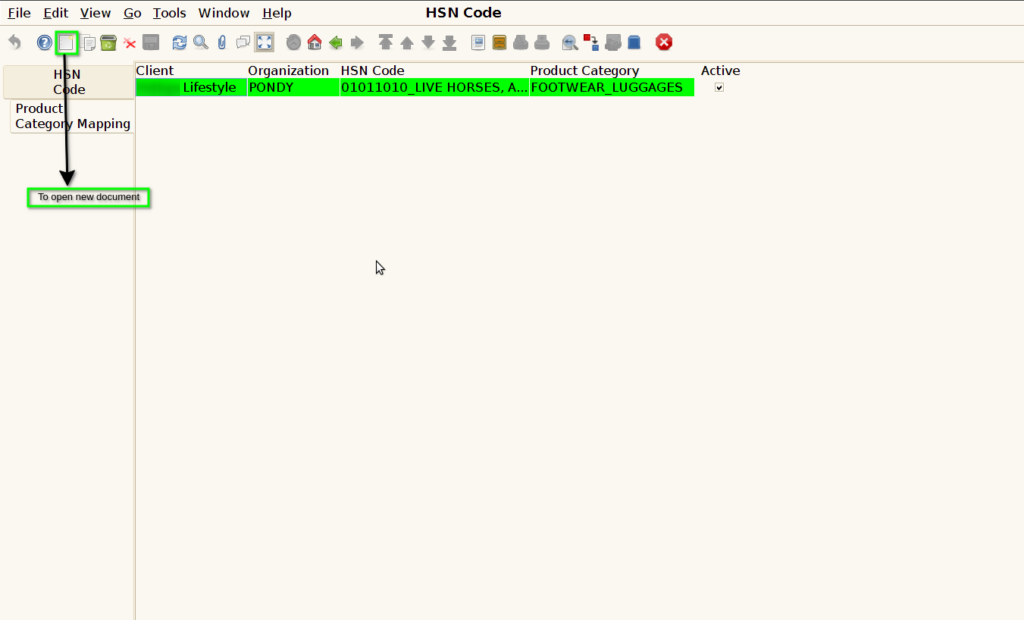
STEP 2: To open a new document.
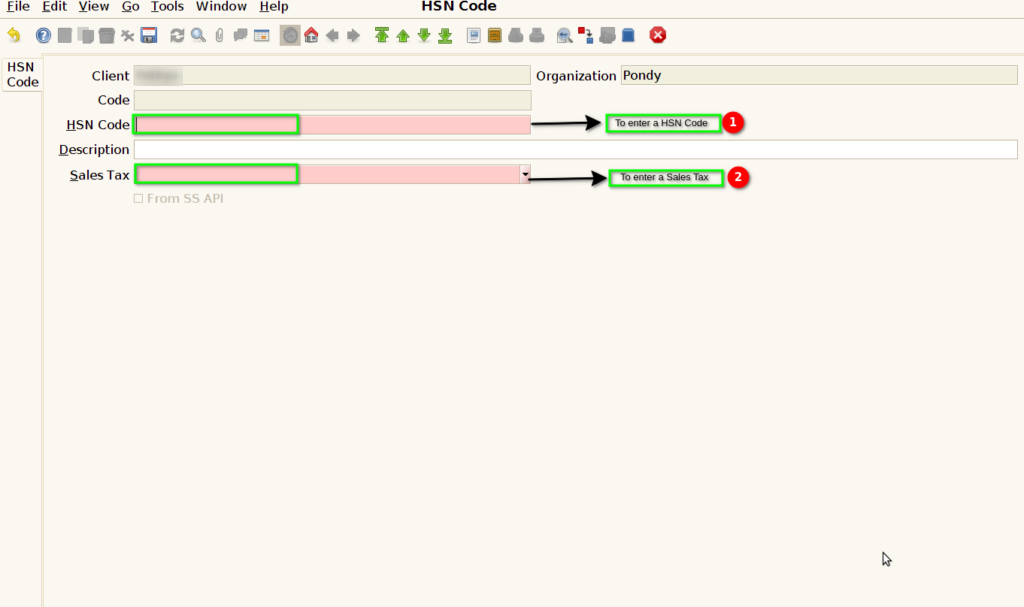
STEP 3: To enter the HSN Code & to select the Sales tax.Code value default to set.
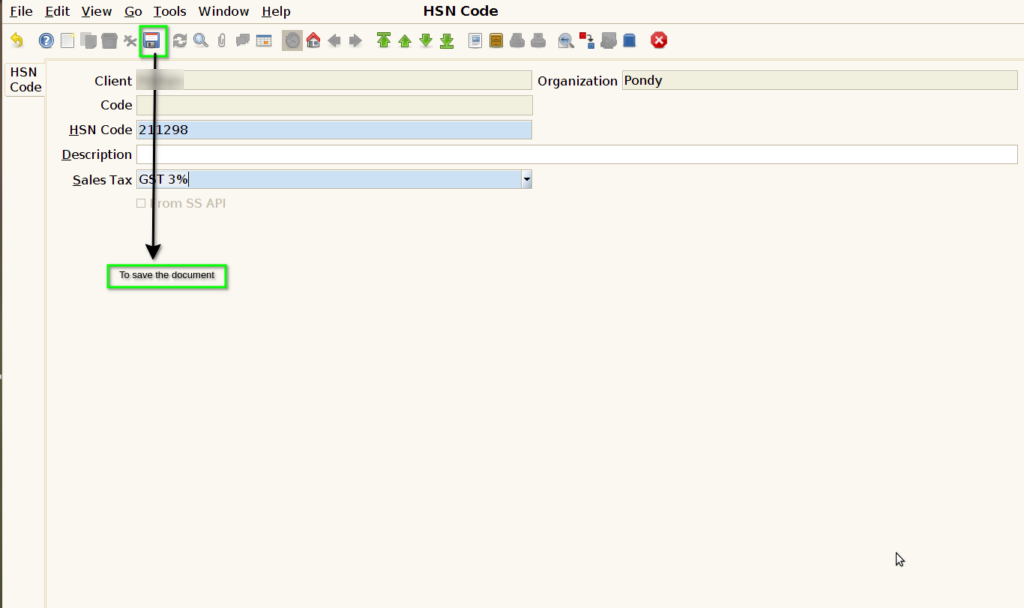
STEP 4: To save the document.
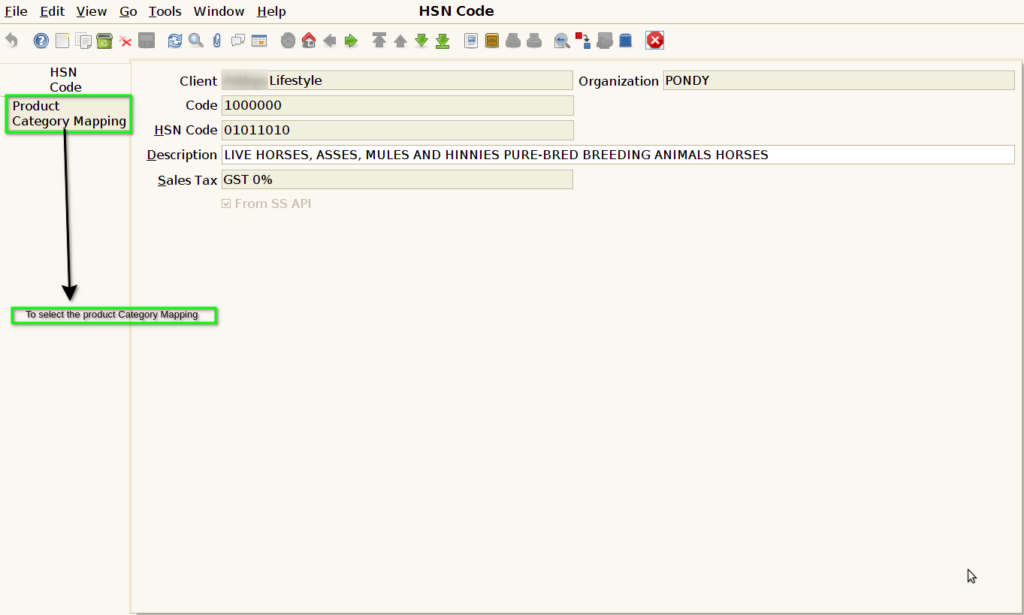
STEP 5: To select the Product category Mapping Tab.
STEP 6: To open a new document.
STEP 7: To enter a Product category and to save the Document.
