How to create a Floor record in Adempiere Retail
Floor refers to the lowest limit or minimum level allowed in a process, value, or condition.
User Access
Who Can Access
- Back Office
- Cashier
- Manager
- Admin
What User Can Do
- Apply values at or above
- View or reference the floor value
- Request approval
- Use the floor value
Pre-Requisite Activities
- Define the Floor Value
- Get Approval
- Assign User Roles
- Document Exceptions (if allowed)
Business Rules
- A floor value must be defined for all products, services, or rates where a minimum limit is required.
- Users cannot set a price, discount, or rate below the defined floor without prior approval.
- Any attempt to go below the floor must trigger a system warning or block the transaction.
- Only authorized roles (e.g., supervisors, pricing managers) may override the floor, with justification.
- Floor values must be reviewed and updated regularly to reflect current business policies or costs.
User Interface
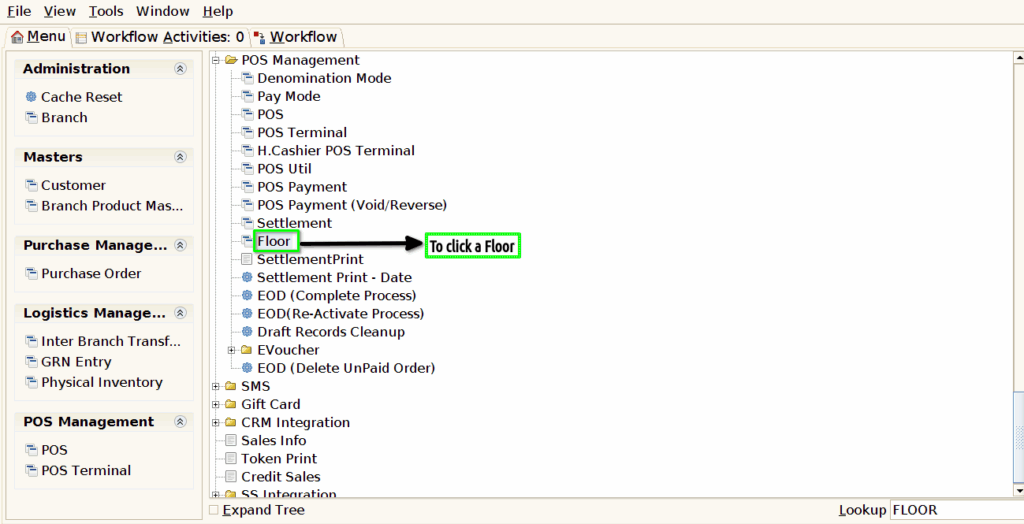
Step 1 : To Select a Branch in Menu.Then to click a Floor.
Step 2 : To click a create new record option to enter a name and to click the save option.
