How to create Stock Update Transaction using Physical Inventory in Adempiere Retail
A Stock Update Transaction means ,Making changes to the quantity or status of inventory items in the system.
User Access
Who Can Access
- Back Office
- Cashier
- Purchase Manager
- Manager
- Admin
What User Can Do
- Add Stock
- Reduce Stock
- Change Stock Status
- Approve Stock Updates
Pre-Requisite Activities
- Verify User Authorization
- Accurate Data Preparation
- Check Current Inventory Levels
Business Rules
- User Authorization
- Accurate Data Entry
- Inventory Levels
- Supporting Documentation
- Real-Time Updates
User Interface
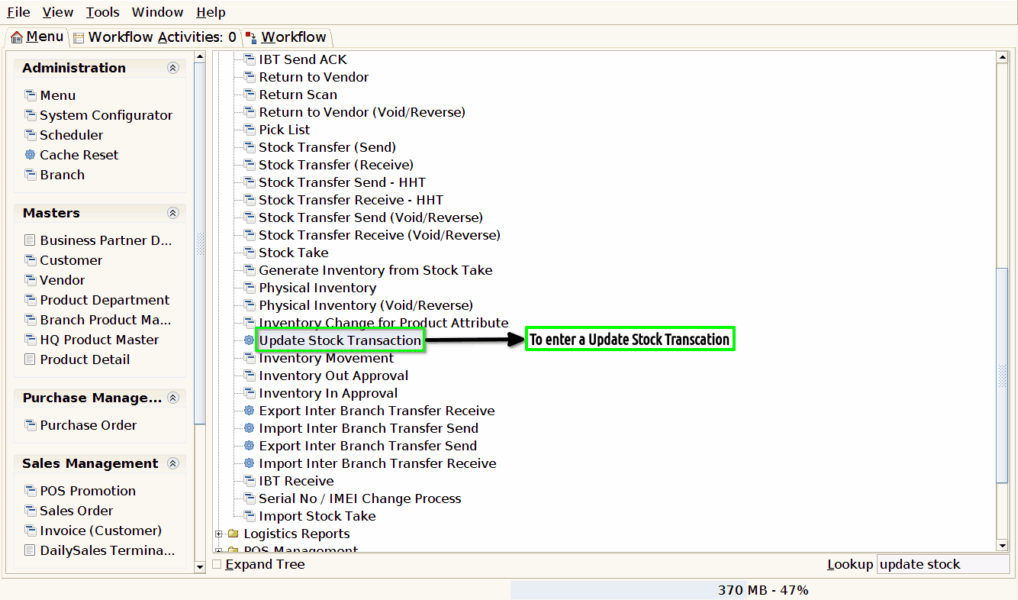
Step 1 : To Select a Branch in Menu.Then to click a Stock Update Transaction.
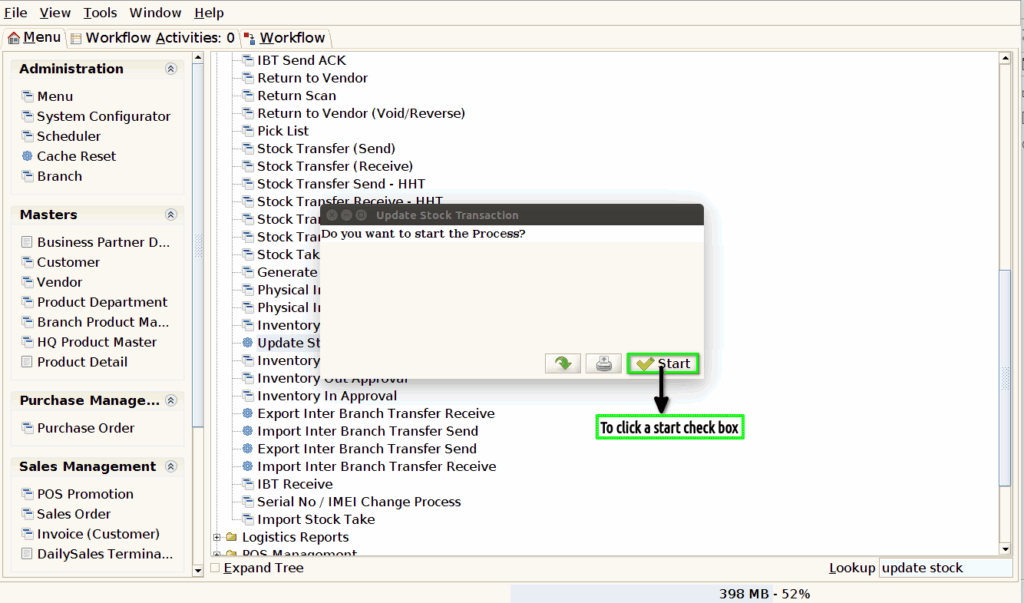
Step 2 :To click the start check box.to run the process.
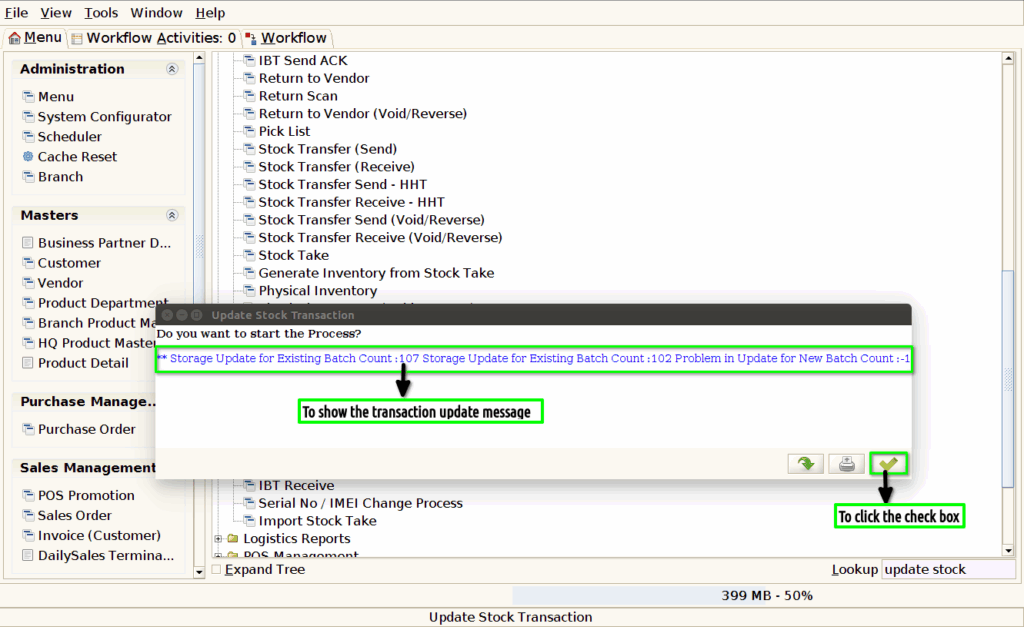
Step 3 :Once to run the process To show the updated data.To click the check box.