How to merge loyalty points of different mobile numbers in Adempiere Retail
Merge Points from Different Mobile Numbers means combining loyalty or reward points accumulated on multiple mobile numbers belonging to the same customer into a single account.
User Access
Who Can Access
- Cashier
- Admin
- Back office
- Manager
What User Can Do
- Request Merge
- Select Primary Account
- Track Merge Status
- Use Consolidated Points
Pre-Requisite Activities
- Verify Customer Identity
- Validate Mobile Numbers
- Check Points Balance
Business Rules
- Single Primary Account
- Points Transfer
- One-Time Merge
- Customer Consent Required
- Data Integrity
User Interface
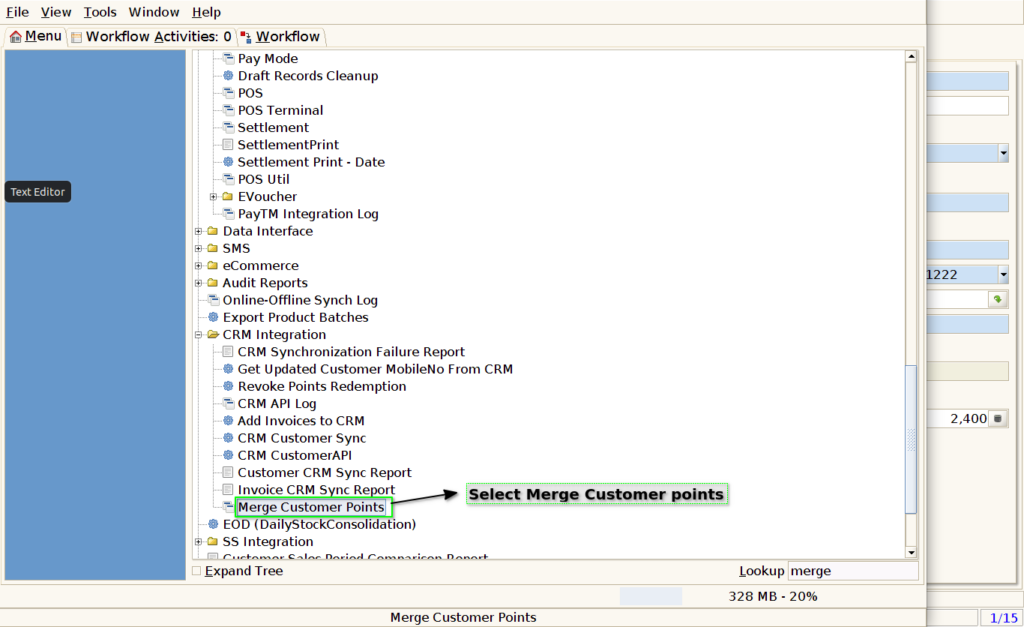
Step 1: Select ‘Merge Customer Points’ in Menu -> CRM Integration -> Merge Customer Points. or Search Merge Customer Points in Lookup.
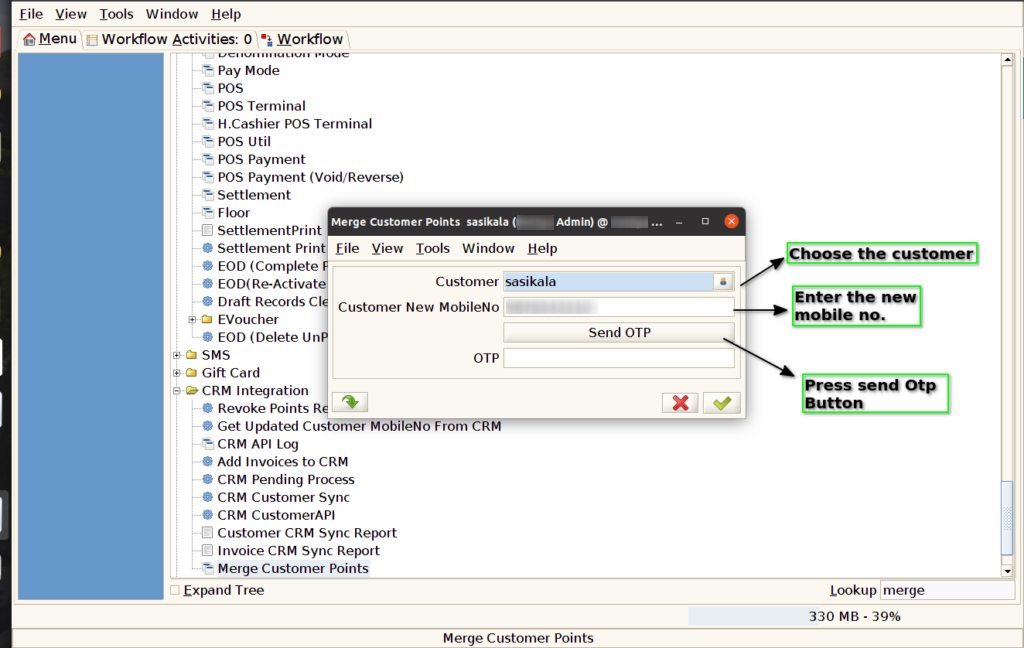
Step 2: Choose the customer and enter the new mobile no. Press send OTP button to receive the otp
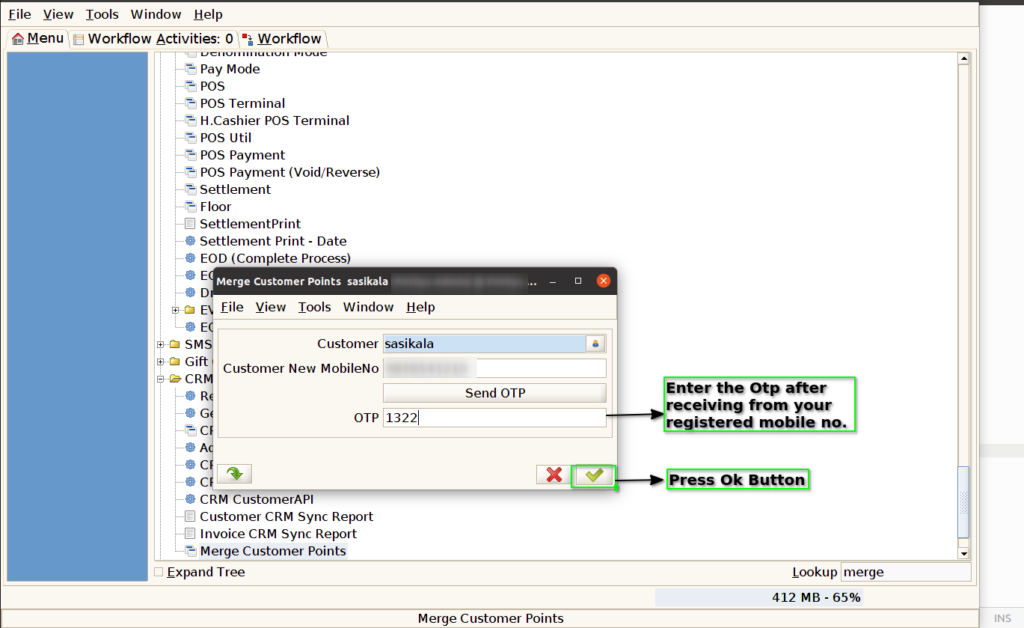
Step 3: Enter the OTP after receive it and press Ok button to continue the process
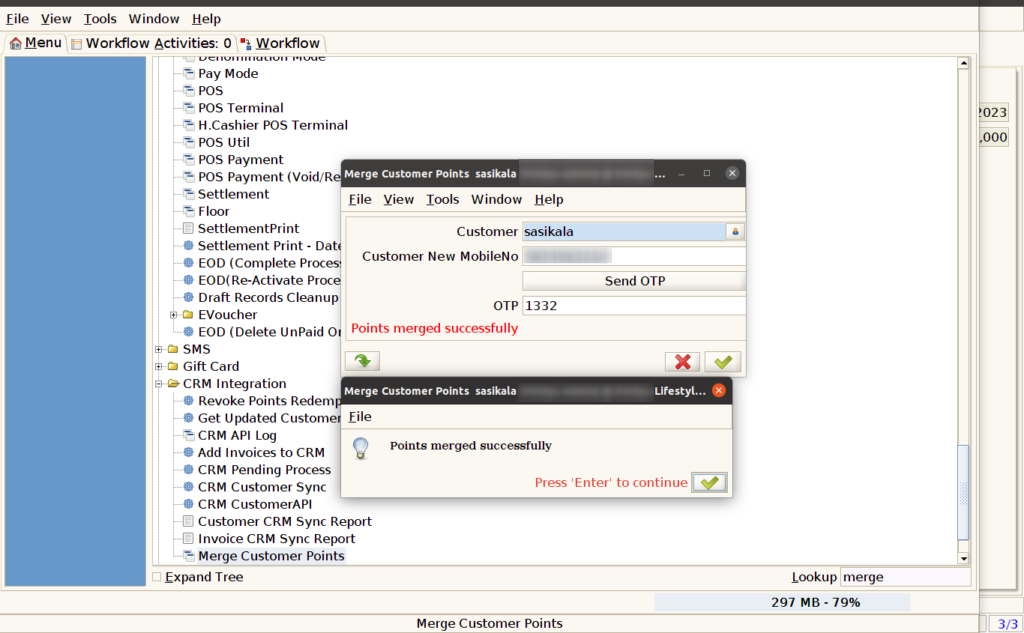
Step 4: View status of the merged points