How to create Tax Category in Adempiere Retail
A Tax Category is a predefined classification that determines which type and rate of tax is applied to a product. It helps the system to calculate and apply correct taxes like GST, VAT, or sales tax during transactions.
User Access
Who Can Access
- Back Office
- Cashier
- Manager
- Admin
What User Can Do
- Create a New Tax Category
- Assign Tax Category to Products/Services
- Edit or Deactivate Tax Categories
Pre-Requisite Activities
- Tax category Name
- Client & Organization
Business Rules
- Each Tax Category Must Have a Unique Name
- Tax Categories Must Be Linked to a Valid Tax Type
- Only Authorized Users Can Create or Edit Tax Categories
- Inactive Tax Categories Cannot Be Assigned
User Interface
STEP 1: To select the Tax Category.

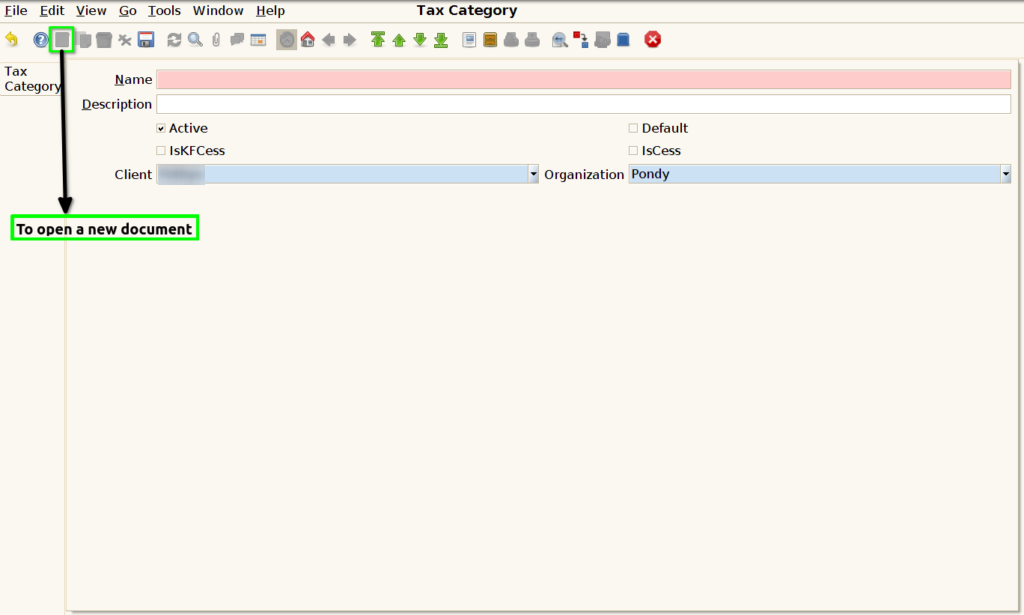
STEP 2: To open a new document.
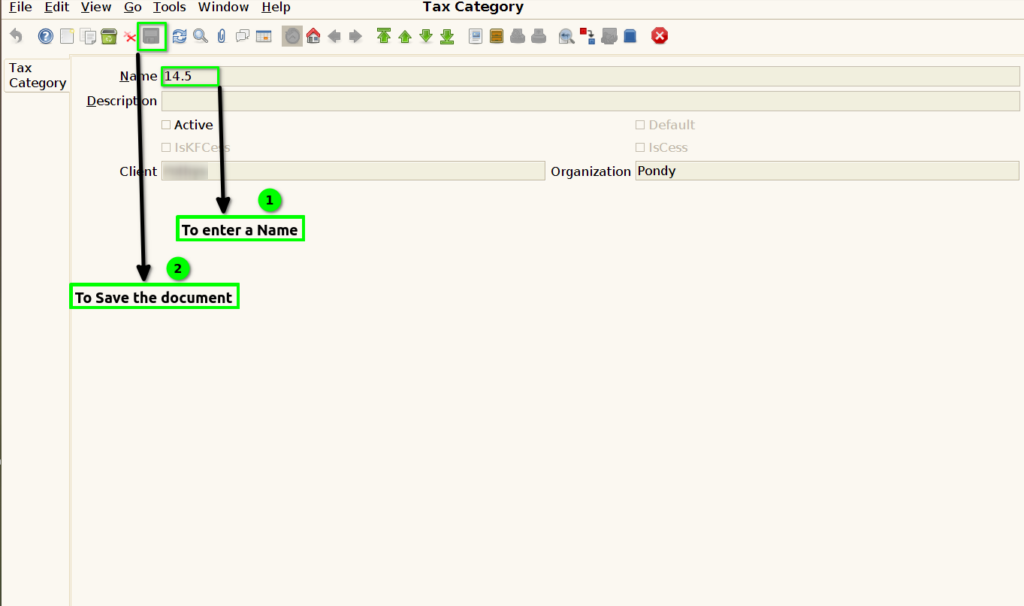
STEP 3: To enter a Name and to save the document.