How to view Manual Discount Report Bill-Wise in Adempiere Retail
A Manual Discount Report (Bill Wise) shows a list of all bills where manual discounts were applied, with details for each bill.
User Access
Who Can Access
- Admin
- Head cashier
- Sales Manager
- Manager
What User Can Do
- Analyze Discount Impact
- Improve Discount Policies
- Detect Unauthorized Discounts
Pre-Requisite Activities
- Discount Policy Setup
- User Roles & Permissions
- Accurate Transaction Recording
- Data Validation
Business Rules
- Discount Limits
- Reason Documentation
- Bill-wise Reporting
- Exclusion of Non-Manual Discounts
- Timely Entry
User Interface
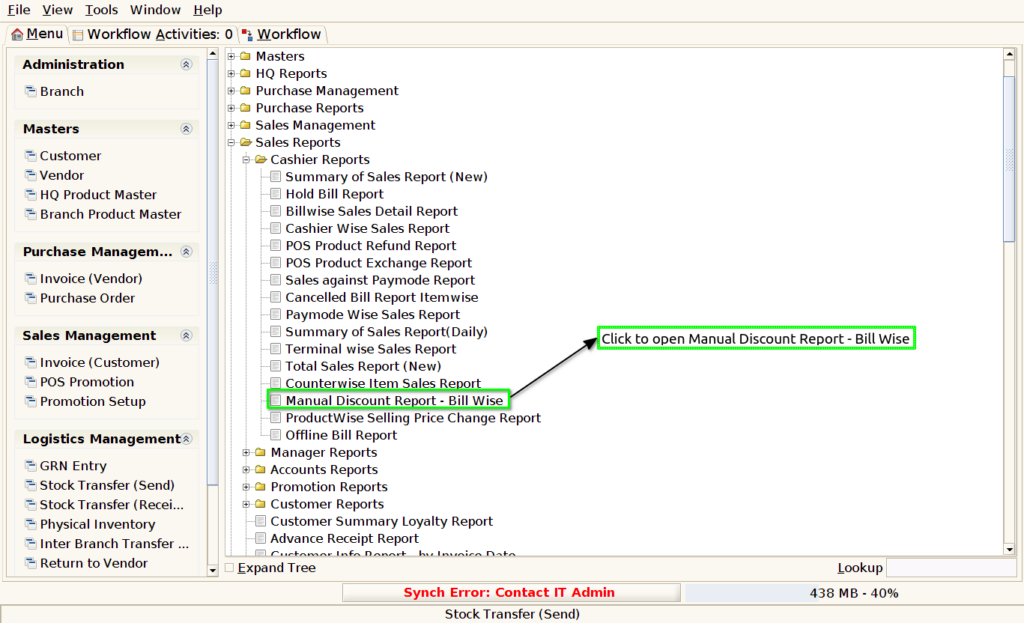
Step 1 : Select ‘Manual Discount Report – Bill Wise’ in Menu -> Sales reports > Cashier report > Manual Discount Report – Bill Wise or Search Manual Discount Report – Bill Wise in Lookup.
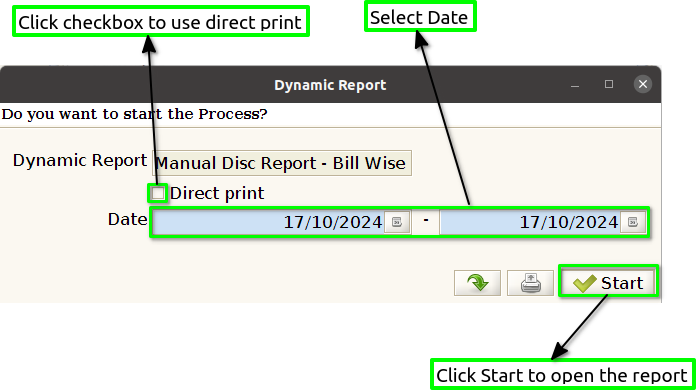
Step 2 : Select the date range and product to open the Manual Discount Report – Bill Wise.
Step 3 : To view a preview of the Manual Discount Report – Bill Wise.
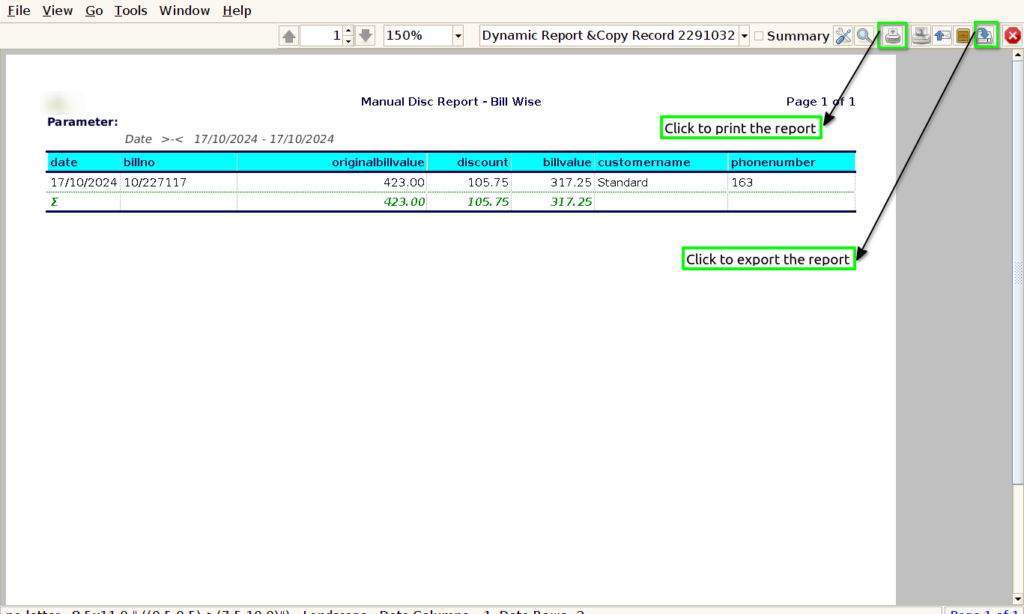
Date : Showing the date in the Manual Discount Report – Bill Wise is essential for tracking when discounts were applied to individual transactions.
Bill No : Showing the bill number in the Manual Discount Report – Bill Wise is crucial for tracking individual transactions and enhancing accountability
Original Bill : Showing the original bill number in the Manual Discount Report – Bill Wise is important for maintaining a clear record of the initial transaction before any discounts were applied.
Discount : Showing the discount amount in the Manual Discount Report – Bill Wise is essential for providing a clear view of the financial impact of discounts applied to individual transactions.
Bill Value : Showing the bill value in the Manual Discount Report – Bill Wise is crucial for understanding the total monetary impact of each transaction after discounts are applied.
Customer Name : This information allows businesses to track which customers receive discounts, helping to identify loyal customers or those who may require special attention.
Phone Number : This information allows businesses to easily reach out for clarifications about discounts, address inquiries, or resolve any issues related to their bills. Including phone numbers also supports customer relationship management by enabling follow-ups on promotional offers or customer satisfaction.