How to create Currency in Adempiere Retail
Currency is the official money used in a country or region for business transactions like buying, selling, and accounting.
User Access
Who Can Access
- Back Office
- Purchaser
- Purchase Manager
- Manager
- Pothys Admin
What User Can Do
- Create a New Currency
- View or Edit Currency Details
- Activate or Deactivate Currency
Pre-Requisite Activities
- Identify the Currency to be Created
- Check if the Currency Already Exists
Business Rules
- Currency Code Must Be Unique
- Inactive Currencies Should Not Be Used in Transactions
- Exchange Rates Must Be Maintained (for conversions)
- Only Authorised Users Can Add or Modify Currency
User Interface
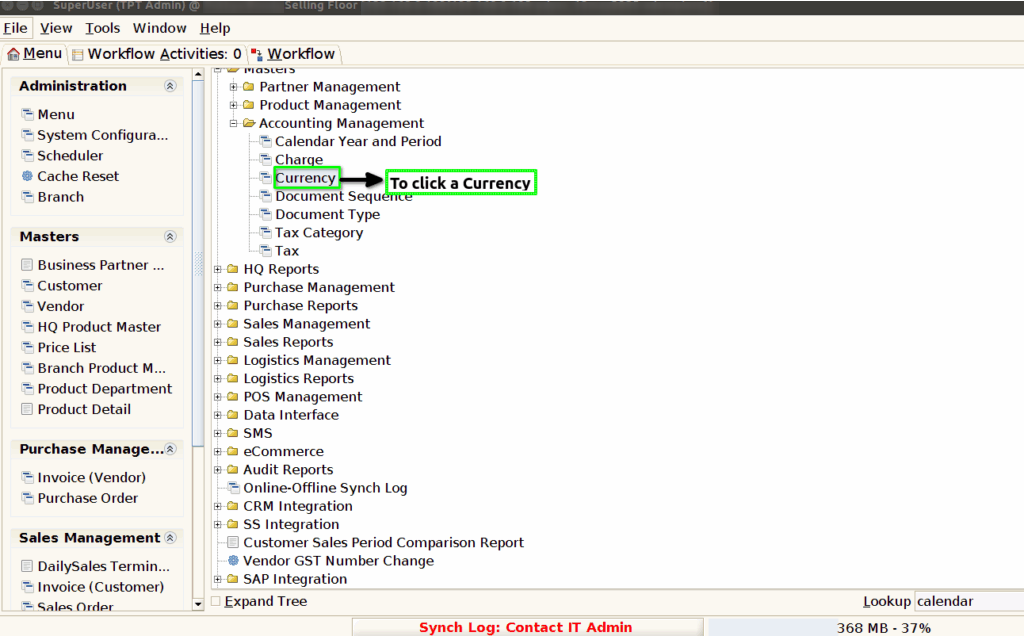
Step 1 : To Select a Branch in Menu.Then to click a Currency.
Step 2 :To click a create new record option.To enter a ISO Currency Code,Symbol,Description,Standard Precision,Costing Precision.

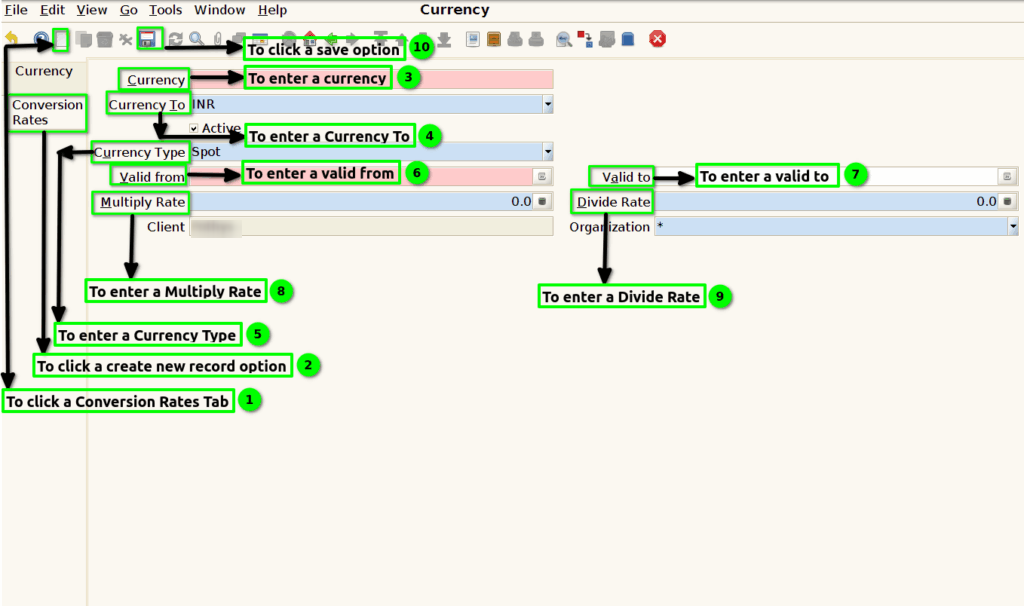
Step 3 :To click a conversion Rates tab and to click a new record option and then to enter a Currency,Currency to,Currency type,Valid from,Valid to,Multiply Rate and Divide Rate.Finally to click the save option.