How to view Stock Aging Report IMEI-Wise in Adempiere Retail
A Stock Aging Report IMEI Wise shows the age of each individual stock item tracked by its unique IMEI number (usually for electronic devices) to see how long it has been in inventory.
User Access
Who Can Access
- Admin
- Cashier
- Sales Manager
- Manager
What User Can Do
- Track Individual Item Age
- Identify Slow-Moving Stock
- Manage Stock Rotation
- Improve Reporting Accuracy
Pre-Requisite Activities
- IMEI Capture at Receiving
- Accurate Stock Updates
- Location Tracking
- Data Validation
- Regular Stock Audits
Business Rules
- Unique IMEI Identification
- Accurate Received Date
- Current Status Inclusion
- Location Tracking
- User Access Control
User Interface
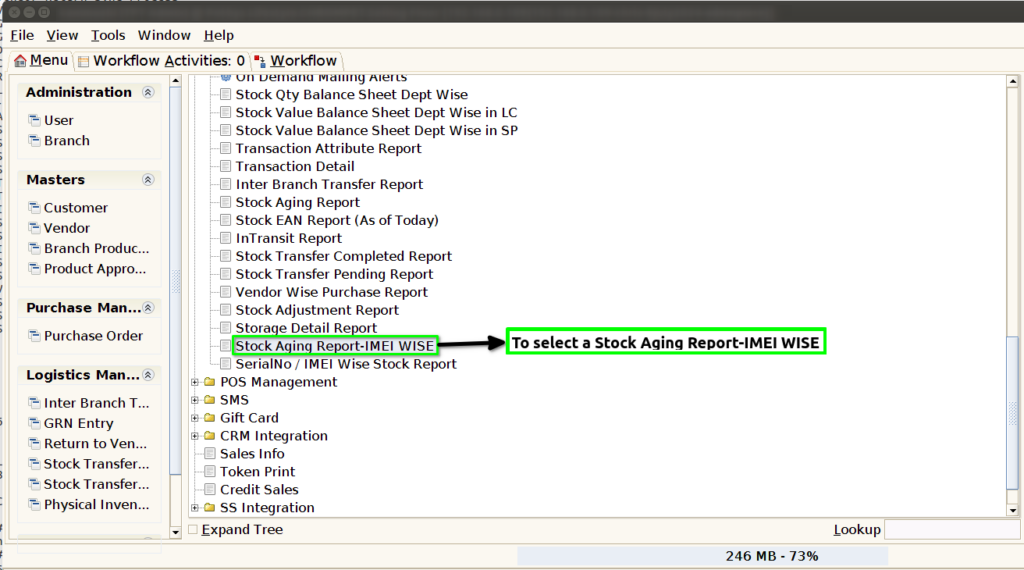
STEP 1: To select a Stock Aging Report-IMEI WISE.
STEP 2: To enter a Dynamic Report field default update.And to enter a Department,then to select any parameter based on the requirement.Finally to click the start check box.To run the process.

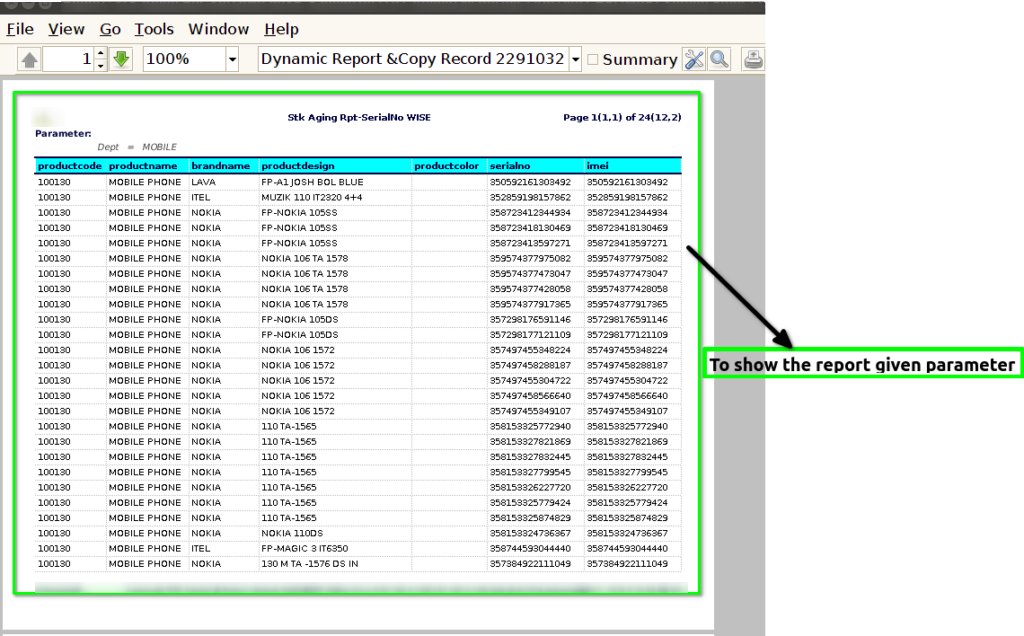
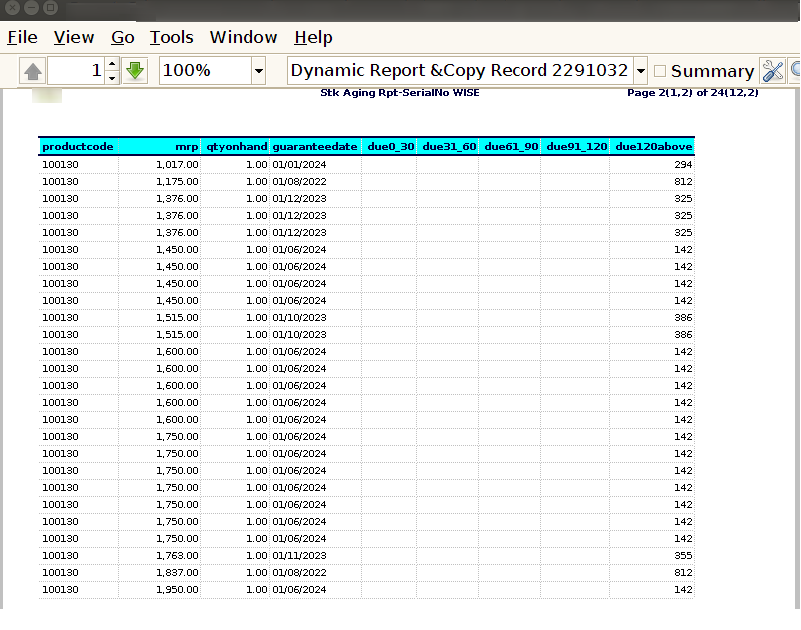
STEP 3: Once to complete the process,then to show the report based on given parameter.