How to view Stock Value Balance Sheet Dept Wise for Lifestyle in Adempiere Retail
This report shows the total monetary value of stock for each department, calculated using the landed cost of the products.
User Access
Who Can Access
- Admin
- Cashier
- Sales Manager
- Manager
What User Can Do
- Analyze Inventory Investment
- Make Informed Purchasing Decisions
- Budget and Financial Planning
- Monitor Stock Efficiency
Prerequisite Activities
- Landed Cost Calculation Setup
- Inventory Quantity Updates
- Department Mapping
- User Roles and Permissions
- Regular Physical Stock Verification
Business Rules
- Real-Time Stock Updates
- Consistent Valuation Method
- No Negative Stock Values
- Handling Stock Adjustments
- Periodic Review
User Interface
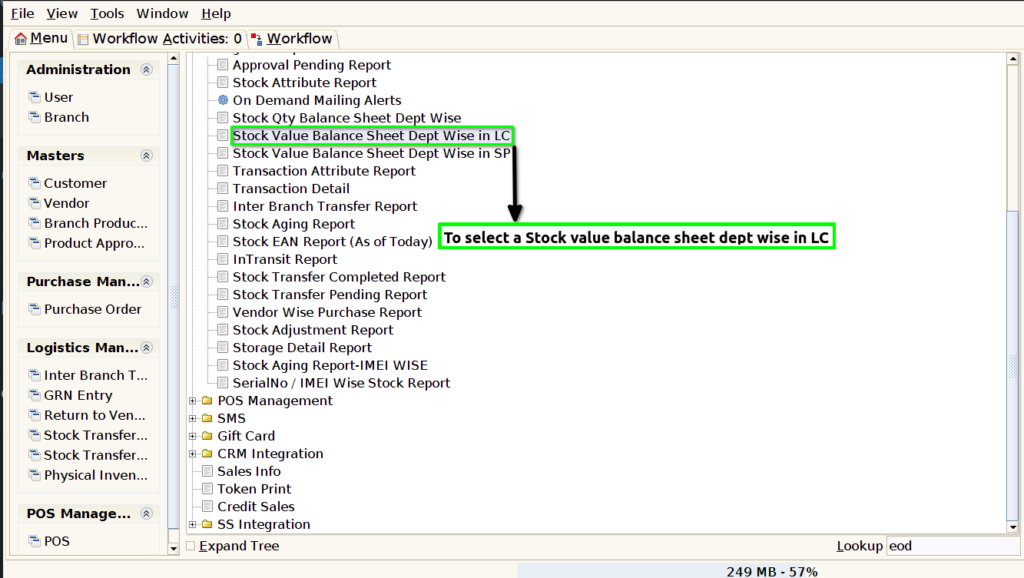
STEP 1: To select a Stock Value balance sheet dept wise in LC.
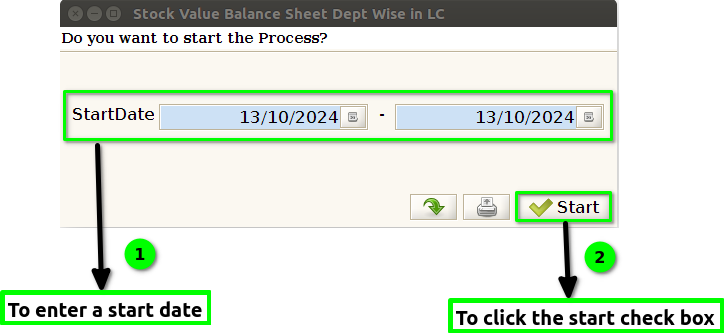
STEP 2: To enter a Date Range.And to click the start check box.To run the process.
STEP 3: Once to complete the process to show the report based on given parameter.
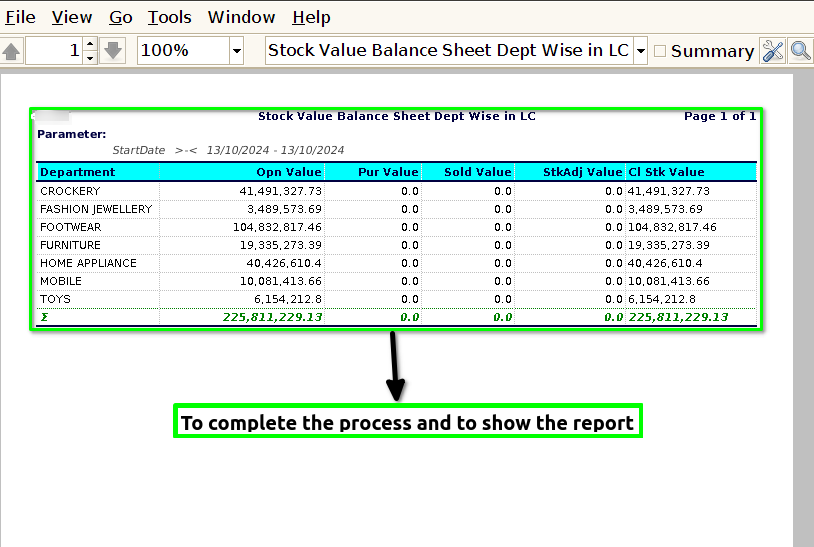
STEP 4: Department->Product department name.
Open value->Total number of opening quantity.
Purchase value->Total number of purchase quantity.
Sold value->Total number of sales quantity.
Stock adj value->Total number of purchase and sales the quantity will mismatch to adjust the stock value.
Closing stock value->End of the day closing stock details.