How to create Sub Document Type in Adempiere Retail
Sub Document Type means,A specific category or classification within a main document type that helps organize and identify documents more precisely.
User Access
Who Can Access
- Back Office
- Cashier
- Purchase Manager
- Admin
What User Can Do
- Select a Sub Document Type
- Create or Request New Sub Document Types
- Filter and Search Documents
- Generate Reports
Pre-Requisite Activities
- Define Main Document Types
- Create and Configure Sub Document Types
- Assign User Permissions
Business Rules
- Assign User Permissions
- Consistent Usage
- Access Control
- Reporting and Filtering
- No Changes Post Finalization
User Interface
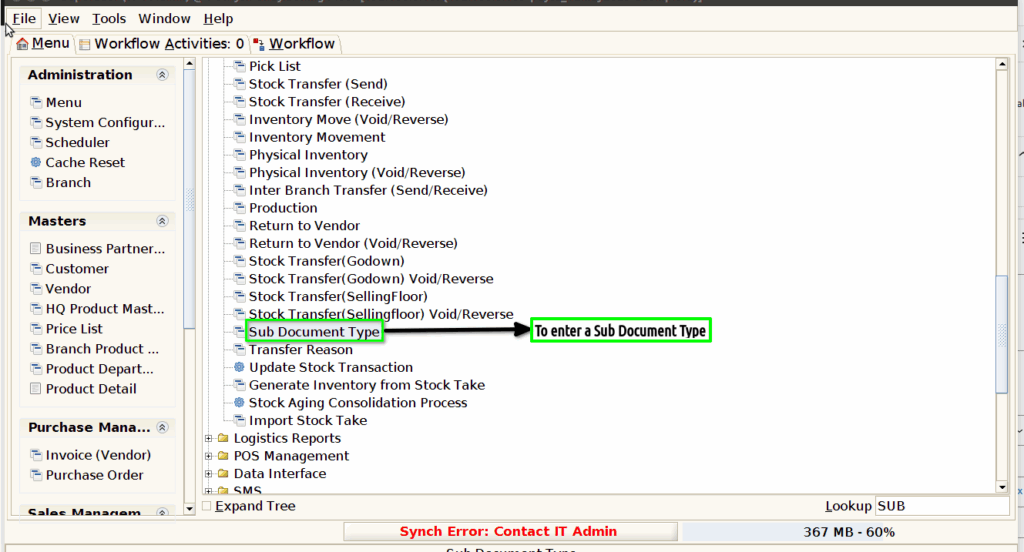
Step 1 : To Select a Branch in Menu.Then to click Sub Document Type.
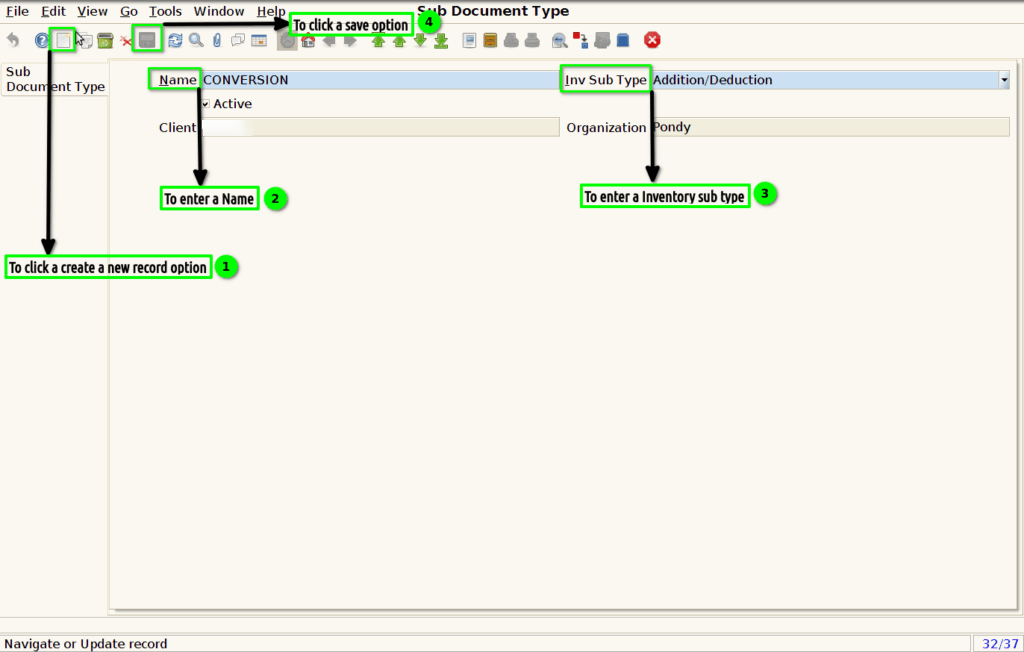
Step 2 : To click a create new record option and to enter a value for name,Inventory sub type and then to save the record.