How to run Inter Branch Sync Process in ADempiere Retail
The regular automatic or manual synchronization of inventory and transaction data between different branches to keep all branch systems updated and consistent.
User Access
Who Can Access
- IT Admin
- Cashier
- Manager
- Back Office
What User Can Do
- Initiate Sync
- Monitor Sync Status
- Review Sync Logs
Pre-Requisite Activities
- Verify Branch Setup
- Ensure User Permissions
- Backup Inventory and Transaction Data
Business Rules
- Authorized Users Only
- Regular Sync Schedule
- Backup Before Sync
User Interface
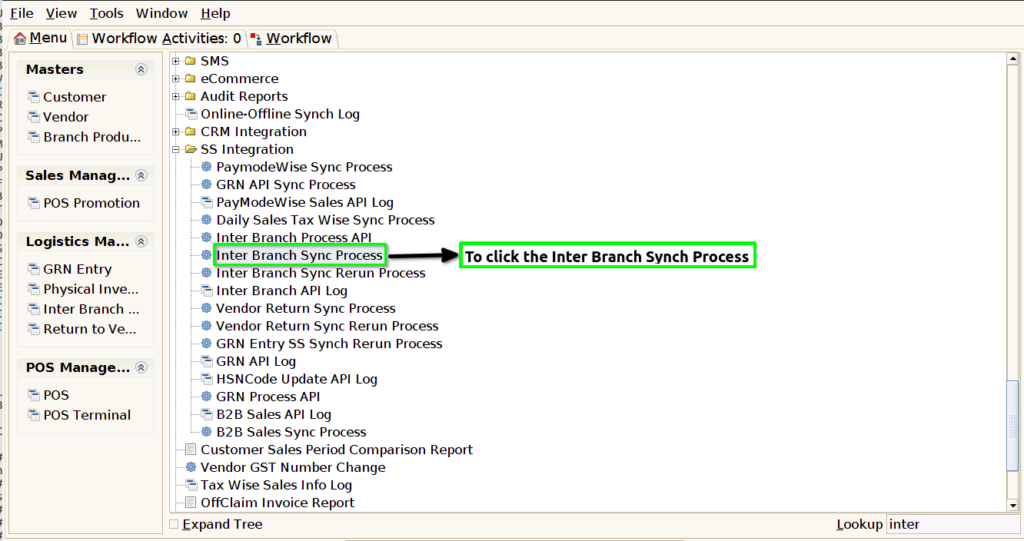
Step 1 : To select a Inter Branch Sync Process.
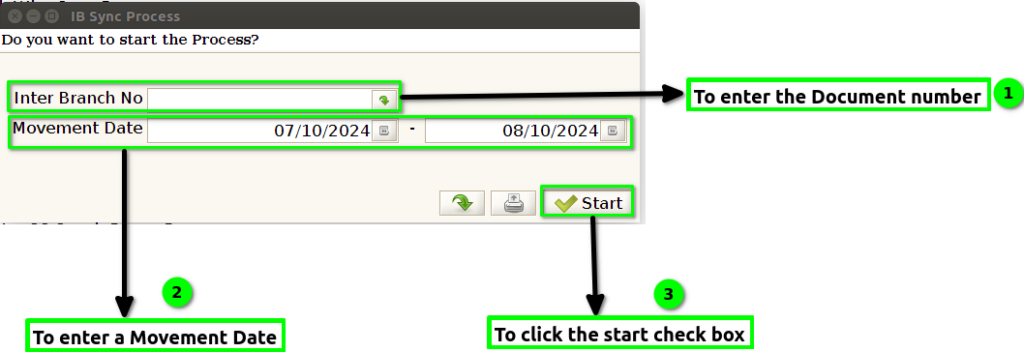
Step 2 : To enter a Document number or to enter a Movement Date .To select any parameter and put the value.To click the start the check box.
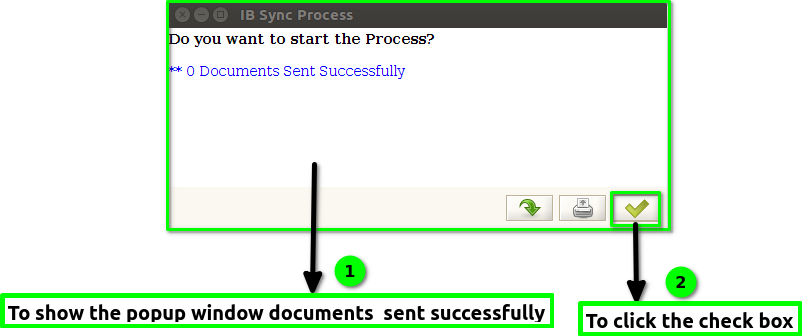
Step 3: Once to run the process to show this popup window Documents sent successfully count will show. Once to complete the IBT to sync the documents to check the sync documents Inter Branch API log.Finally to click the check box.