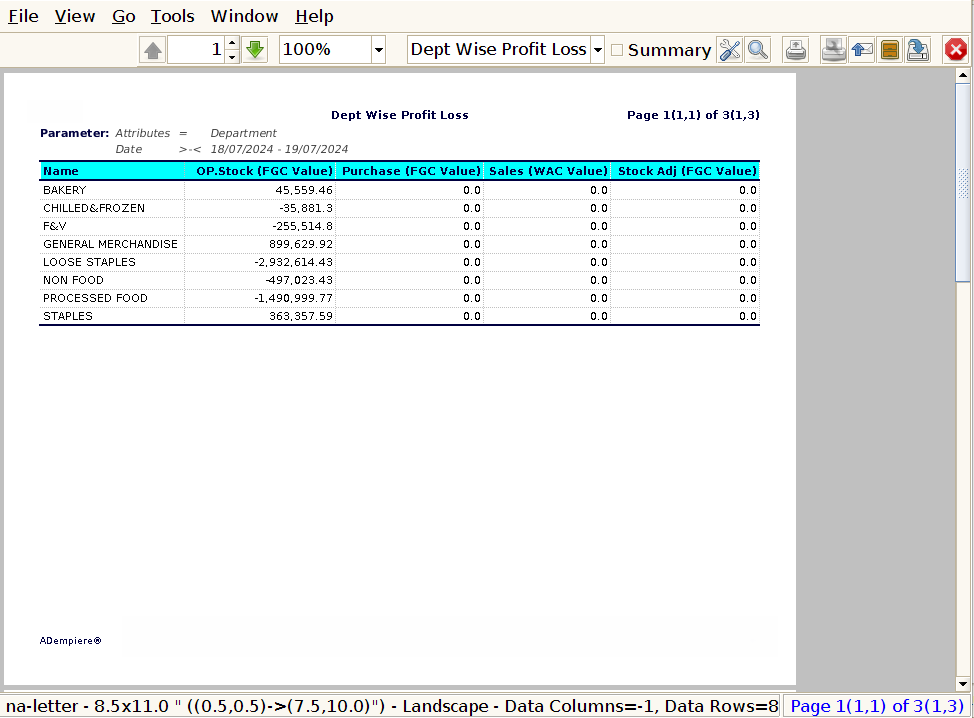
How to view Dept Wise Profit & Loss Report in Adempiere Retail
A Department-wise Profit and Loss (P&L) Report shows the financial performance of each department within a business over a specific period.
User Access
Who Can Access
- Admin
- Cashier
- Manager
What User Can Do
- Evaluate Department Performance
- Make Informed Budget Decisions
- Improve Resource Allocation
- Enhance Accountability
Prerequisite Activities
- Set Up Accounting Structure
- Record All Financial Transactions
- Collect Complete Data
- Reconcile and Validate Data
- Reporting Period
Business Rules
- Accurate Department Tagging
- Use Standardized Department Names/Codes
- Include All Relevant Financial Data
- Exclude Non-Financial Transactions
- Consistent Reporting Period
User Interface
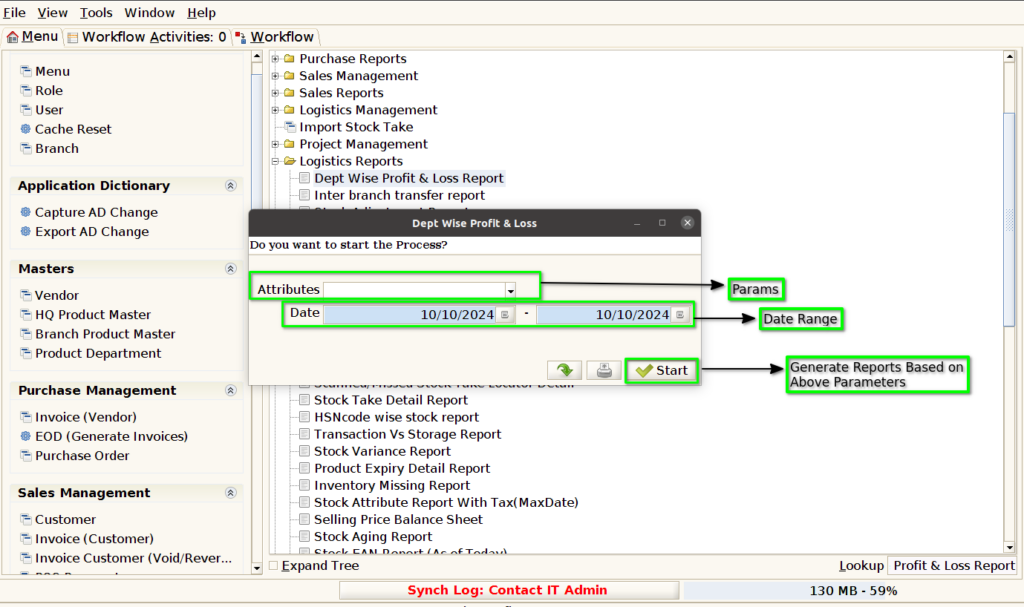
Step 1 : Select ‘Dept Wise Profit & Loss Report’ in Menu Logistics Reports -> Dept Wise Profit & Loss Report or Search Dept Wise Profit & Loss Report in Lookup.

Step 2: After opening the Concern Report, it appears as shown in the image below
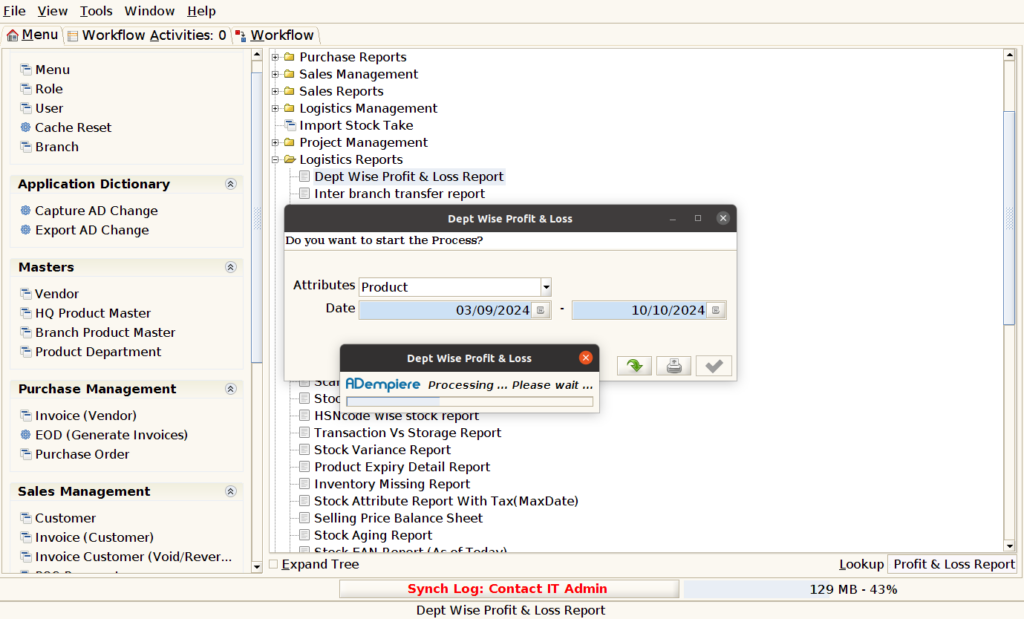
report will look like below image shown