How to create Stock Take document in Adempiere Retail
The process of physically counting and verifying the quantity of inventory items in stock to ensure accuracy between actual stock and system records.
User Access
Who Can Access
- Back Office
- Cashier
- Purchase Manager
- Manager
- Admin
What User Can Do
- Count Inventory Items
- Record Counts
- Adjust Inventory Records
- Generate Stock Take Reports
Pre-Requisite Activities
- Plan and Schedule Stock Take
- Freeze Inventory Transactions
- Prepare Stock Take Materials
Business Rules
- Scheduled Stock Takes
- Freeze Inventory Movements
- Inventory Adjustment Approval
- Reporting
User Interface
Step 1 : To Select a Branch in Menu.Then to click a Stock take.
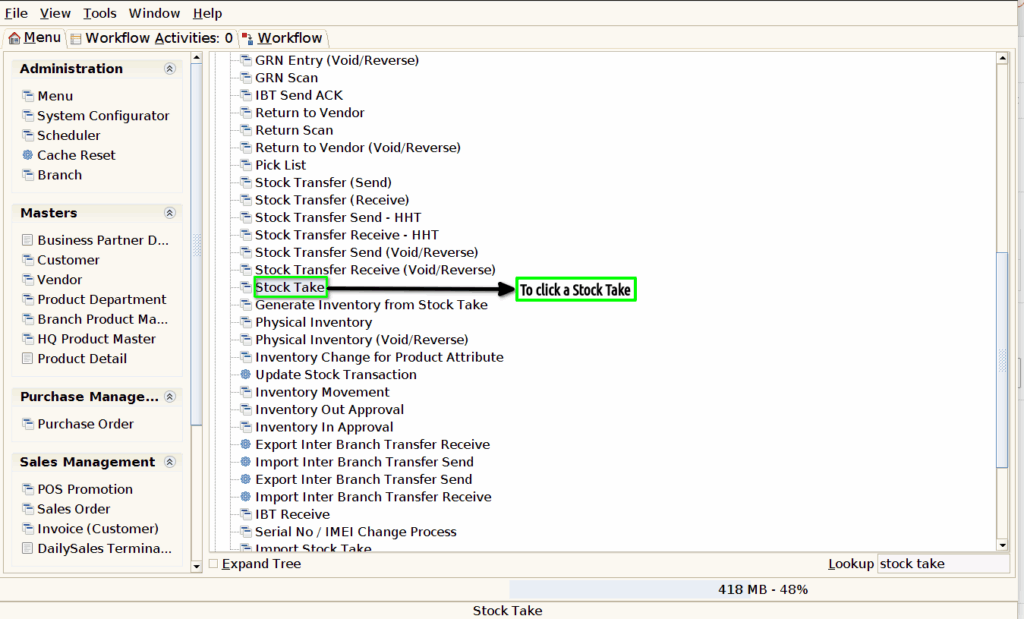
Step 2 :To open the form and to enter the value for any of these parameters and to click the check box.

Step 3 :To click the create new record option and to enter the values for Document type and to update the values for Document no,Ref document no,Document date,Product attributes,attribute name,physical inventory and movement date.
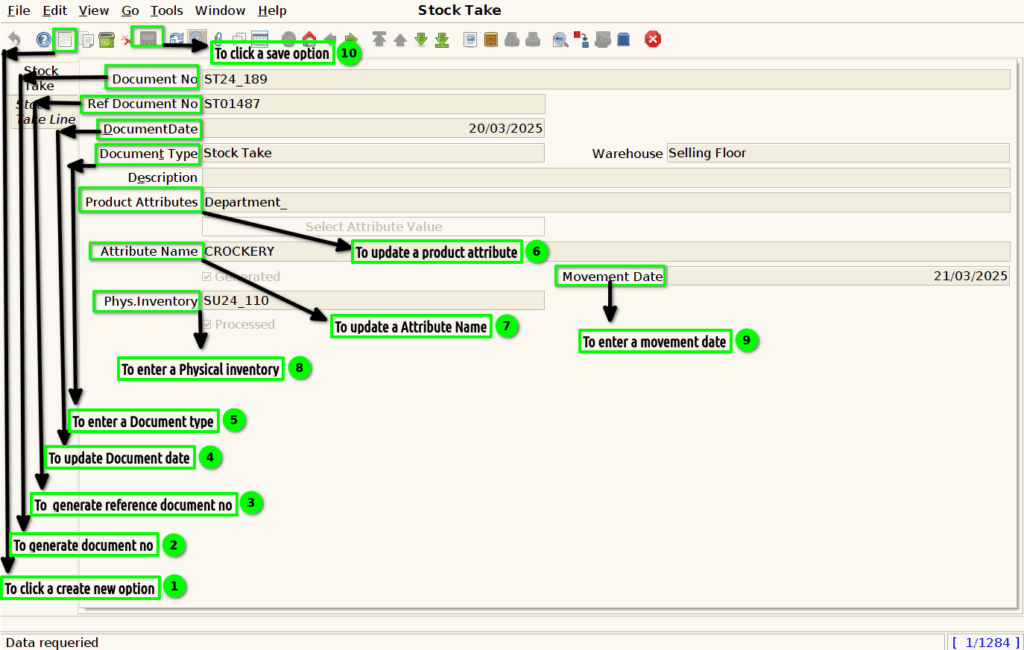
Step 4 :To click a Stock Take Line tab and to update the details from the given data.
