How to create a Member Type in Adempiere Retail
Member Type refers to the category or classification assigned to a member within a loyalty program, club, or organization, which determines their benefits, privileges, or level of access.
User Access
Who Can Access
- Back Office
- Cashier
- Manager
- Admin
What User Can Do
- View Member Type
- Assign or Change Member Type
- Report on Member Types
Pre-Requisite Activities
- Define Member Type Categories
- Data Accuracy
- User Permissions
Business Rules
- Defined Categories
- Automatic or Manual Assignment
- Visibility
- User Authorization
- Review and Update
User Interface
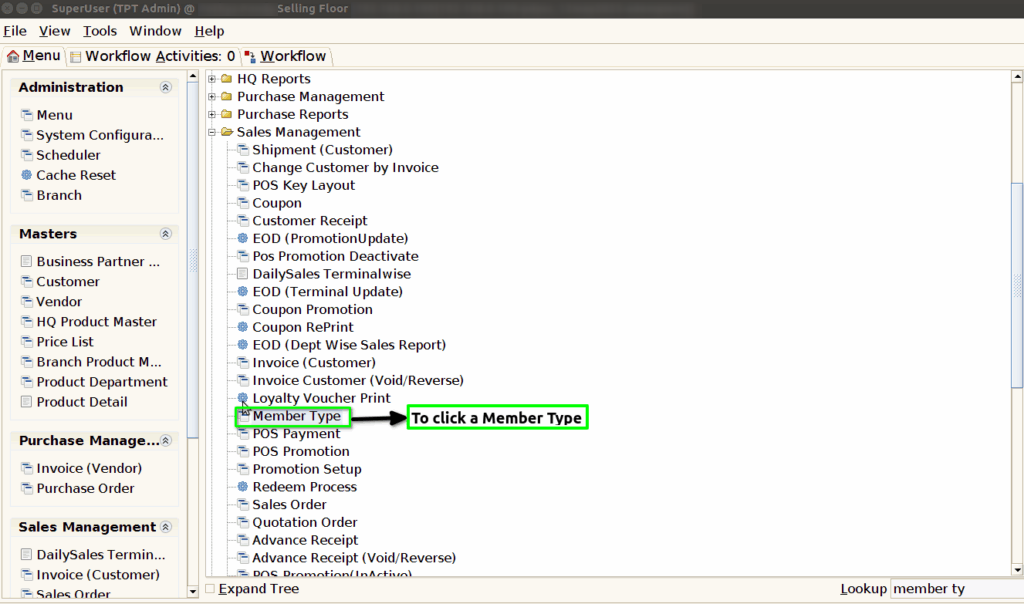
Step 1 : To Select a Branch in Menu.Then to select a Member Type Master.
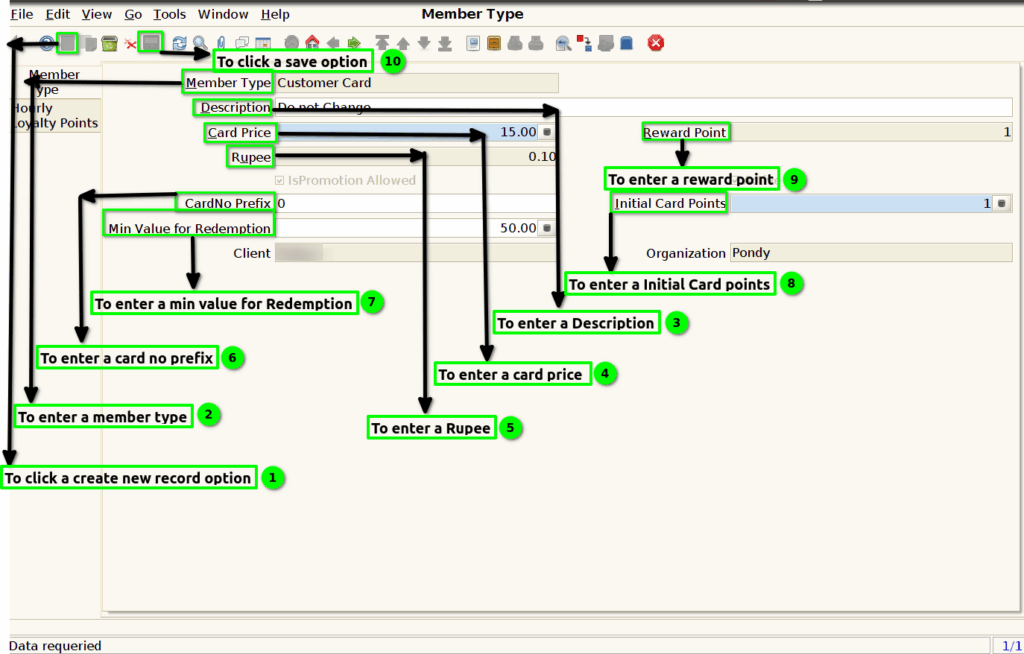
Step 2 : Once to open the header tab to click a create a new record option.To enter the values for Member Type,Description,Card price,Reward point,Rupee,Card no prefix,Initial card points,Min value for Redemption.Then to save the record.
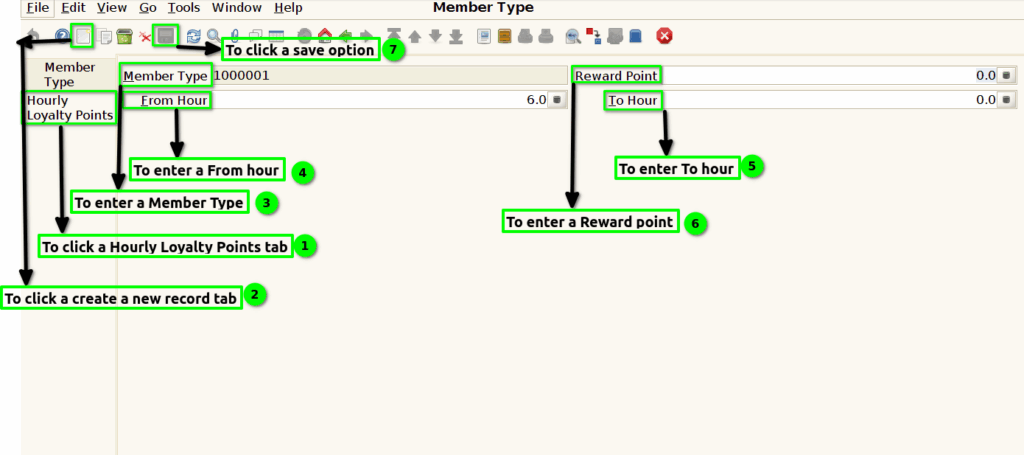
Step 3 :Then to click a Hourly Loyalty points tab and to enter a values for Member type ,From hour ,To hour and Reward points.Then to save the Record.