How to view Dept Wise Sales VAT Report in Adempiere Retail
A Dept Wise Sales VAT Report shows the sales amounts and the VAT (tax) collected, separately for each department in a business (like Grocery, Electronics, Clothing, etc.).
User Access
Who Can Access
- Admin
- Head cashier
- Sales Manager
- Manager
What User Can Do
- View Sales by Department
- Prepare for Tax Filing
- Compare Department Performance
- Filter by Date Range
Pre-Requisite Activities
- Set Correct VAT Rates per Department
- Update Product Master Data
- Verify Accounting Integration (if needed)
- Enable Date-Based Sales Tracking
Business Rules
- Department Mapping Must Be Accurate
- VAT Must Be Calculated at Sale Time
- Only Valid Sales Are Included
User Interface
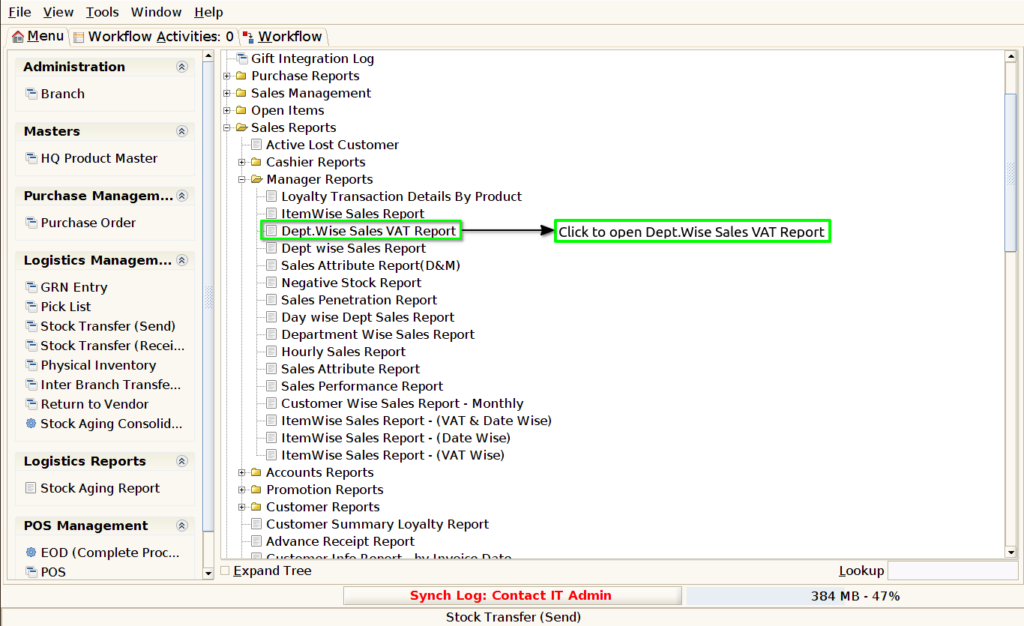
Step 1 : Select ‘Dept Wise Sales VAT Report’ in Menu -> Sales reports > Manager report > Dept Wise Sales VAT Report or Search Dept Wise Sales VAT Report.
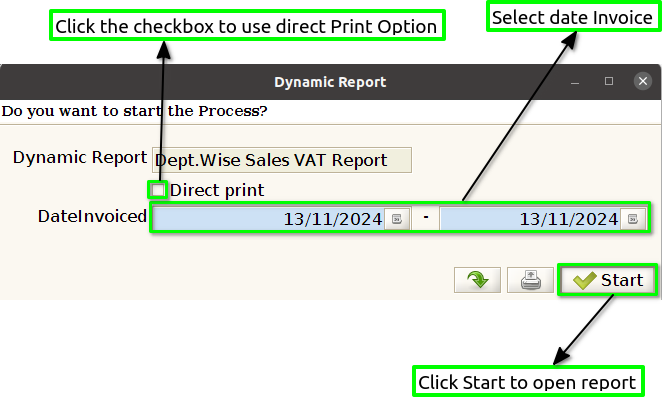
Step 2 : Select the date range to open the Dept Wise Sales VAT Report.
Step 3 : To view a preview of the Dept Wise Sales VAT Report .
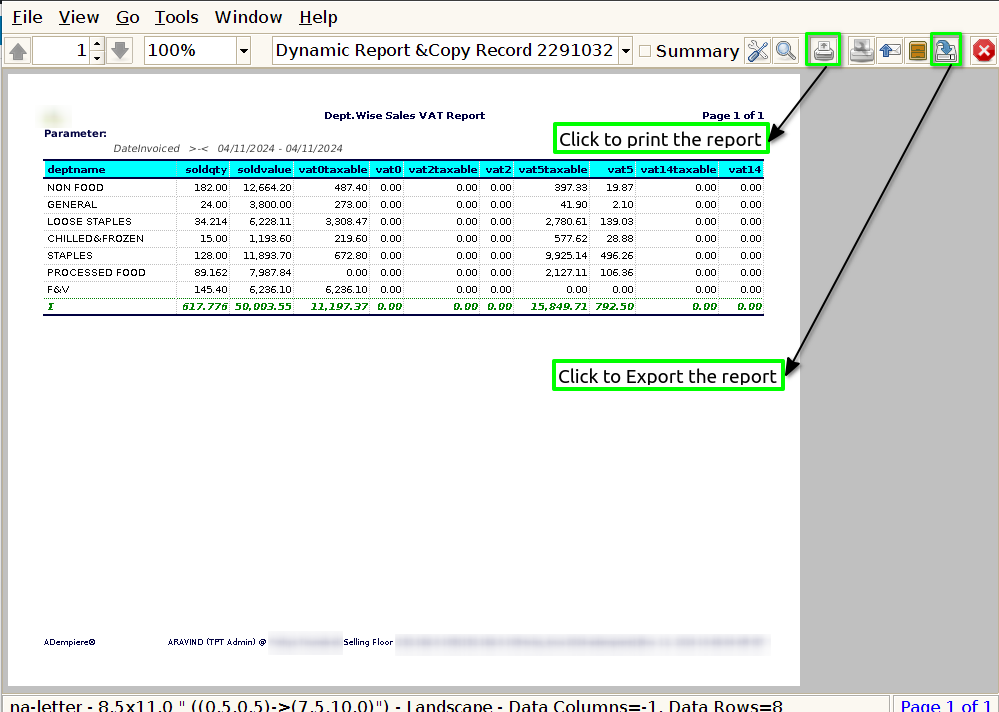
Department Name : In a Dept. Wise Sales VAT Report, showing the department name provides clear and organized breakdowns of sales data by department.
Sold Quantity : Showing the sold quantity helps track how many units of products were sold in each department. This provides insight into the volume of sales, which is crucial for understanding overall business performance and for comparing sales figures across different departments.
Sold value : The sold value in a Dept. Wise Sales VAT Report is essential because it offers a comprehensive understanding of revenue generation, tax compliance, profit analysis, and inventory needs.
VAT Taxable : The system may be generating the report to break down VAT by department, so “VAT taxable” indicates the total sales in that department that are subject to VAT. The VAT amount could be based on the sales value of taxable goods or services in that department.
VAT : The report is showing the VAT that has been applied to sales transactions for each department. If your organization is VAT-registered, VAT is collected on most taxable sales (depending on the country and its VAT laws).